Regex
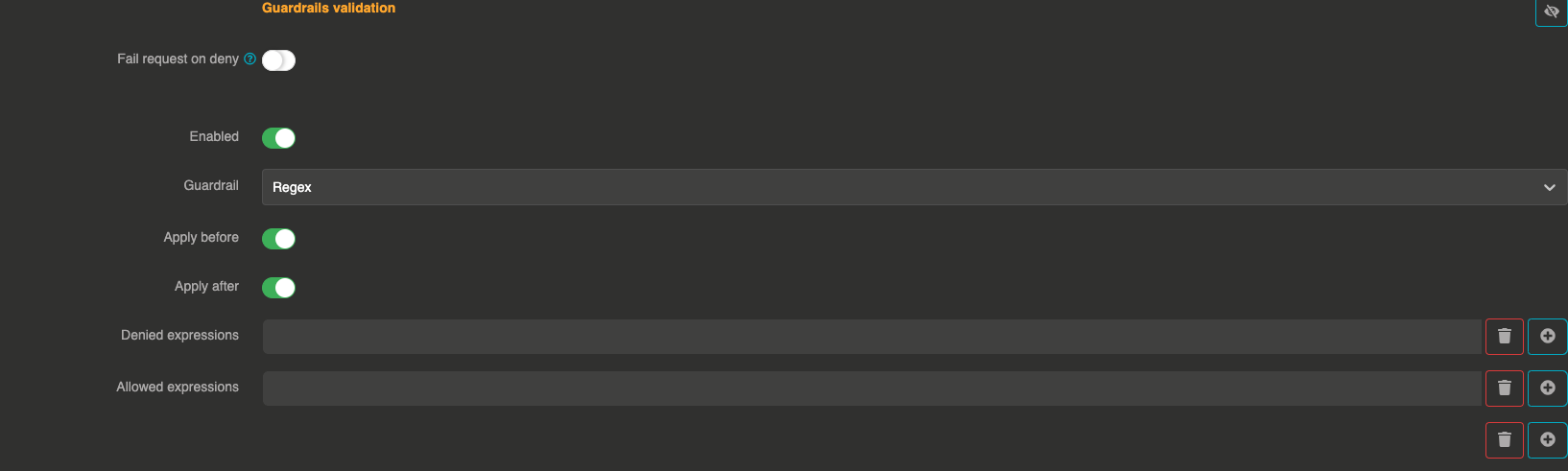
The Regex guardrail validates message content against regular expression patterns. You can define allow-list and deny-list patterns to control what content is permitted or blocked.
It can be applied before sending the prompt to the LLM and after to validate the LLM response.
How it works
The guardrail evaluates the message content against two sets of regex patterns:
- Allow list: If provided, at least one pattern must match for the message to pass
- Deny list: If provided, no pattern must match for the message to pass
Both lists can be used together. A message passes only if it is not denied and is allowed.
Configuration
"guardrails": [
  {
    "enabled": true,
    "before": true,
    "after": true,
    "id": "regex",
    "config": {
      "allow": [],
      "deny": [".*DROP\\s+TABLE.*", ".*DELETE\\s+FROM.*"]
    }
  }
]
Field explanations
- enabled:
true— The guardrail is active - before:
true— The guardrail applies to user input before sending to the LLM - after:
true— The guardrail applies to the LLM response
Config section
| Parameter | Type | Required | Default | Description |
|---|---|---|---|---|
allow | array of strings | No | [] | Regex patterns that the message must match (at least one). If empty, all messages are allowed by default. |
deny | array of strings | No | [] | Regex patterns that the message must not match. If any pattern matches, the message is blocked. |
Guardrail examples
Block SQL injection patterns:
{
  "deny": ["(?i).*DROP\\s+TABLE.*", "(?i).*DELETE\\s+FROM.*", "(?i).*;\\s*--.*"]
}
Only allow messages about specific topics:
{
  "allow": ["(?i).*(weather|forecast|temperature).*"]
}
Denial response
When a message is blocked, the guardrail returns:
message does not match regex