LLM guardrails
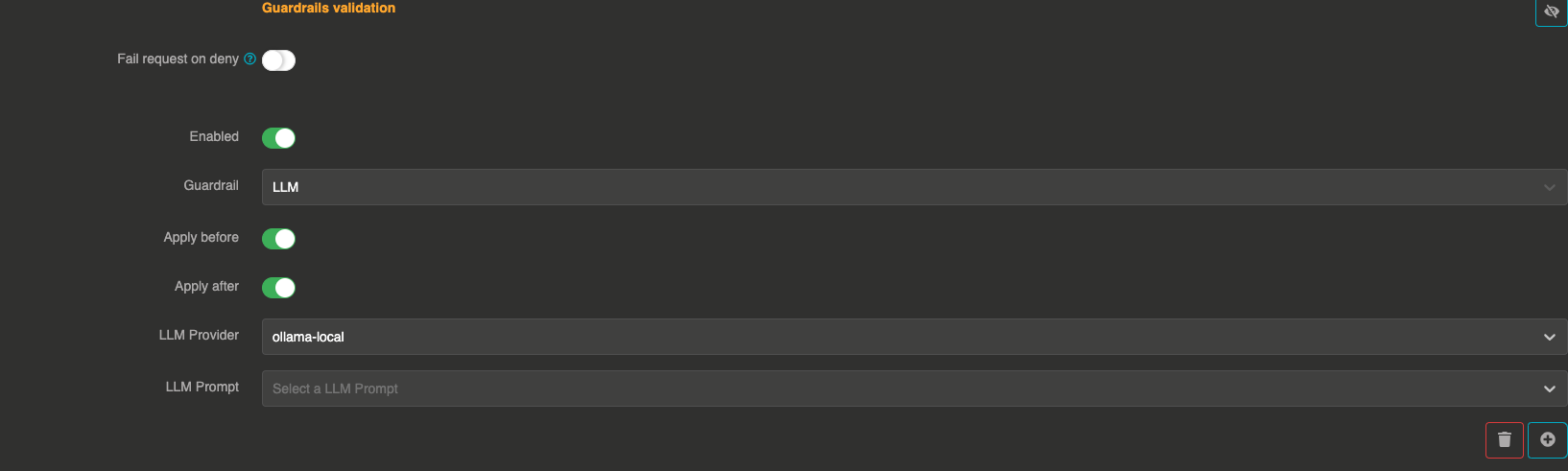
The LLM guardrail uses a separate LLM provider with a custom prompt to validate messages. This is the most flexible guardrail, as you can define any validation logic through natural language instructions in a prompt template.
It can be applied before sending the prompt to the LLM and after to validate the LLM response.
How it works
- The guardrail sends the user messages to a configured validation LLM provider along with a prompt template that defines the validation rules
- The validation LLM evaluates the messages and responds with
true(pass) orfalse(deny) - The guardrail also accepts JSON responses in the format
{"result": true}or{"result": false}
The validation LLM provider must be different from the main LLM provider being guarded (if the same provider is referenced, the guardrail is skipped).
Configuration
"guardrails": [
  {
    "enabled": true,
    "before": true,
    "after": true,
    "id": "llm",
    "config": {
      "provider": "provider_xxxxxxxxx",
      "prompt": "prompt_xxxxxxxxx"
    }
  }
]
Field explanations
- enabled:
true— The guardrail is active - before:
true— The guardrail applies to user input before sending to the LLM - after:
true— The guardrail applies to the LLM response
Config section
| Parameter | Type | Required | Default | Description |
|---|---|---|---|---|
provider | string | Yes | — | Reference ID of the LLM provider used for validation. Must be different from the main provider, unless a model is set. |
model | string | No | default model of the provider | Model of the validation provider used to judge the messages, for instance a smaller and faster one. With a model set, the guarded provider can judge its own messages with another of its models. |
prompt | string | Yes | — | Reference ID of a prompt template entity that defines the validation rules. The prompt should instruct the LLM to respond with true or false. |
Prompt template
The prompt template should instruct the validation LLM to evaluate the messages and respond with a clear true or false. For example:
Evaluate the following user messages. If the content is appropriate and does not contain
harmful, offensive, or policy-violating material, respond with "true".
Otherwise, respond with "false". Do not add anything else.
Expected LLM responses
The guardrail accepts the following response formats from the validation LLM:
| Response | Result |
|---|---|
true | Pass |
false | Deny |
{"result": true} | Pass |
{"result": false} | Deny |
true ... (starts with "true") | Pass |
| Any other response | Deny |
Performance considerations
This guardrail makes an additional LLM call for each validation, which means:
- Higher latency compared to simpler guardrails
- Additional token costs from the validation LLM
- Consider using a fast, cost-effective model for the validation provider