Policy flows
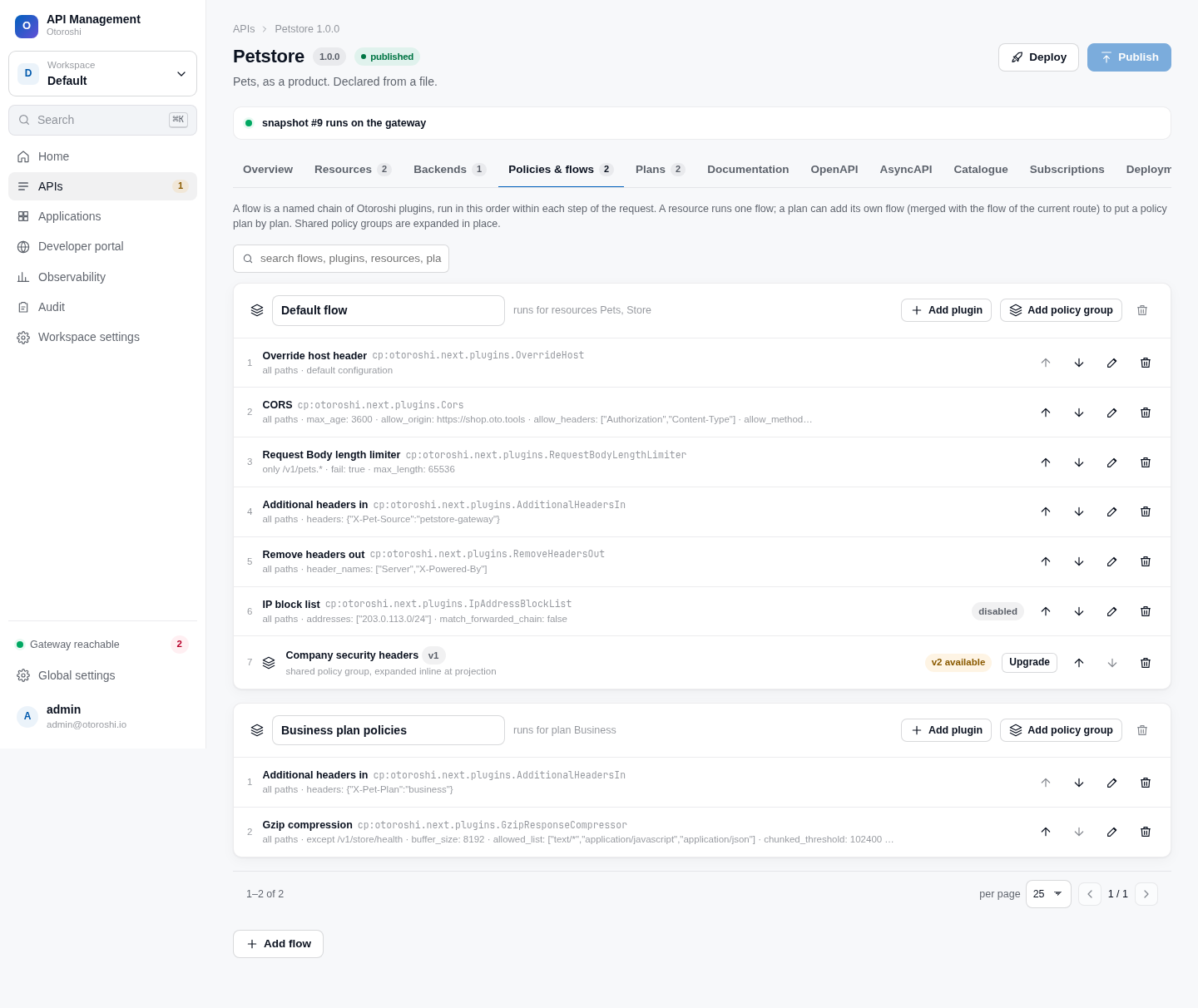
A policy flow is a named chain of Otoroshi plugins. It belongs to the draft of the API, is frozen
in its snapshots and projected as a flow of the Otoroshi Api entity: what you edit is what the
gateway runs. The product adds one plugin only, OtoroshiHeadersIn — the request id sent to the
backends —, unless Settings › Correlation of the API is off.
Where a flow runs
- Each resource runs one flow (Resources → a resource → Policy flow).
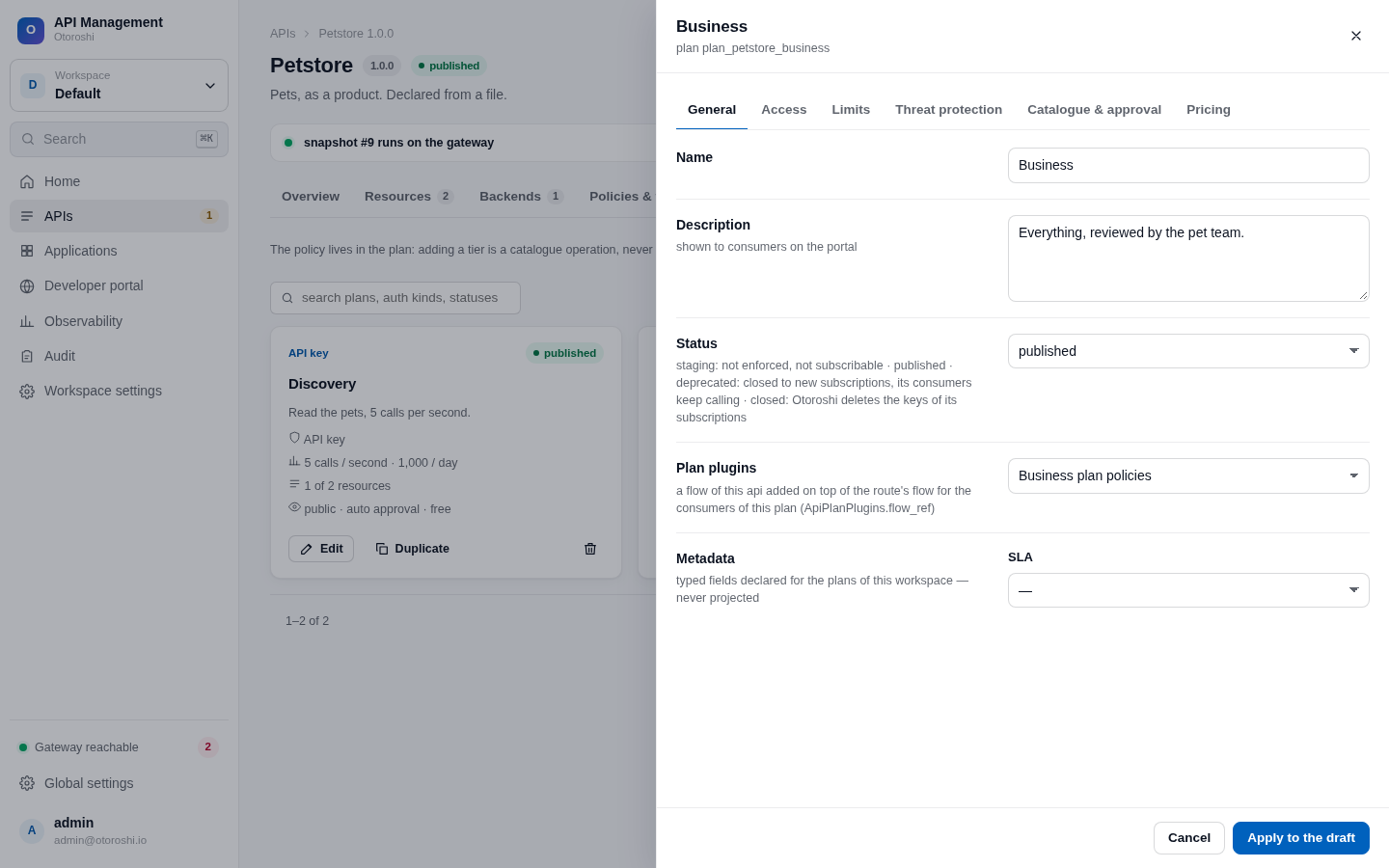
- A plan can add one flow of the API on top of the flow of the resource, for the consumers of
this plan only (plan editor → General → Plan plugins), projected as the plan's
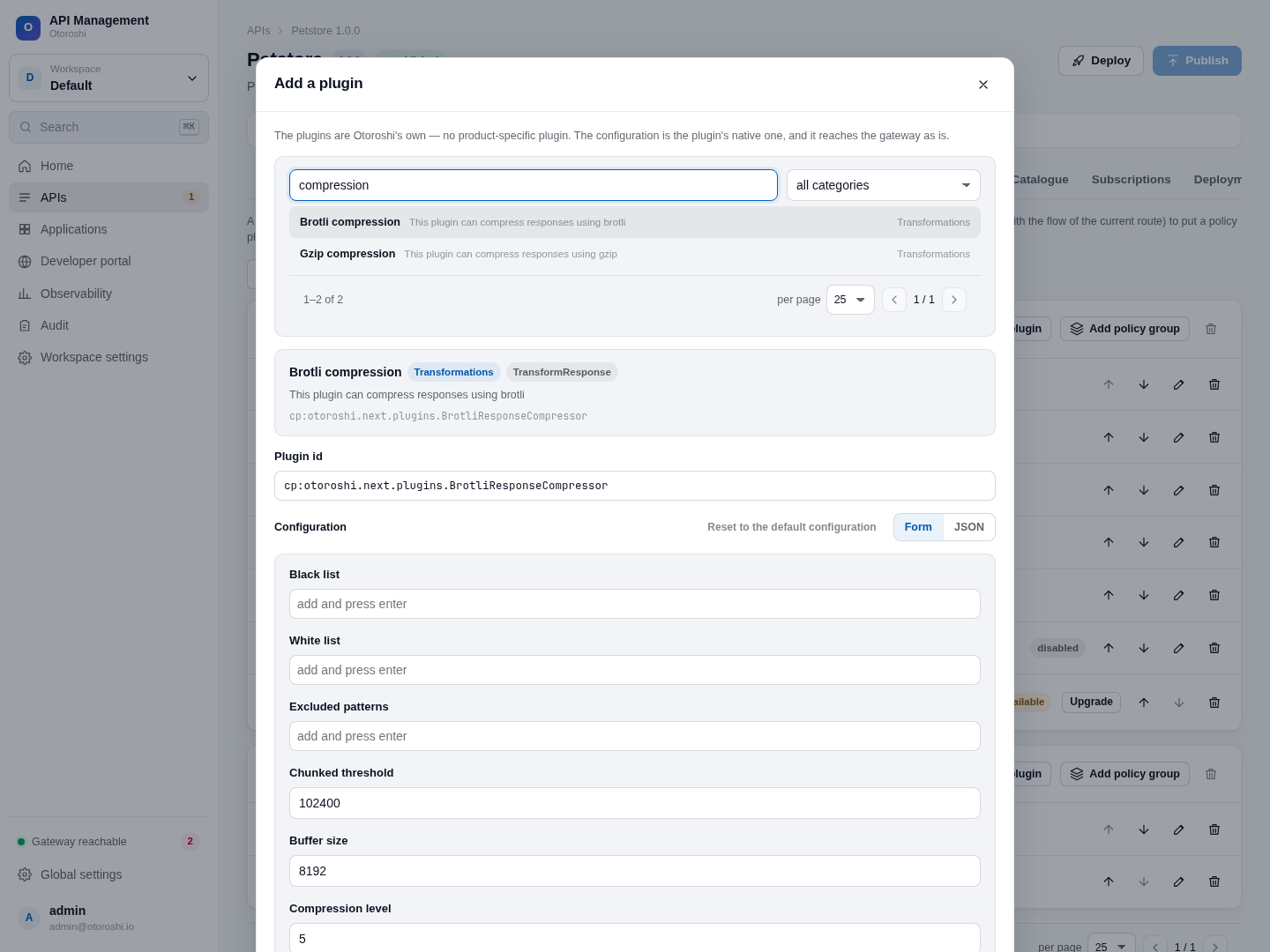
flow_ref. That is how a protection is put plan by plan: compression for a paying plan, a stricter body size, an extra header for the backend.
The card of a flow says what it runs for — its resources and plans, or not used yet. A flow in use cannot be deleted.
Plugins
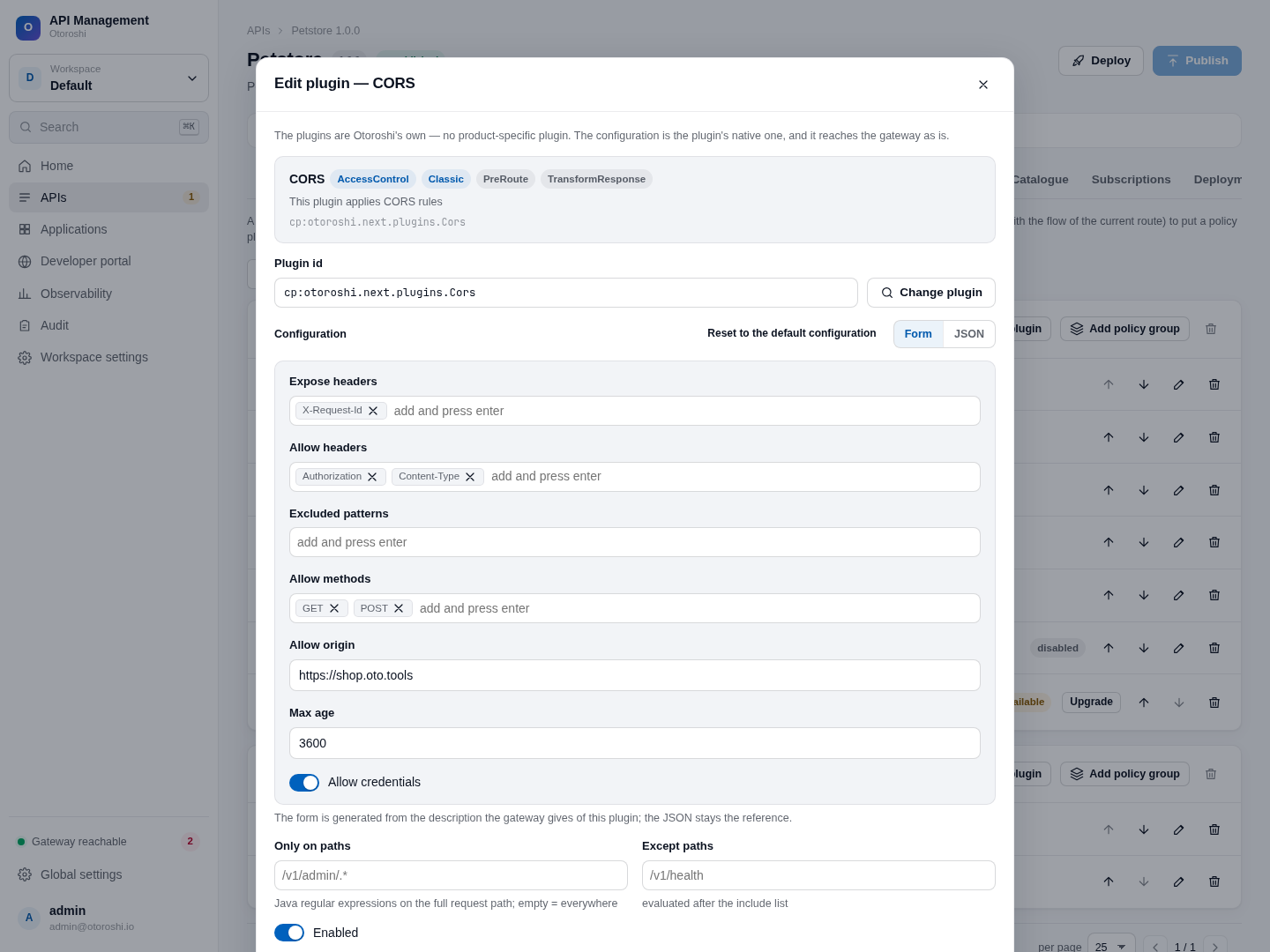
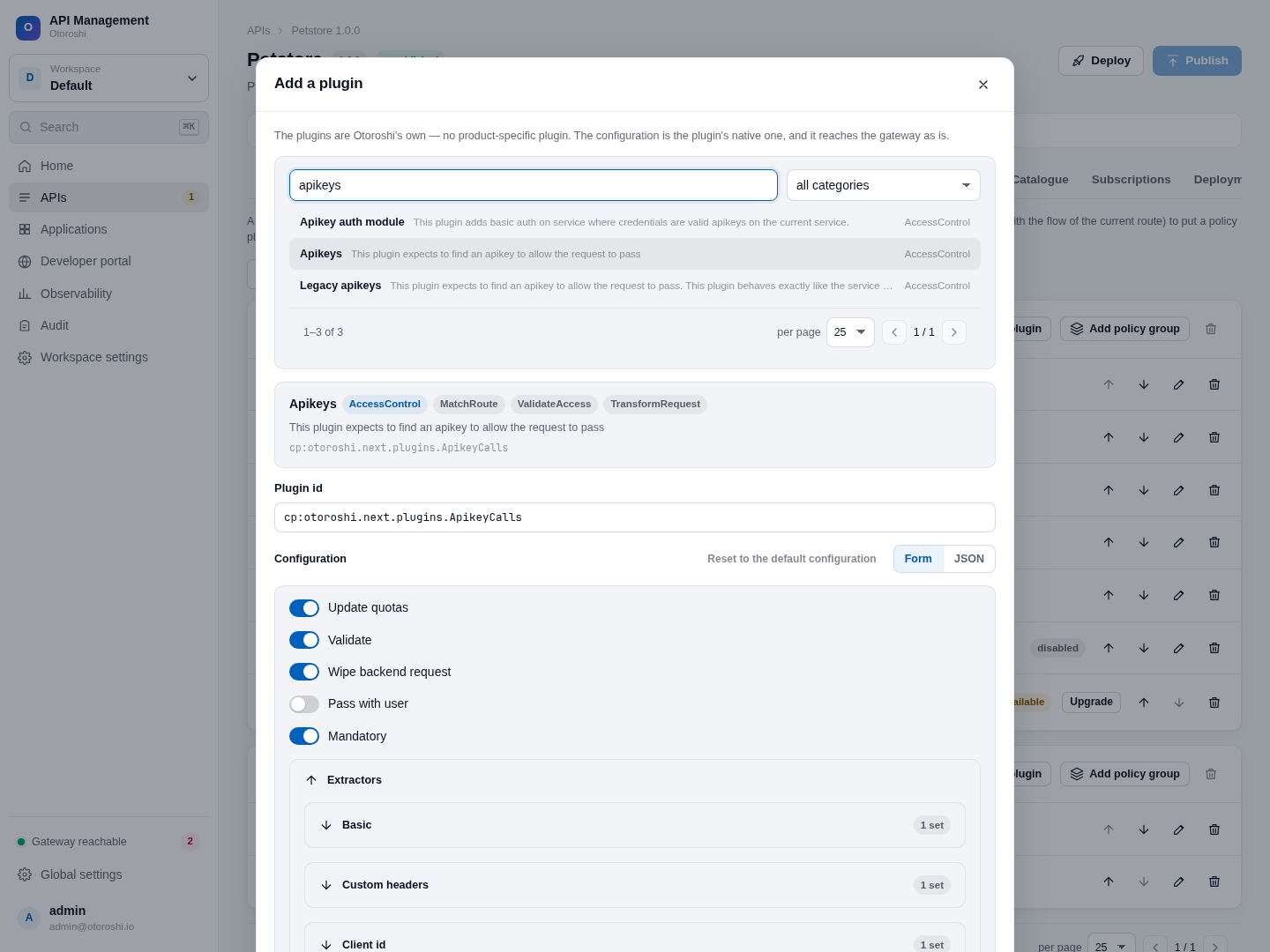
The plugins are Otoroshi's own. The console reads the gateway's catalog
(GET /api/gateway/plugins): names, descriptions, categories, the steps of the request where a
plugin acts, and its default configuration.
- Add plugin searches the catalog by name or description, filtered by category. Choosing a plugin fills in its default configuration, unless you already edited it.
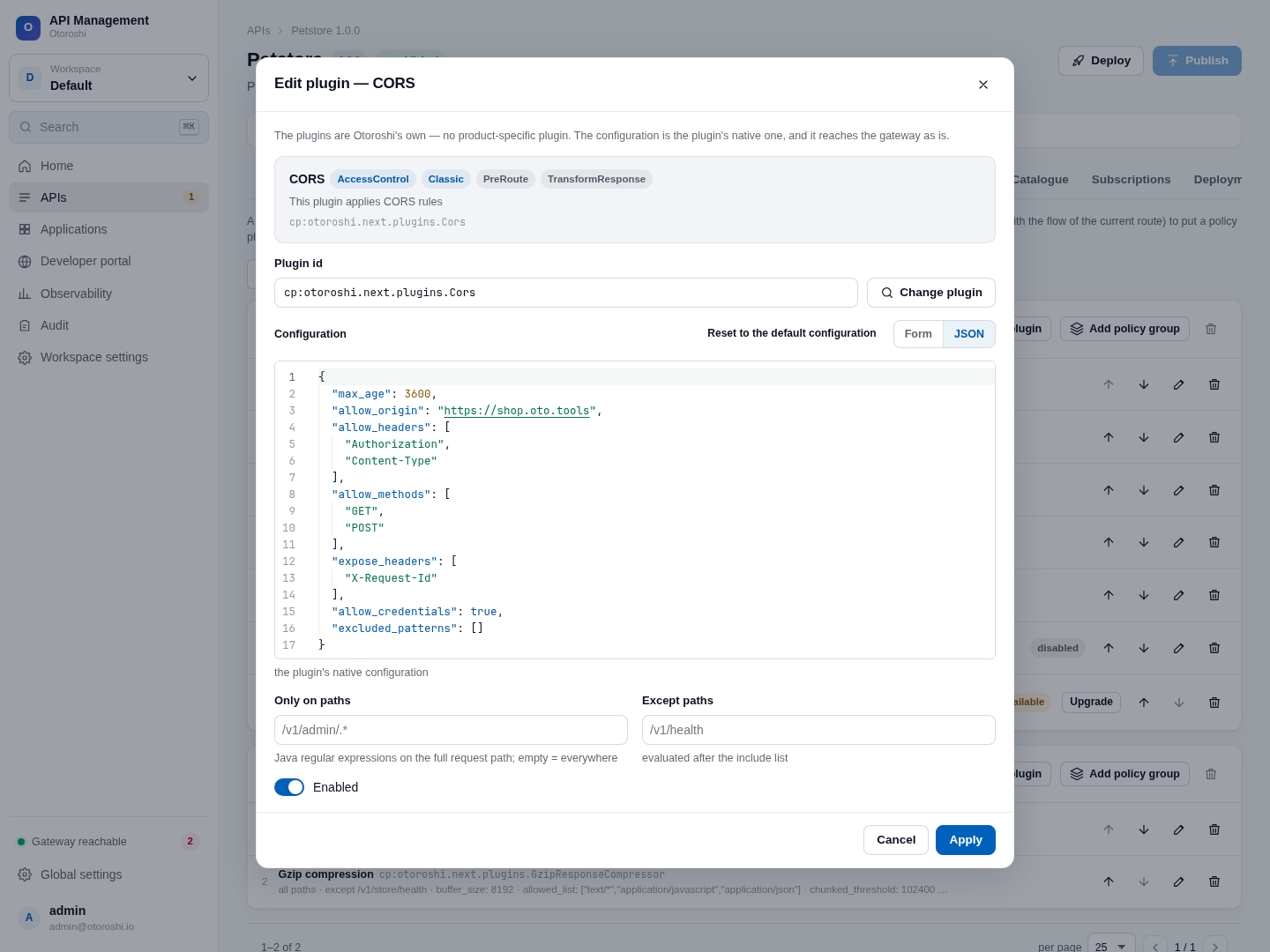
- Configuration is the plugin's native JSON, edited as a form or as JSON. The form is generated from the description the gateway gives of the plugin — the one Otoroshi's own ui renders: switches, numbers, lists, maps, nested groups, lists of groups. The JSON view is a code editor that checks it as you type. Both edit the same configuration: the form keeps every key it does not describe, never changes the type of a value already there, and says which keys it leaves to the JSON view. Reset to the default configuration restores the one from the catalog; a configuration that is not a JSON object cannot be applied.
- Only on paths and Except paths are Java regular expressions matched against the full
request path, context path included:
/v1/pets.*, not/pets/*. Empty means everywhere; an excluded path always wins. - Enabled: a disabled plugin stays in the flow and in the snapshot, projected with
enabled: false. - Order: the arrows move a plugin. Within each step of the request, the gateway runs the plugins in the order of the flow.
A plugin the gateway's catalog does not know — a custom plugin, or a gateway that does not run it — is shown as such and projected as is.
Shared policy groups
Add policy group pins the latest published version of a shared policy group. The group is expanded in place at projection, at its position in the flow. When a newer version is published, the flow says so and offers Upgrade — an edit of the draft like any other.
From the draft to the gateway
Editing a flow edits the draft: nothing reaches the gateway before a snapshot is published and deployed, and the deployment shows its diff first.
In a declarative document
flows:
  - id: default_flow
    name: Default flow
    plugins:
      - plugin: cp:otoroshi.next.plugins.Cors
        config: { allow_origin: https://shop.oto.tools, allow_methods: [GET, POST] }
      - plugin: cp:otoroshi.next.plugins.RequestBodyLengthLimiter
        include: ['/v1/pets.*']
        config: { max_length: 65536, fail: true }
      - group: pg_01a1…      # a shared policy group, pinned
        version: 1
  - id: business_flow
    name: Business plan policies
    plugins:
      - plugin: cp:otoroshi.next.plugins.AdditionalHeadersIn
        config: { headers: { X-Pet-Plan: business } }
plans:
  - id: plan_petstore_business
    flowRef: business_flow   # added on top of the route, for this plan
examples/petstore.yaml carries a complete one.