The design of a portal
What a developer portal looks like and says is its design. A portal has one of three modes:
| Mode | What it is | For |
|---|---|---|
| Default template | the template of the product, as it is: the title and tagline of the portal, its accent color and logo, a home in Markdown, its pages | a portal up in minutes, with the look of the product |
| Themed | the same pages, themed: colors for the light and the dark themes, a font, a radius, a favicon, links in the header and the footer, a style sheet of yours — and a home made of blocks | the visual identity of an organisation, without writing a page |
| Templates | the home, the overview of an API and the free pages written as templates (Markdoc, the format of the documentation of Stripe), the components of the portal as tags, on top of the theme | pages of your own, the catalogue, the reference, the plans and the subscription placed where you want them |
In every mode, the pages where a consumer acts — subscribing, its applications and their credentials, its usage, signing in and up — stay the product's, themed: their behaviour, their security and their translations are not the design's to change.
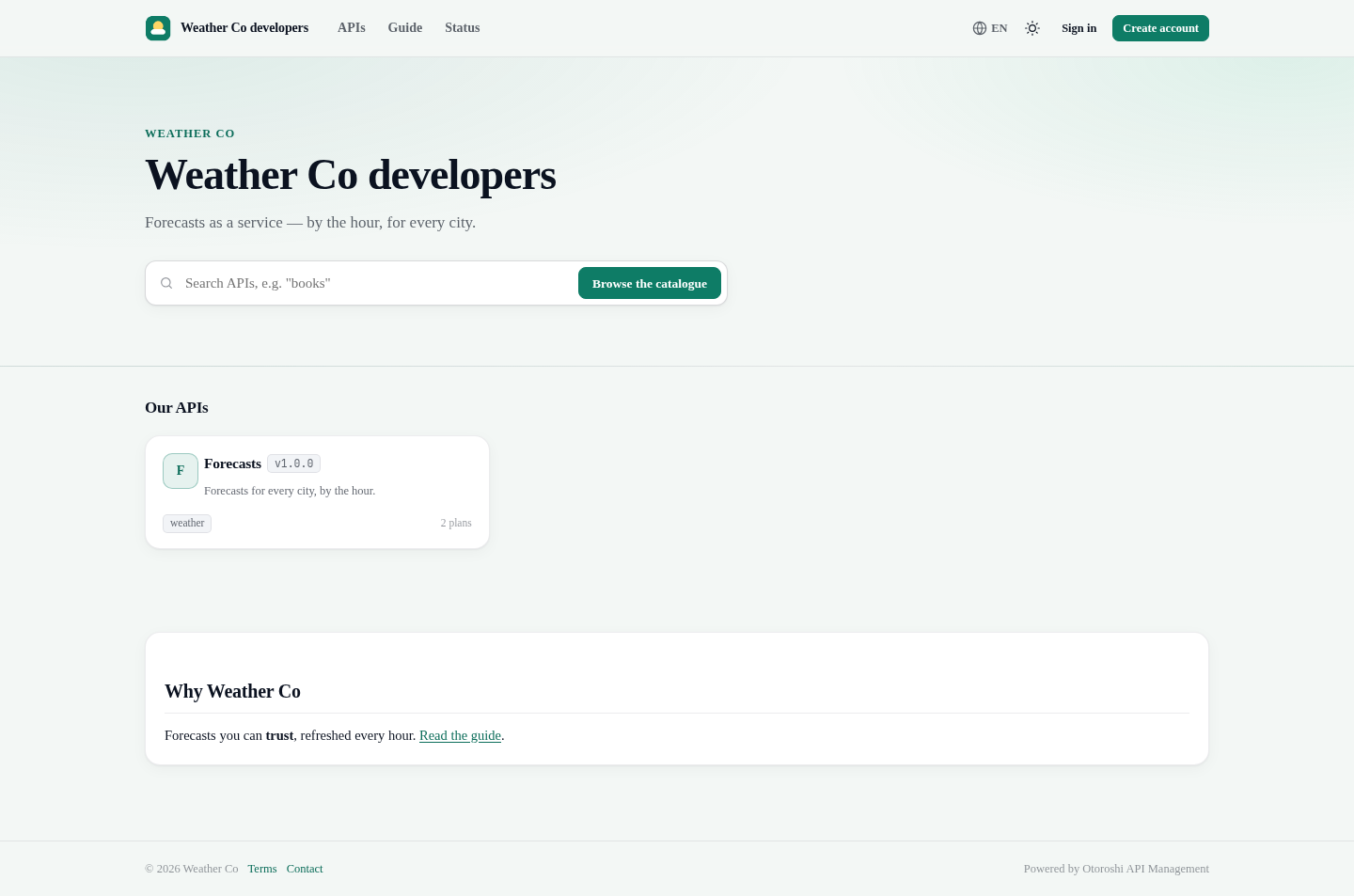
The design is edited in the console — Developer portal, in the sidebar, below Applications —, from a folder with the CLI, or from a remote catalog. Nothing of it reaches the gateway: it is the product's, like the documentation of an API.
A draft, published by versions
The design is a draft. Publish freezes it into an immutable, numbered version, and the portal shows the last version published.
- Before any version, the portal shows what its settings describe: a portal that was never designed is the default template, unchanged.
- Preview the draft opens the portal on the draft, in a new tab, for an hour, with a banner Preview of the draft. The preview also shows the errors of the templates (an unknown tag, an attribute of the wrong type), which the published portal never shows; the preview link is the only way to see a draft, signed, and it lasts an hour.
- Versions lists them (searched by number, comment, mode, author). Restore brings a version back into the draft; publishing it is the rollback.
- Every save of the draft, every publication, restoration, upload of an asset and permission of scripts is in the audit trail.
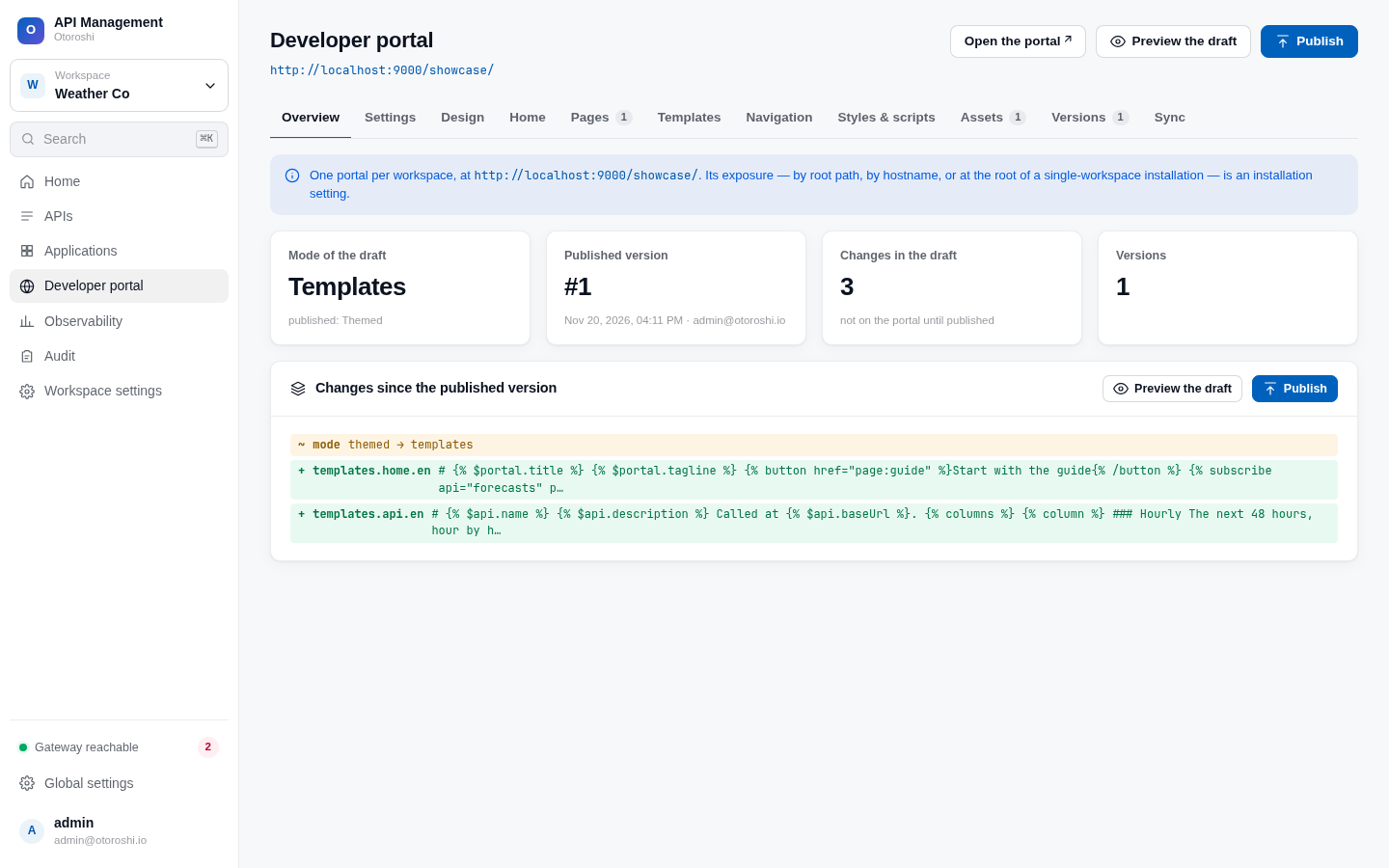
The page of the portal, in the console
| Section | What it holds | Saved |
|---|---|---|
| Overview | the url of the portal, the mode of the draft, the version published (when, by whom), the changes of the draft since, Publish and Preview the draft | — |
| Settings | the interface languages and the default one, self signup, local accounts, the identity provider of the portal, the discovery signals of the catalogue (reviews, usage), its categories | at once: they are settings, not design |
| Design | the mode, the title and the tagline per language, the theme | the draft |
| Home | the Markdown of the home (default template), its blocks (themed), or its template (templates) | the draft |
| Pages | the free pages: a slug, a title and a content per language, shown in the header or not | the draft |
| Templates | the template of the overview of an API (templates mode) | the draft |
| Navigation | the links of the header and of the footer | the draft |
| Styles & scripts | the style sheet, the script, and whether scripts are allowed on the portal | the draft — the permission at once |
| Assets | the images, fonts and style sheets of the design: uploaded, referenced, removed | the draft |
| Versions | the versions, read only, restored into the draft | — |
| Sync | how to work from a folder or a catalog; portal.yaml to download | — |
Only the administrators of the workspace edit the design, publish it and allow scripts; its producers read the page. A design that a catalog or a folder owns (see below) is read only in the console, with a banner saying where it is edited.
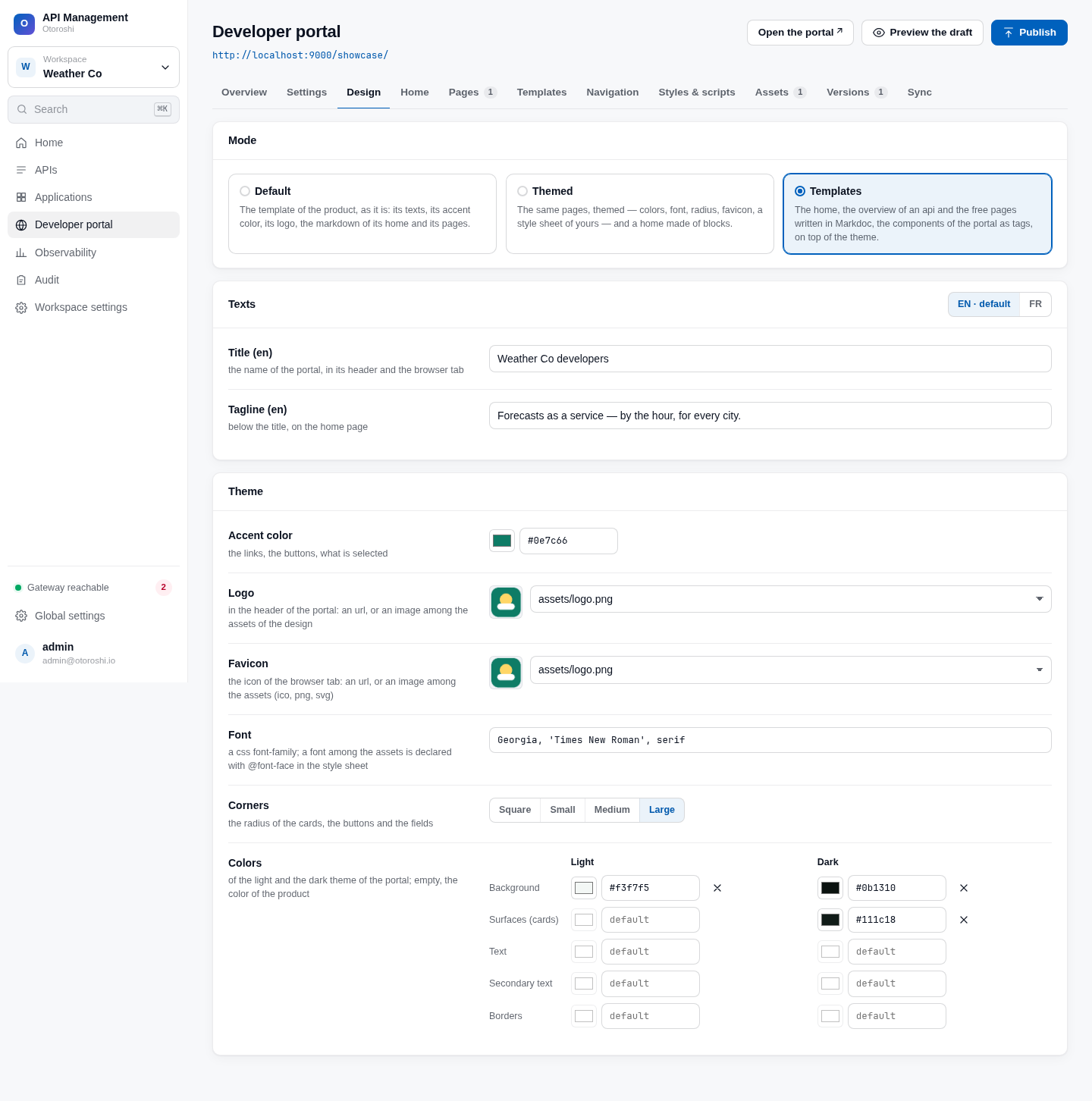
The theme
| Mode | ||
|---|---|---|
| Accent | every mode | the color of the buttons, the links, what is selected |
| Logo | every mode | in the header: an url (https://…), or an asset of the design (assets/logo.png) |
| Favicon | themed, templates | the icon of the browser tab: an url or an asset |
| Font | themed, templates | a css font-family (Georgia, serif); a font of your own is an asset, declared with @font-face in the style sheet |
| Corners | themed, templates | square, small, medium (the product's), large |
| Colors | themed, templates | background, surface, text, muted, border — for the light theme and for the dark one; a color left empty is the product's |
| Navigation | every mode | the links of the header and of the footer |
| Style sheet | themed, templates | css applied after the product's |
A link of the navigation, of a button or of Markdown is one of: an url of the web
(https://status.example.com), a mail (mailto:api@example.com), a path of the portal (/apis), an
anchor (#plans), or a page of the design (page:guide). Anything else — javascript:, data: —
is refused.
The home of a themed portal: blocks
| Block | Fields | What it shows |
|---|---|---|
hero | a title, a tagline (per language; the texts of the portal by default) | the title, the tagline and a search of the catalogue |
featured | a title, a limit (1–24) | the APIs the catalogue features, the most used otherwise |
catalogue | a title, a category, a tag, a limit | the cards of the APIs of the catalogue |
categories | a title | the categories, each a link to its APIs |
markdown | a content per language | a section of text; its images and links may name an asset or a page |
The blocks are shown in their order; 30 at most.
Templates
In the mode Templates, the home (home) and the overview of an API (api) are
templates, and so are the free pages. A template is Markdoc — Markdown, with tags and
variables —, written per language. Nothing else runs in a template: Markdoc renders no html, no
script; its links and images go through the checks of the navigation.
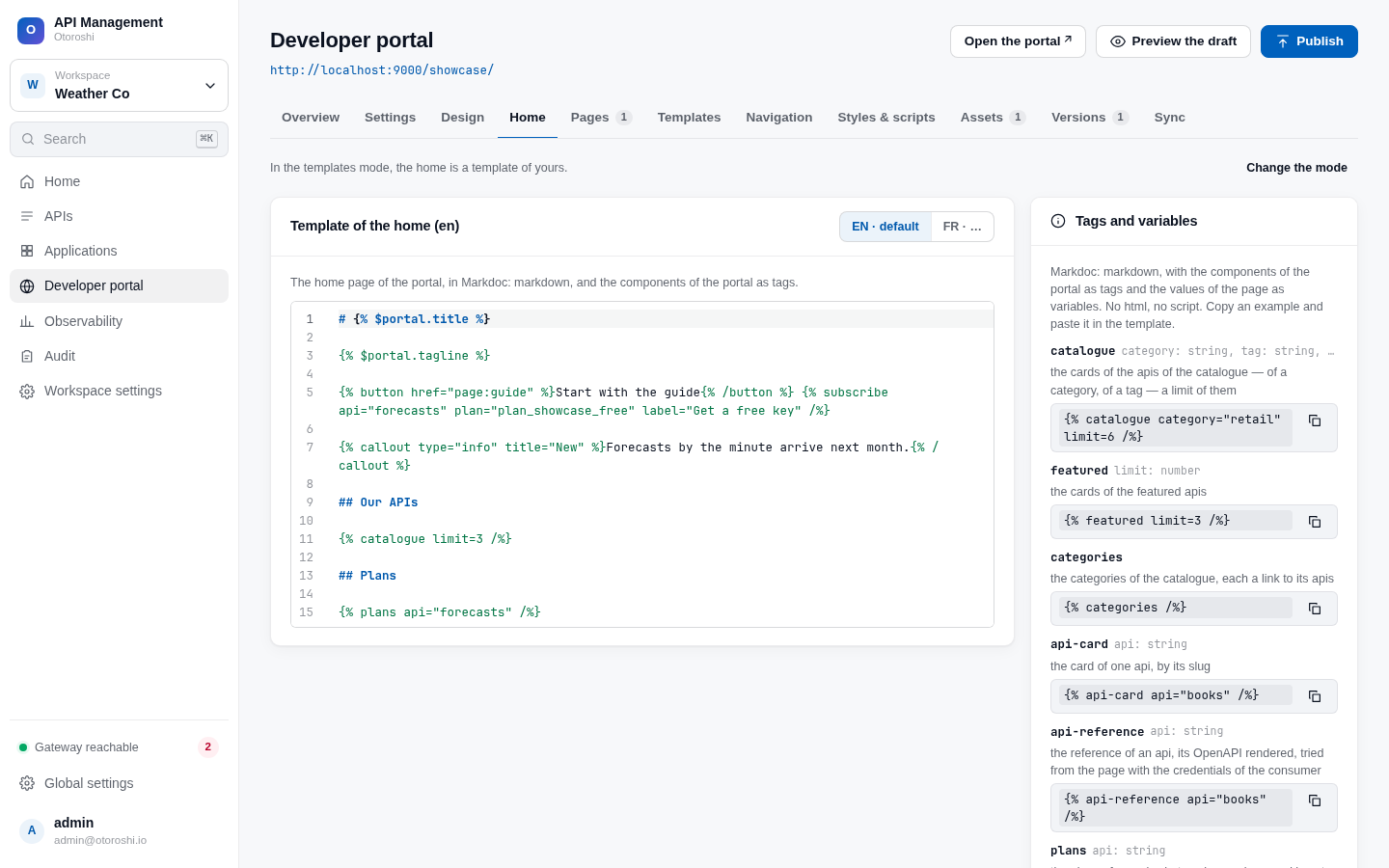
The tags
| Tag | |
|---|---|
{% catalogue category="retail" tag="…" limit=6 /%} | the cards of the APIs of the catalogue — of a category, of a tag |
{% featured limit=3 /%} | the featured APIs |
{% categories /%} | the categories, each a link to its APIs |
{% api-card api="books" /%} | the card of one API, by its slug |
{% api-reference api="books" /%} | its reference: its OpenAPI rendered, tried from the page with the credentials of the consumer |
{% plans api="books" /%} | its plans, what each gives, and how to subscribe |
{% subscribe api="books" plan="plan_free" label="Get a key" /%} | a button that subscribes — to a plan, when named |
{% button href="page:guide" kind="primary" %}…{% /button %} | a link drawn as a button (primary or secondary) |
{% callout type="info" title="…" %}…{% /callout %} | a highlighted note: info, warning, success, danger |
{% columns %}{% column %}…{% /column %}{% /columns %} | columns side by side |
A tag that does not exist, or an attribute of the wrong type, is an error: the preview lists them with their line, the published portal leaves the tag out.
The variables
| Variable | |
|---|---|
{% $portal.title %}, {% $portal.tagline %} | the texts of the portal, in the language of the page |
{% $lang %} | the language of the page |
{% $user.signedIn %}, {% $user.name %} | the consumer signed in |
{% $api.name %}, {% $api.version %}, {% $api.description %}, {% $api.slug %}, {% $api.baseUrl %} | in the template of an API |
A variable is not read in a code span (`{% $api.baseUrl %}` is shown as it is): write it as
text.
An example
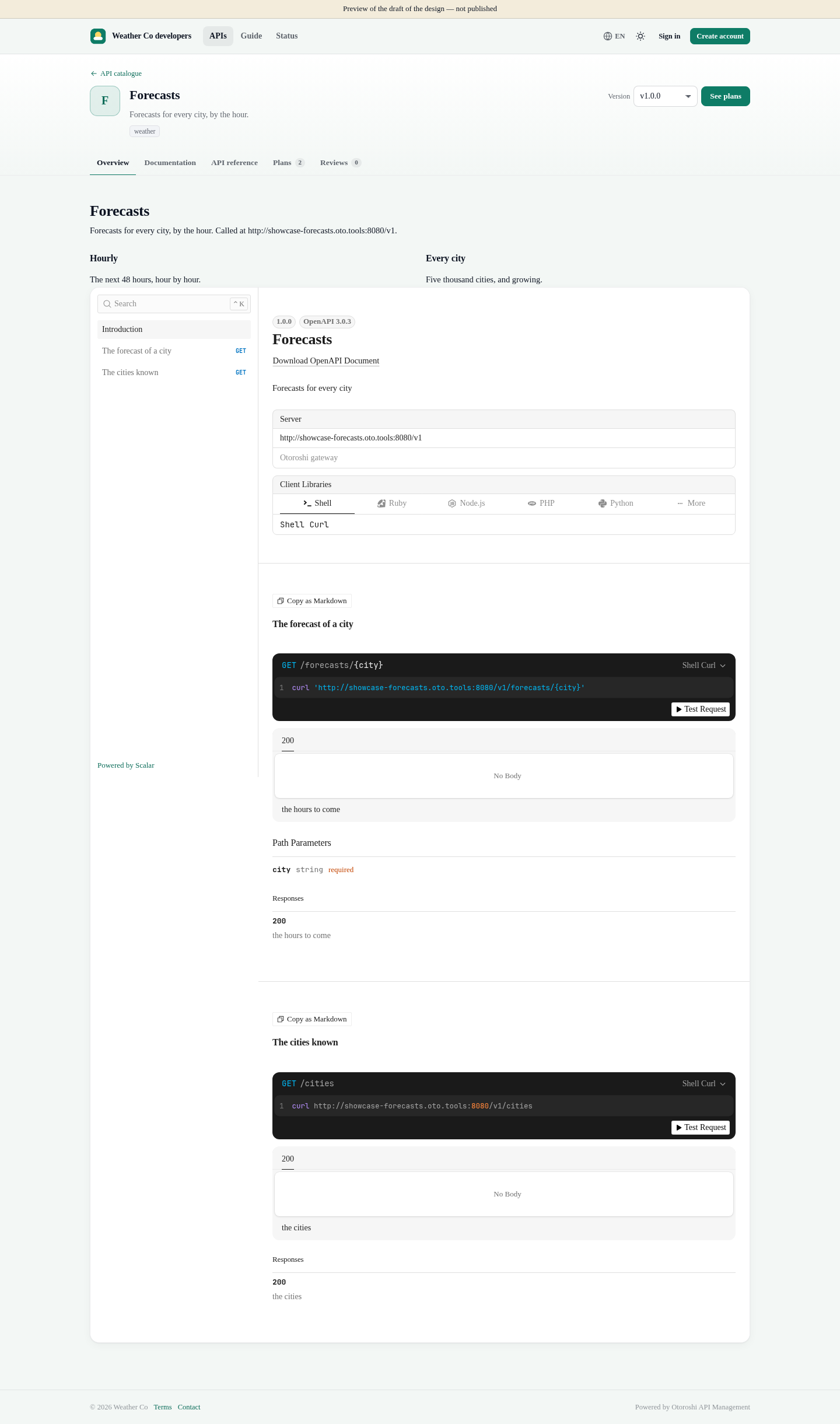
The home of a portal written as a template:
# {% $portal.title %}

{% $portal.tagline %}

{% button href="page:guide" %}Start with the guide{% /button %}
{% subscribe api="forecasts" plan="plan_free" label="Get a free key" /%}

{% callout type="info" title="New" %}
Forecasts by the minute arrive next month.
{% /callout %}

## Our APIs

{% catalogue limit=3 /%}
And the overview of an API:
# {% $api.name %}

{% $api.description %} Called at {% $api.baseUrl %}.

{% columns %}
{% column %}
### Hourly
The next 48 hours, hour by hour.
{% /column %}
{% column %}
### Every city
Five thousand cities, and growing.
{% /column %}
{% /columns %}

{% api-reference api="forecasts" /%}
Assets
| Kinds | images (png, jpg, gif, webp, avif, ico, svg), fonts (woff2, woff, ttf, otf), style sheets (css) |
| Size | 2 MB an asset, 20 MB for a portal |
| Referenced | by its path, assets/<name>: the logo, the favicon, an image in Markdown or a template, an url() of the style sheet |
| Served | by the portal, by their digest, cached for good, never sniffed; an svg is a document of its own, sandboxed |
A script is never an asset: the script of a design is its own field, and it is served only where scripts are allowed. An asset that the logo or the favicon uses cannot be removed.
Scripts
A design can hold a script, and it runs only if the administrators of the workspace allow scripts on the portal — off by default. Allowing them is an act of its own: the console shows the warning, and asks to acknowledge it.
A script of the design runs in the portal, in the session of every consumer who opens it: it can read what they see — their applications, their credentials — and act on their behalf. Allow it only for a script you wrote or reviewed, served by this portal alone.
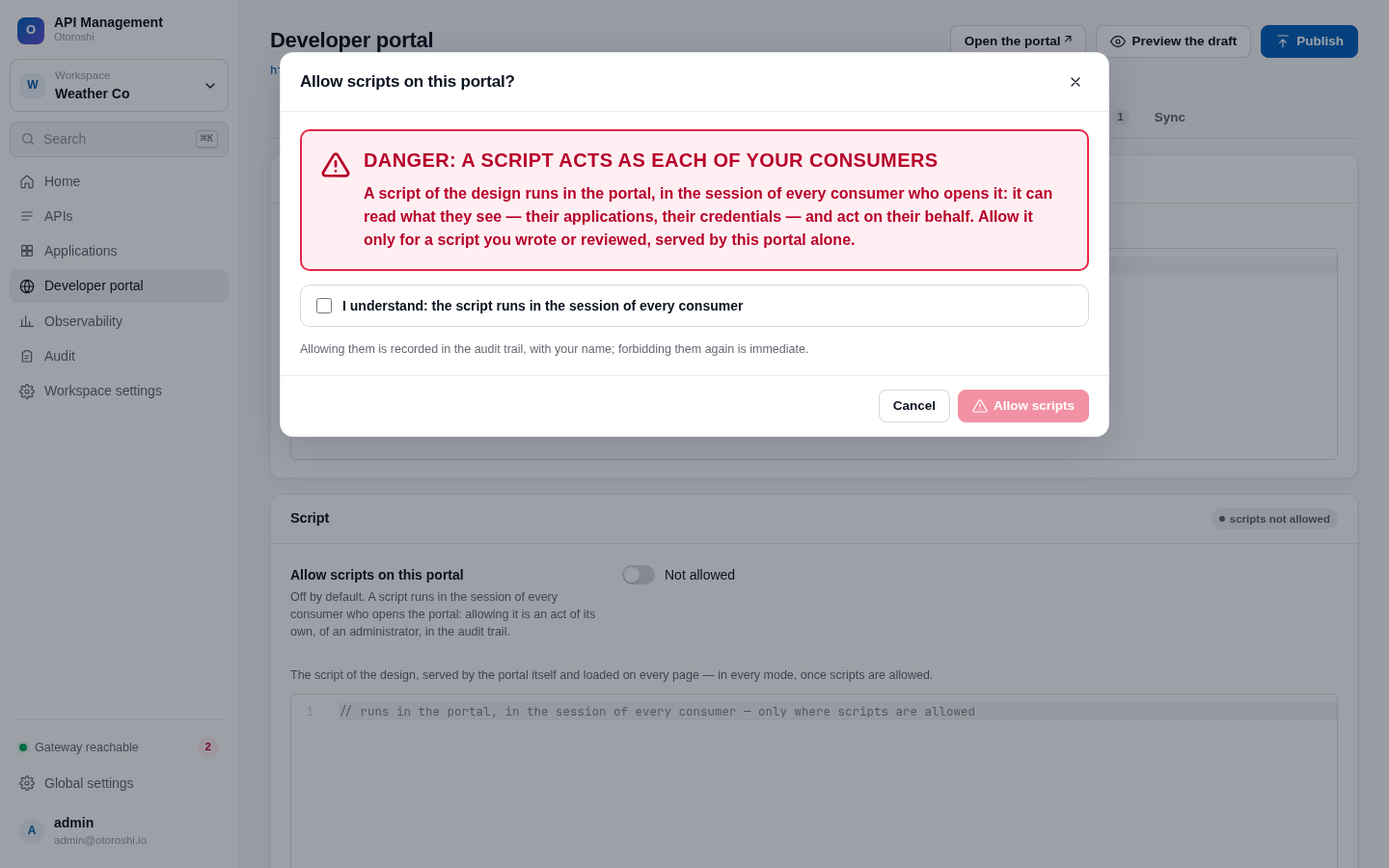
- Allowing and forbidding scripts are in the audit trail, with who and when; the page of the portal says who allowed them.
- Scripts forbidden, the script of the design is kept but not served: forbidding is immediate, and takes nothing out of the design.
- Allowing scripts over the admin API:
PUT …/portal/scripts {"enabled": true, "acknowledge": true}— withoutacknowledge, it is refused, the warning in the answer.
The content security policy of the portal
The page of the portal carries a content security policy, in every mode:
| Scripts | the portal's own, and its inline ones by a nonce made for each page — and, where scripts are allowed, scripts of the web (an analytics tool, a chat) |
| Connections | the portal only — and the web, where scripts are allowed |
| Styles, images, fonts | the portal's, inline styles, and those of the web (a logo or a font at an url) |
| Frames | the portal only; no site frames the portal |
| Others | no plugin, no other base, forms posted to the portal only |
A folder, a catalog
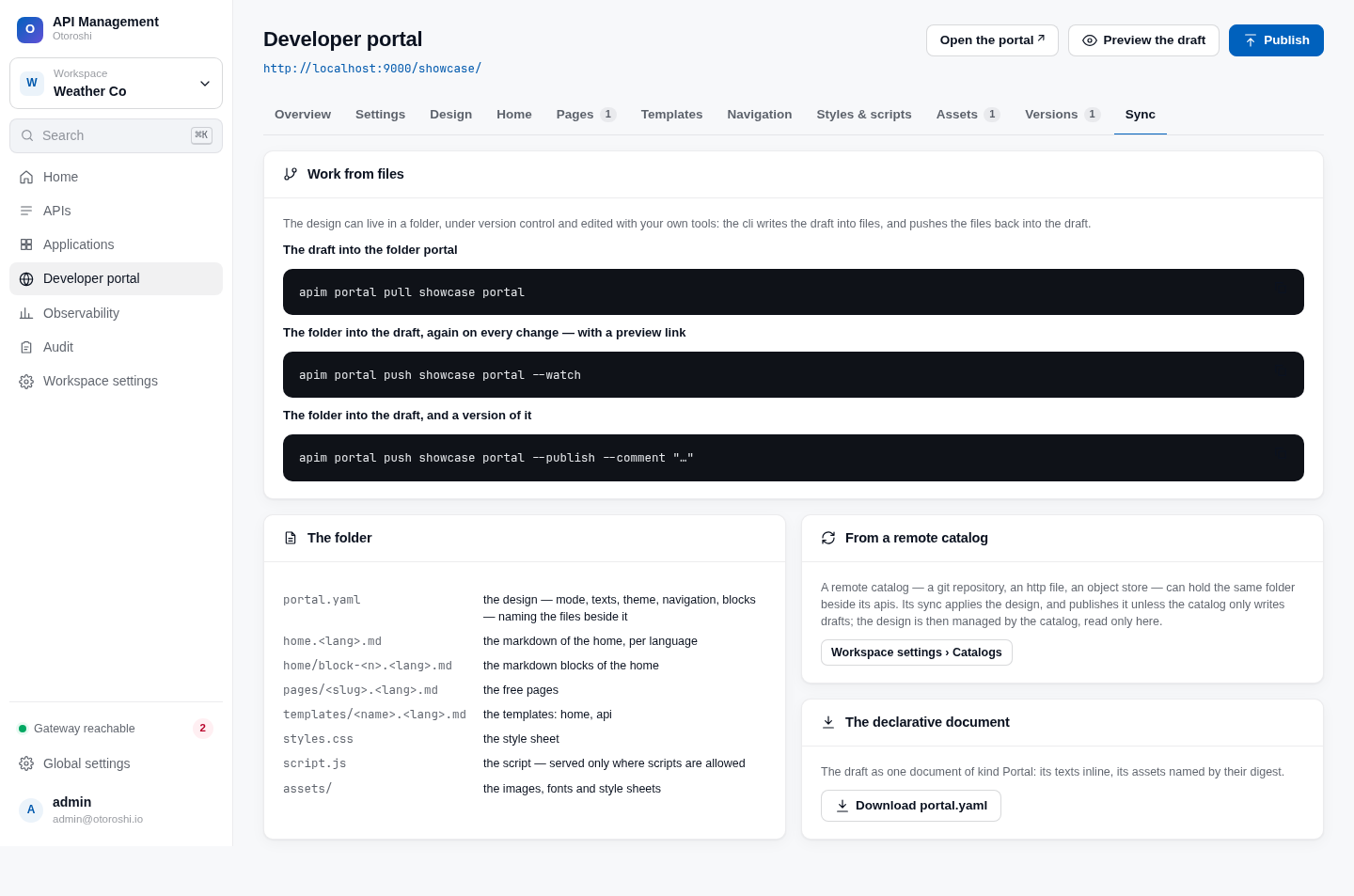
The design is also a folder, the same for the CLI and the catalogs:
portal/
  portal.yaml                 # kind: Portal — the mode, the texts, the theme, the navigation, the blocks
  home.en.md                  # the home of the default template, per language
  home/block-3.en.md          # the content of a markdown block
  pages/guide.en.md           # a page, per language
  templates/home.en.md        # the templates
  templates/api.en.md
  styles.css
  script.js
  assets/logo.png
portal.yaml names the files it uses, relative to it and within the folder:
apiVersion: otoroshi-apim.io/v1
kind: Portal
metadata:
  name: showcase                      # the workspace
spec:
  mode: templates
  texts:
    title: { en: Weather Co developers, fr: Développeurs Weather Co }
    tagline: { en: Forecasts as a service. }
  theme:
    accent: '#0e7c66'
    logo: assets/logo.png
    favicon: assets/logo.png
    font: "Georgia, serif"
    radius: large
    colors:
      light: { background: '#f3f7f5' }
      dark: { background: '#0b1310' }
  navigation:
    header:
      - { label: { en: Guide }, href: 'page:guide' }
      - { label: { en: Status }, href: 'https://status.example.com' }
    footer:
      - { label: { en: Contact }, href: 'mailto:api@example.com' }
  home:
    blocks:
      - { kind: hero }
      - { kind: catalogue, limit: 3 }
  pages:
    - slug: guide
      title: { en: Guide }
      nav: false
      content: { en: { file: pages/guide.en.md } }
  templates:
    home: { en: { file: templates/home.en.md } }
    api: { en: { file: templates/api.en.md } }
  css: { file: styles.css }
  assets:
    - { path: assets/logo.png, file: assets/logo.png }
otoroshi-apim portal pull showcase portal              # the draft into ./portal
otoroshi-apim portal push showcase portal --watch      # every change into the draft; the preview link printed
otoroshi-apim portal push showcase portal --publish    # the draft, then a version
otoroshi-apim portal preview showcase                  # a link to the draft, for an hour
otoroshi-apim portal versions showcase
push sends only the assets the portal does not hold yet; the others are named by their digest.
A remote catalog — git, S3, HTTP — that holds the same folder applies
the design at each sync and publishes it (unless the catalog writes drafts only), and then owns
it: the console shows it read only, and a document without a source — a push — is refused, unless
it takes the design over (otoroshi-apim portal push … --force, POST …/portal/apply?force=true). A design
can be owned by one source at a time.
Limits
| A design | 2 MB, its assets aside |
| A text (title, tagline, label) | 500 characters |
| The home in Markdown, a markdown block | 64 KB per language |
| A template, a page | 256 KB per language |
| The style sheet | 200 KB |
| The script | 500 KB |
| Links | 20 in the header, 20 in the footer |
| Blocks | 30 |
| Pages | 30 |
Questions
- I published, the portal has not changed. A browser keeps the previous page: reload it. The portal shows the last version published, not the draft: Preview the draft shows the draft.
- A tag does not show. Open the preview: it lists the errors of the templates.
- My script does not run. Scripts are off by default: Styles & scripts › Allow scripts on this portal. Then publish the design that holds the script.
- The console refuses to save the design. It is owned by a catalog or a folder (the banner says
which): edit it there, or take it over with
--force. - I want my own sign-in page. The pages where a consumer acts stay the product's, themed; their texts follow the languages of the portal.