Tutorial: expose and consume an API
An API exposed by its producer, consumed by someone who never had to ask anyone, end to end:
- the producer describes the Shipments API in the console — its backend, its OpenAPI contract, a free plan whose keys are issued at once — then publishes and deploys it;
- a consumer finds it on the developer portal, creates an account, subscribes from an application of their own, gets a key and calls the API through the gateway;
- both see the traffic: the consumer their usage, the producer their subscriber and their API's analytics.
Every value to type is given with a copy button: like this.
What you need. An installation whose gateway is set up, its data exporter included — the quickstart makes one on your machine; the development stack does too. The gateway calls a public service as the backend of the API: it has to reach the internet.
A workspace, and a team to own the API:
| Where | Field | Value |
|---|---|---|
| the workspace selector › New workspace | Name | Acme |
| Slug | acme | |
| Workspace settings › Teams › Create team | Name | Logistics |
Part 1 — The producer exposes the API
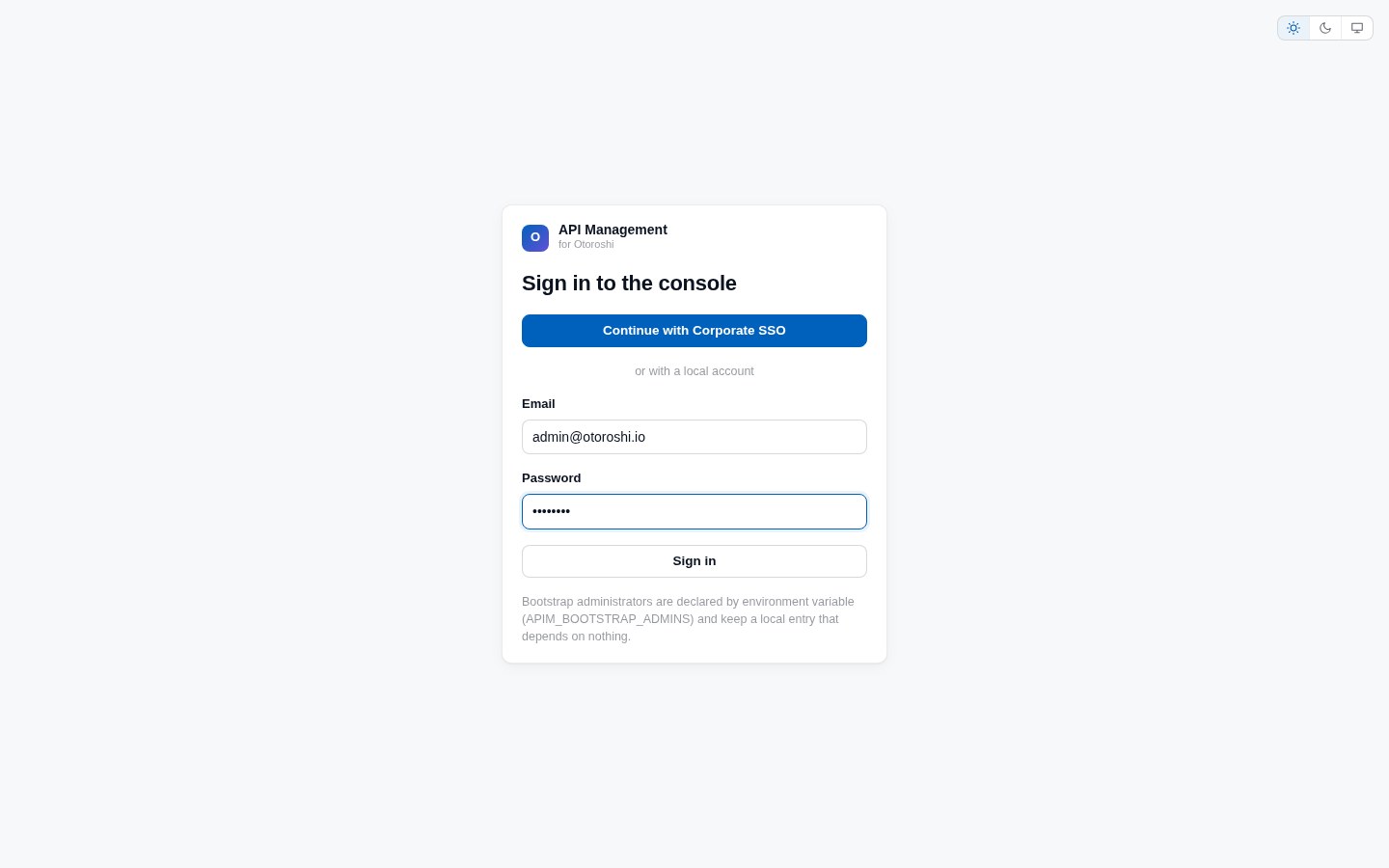
1. Sign in to the console
The console is at /backoffice/: a local account, or the identity provider of the installation
(authentication).
2. Create the API
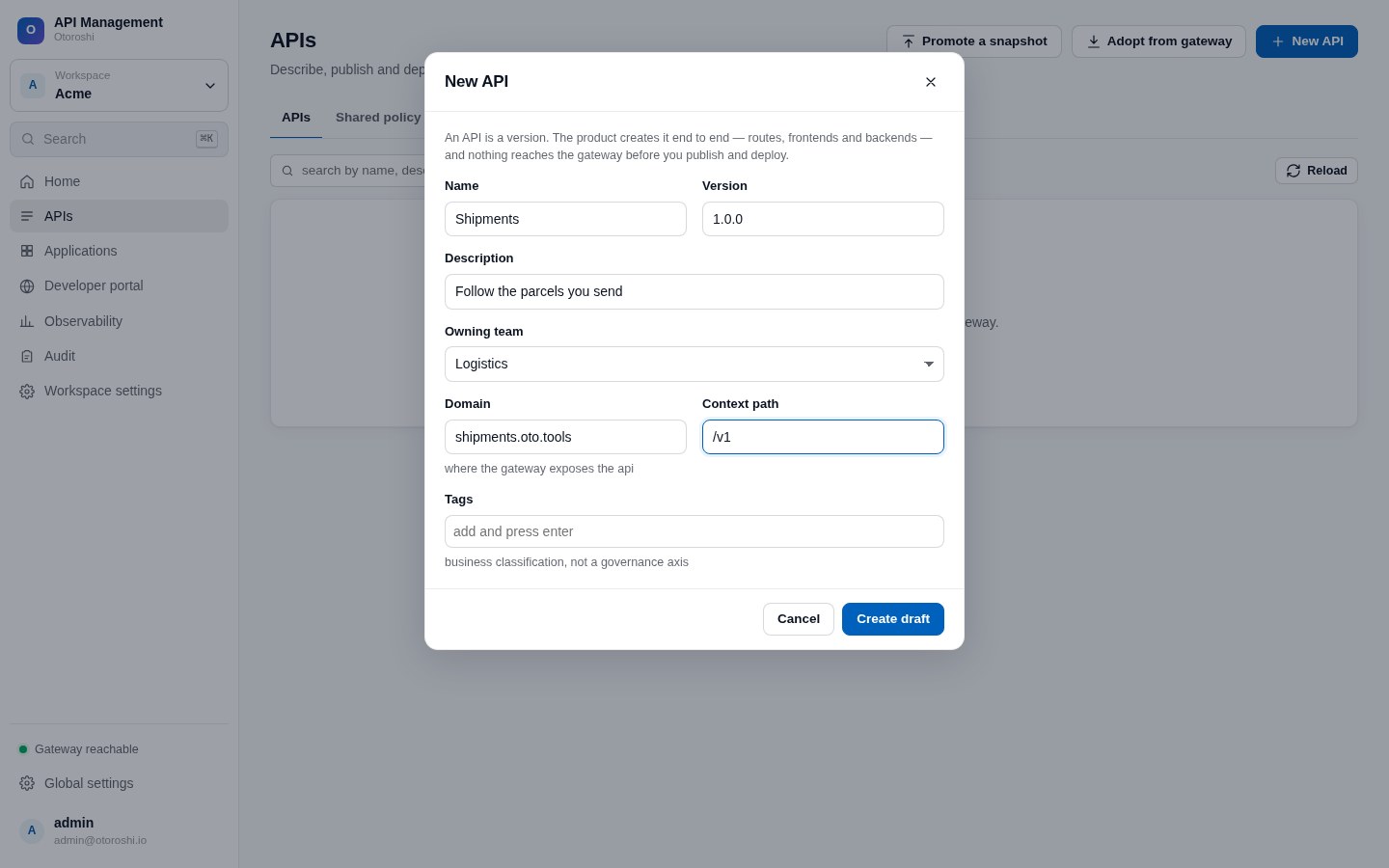
APIs → New API: a name, a version, a description, the team that owns it, and where the gateway exposes it — a domain and a context path.
| Field | Value |
|---|---|
| Name | Shipments |
| Version | 1.0.0 |
| Description | Follow the parcels you send |
| Owning team | Logistics |
| Domain | shipments.oto.tools |
| Context path | /v1 |
The API will be called at http://shipments.oto.tools:8080/v1: *.oto.tools resolves to your own
machine, where the gateway of the quickstart listens on 8080. On your installation, take a
domain that leads to your gateway.
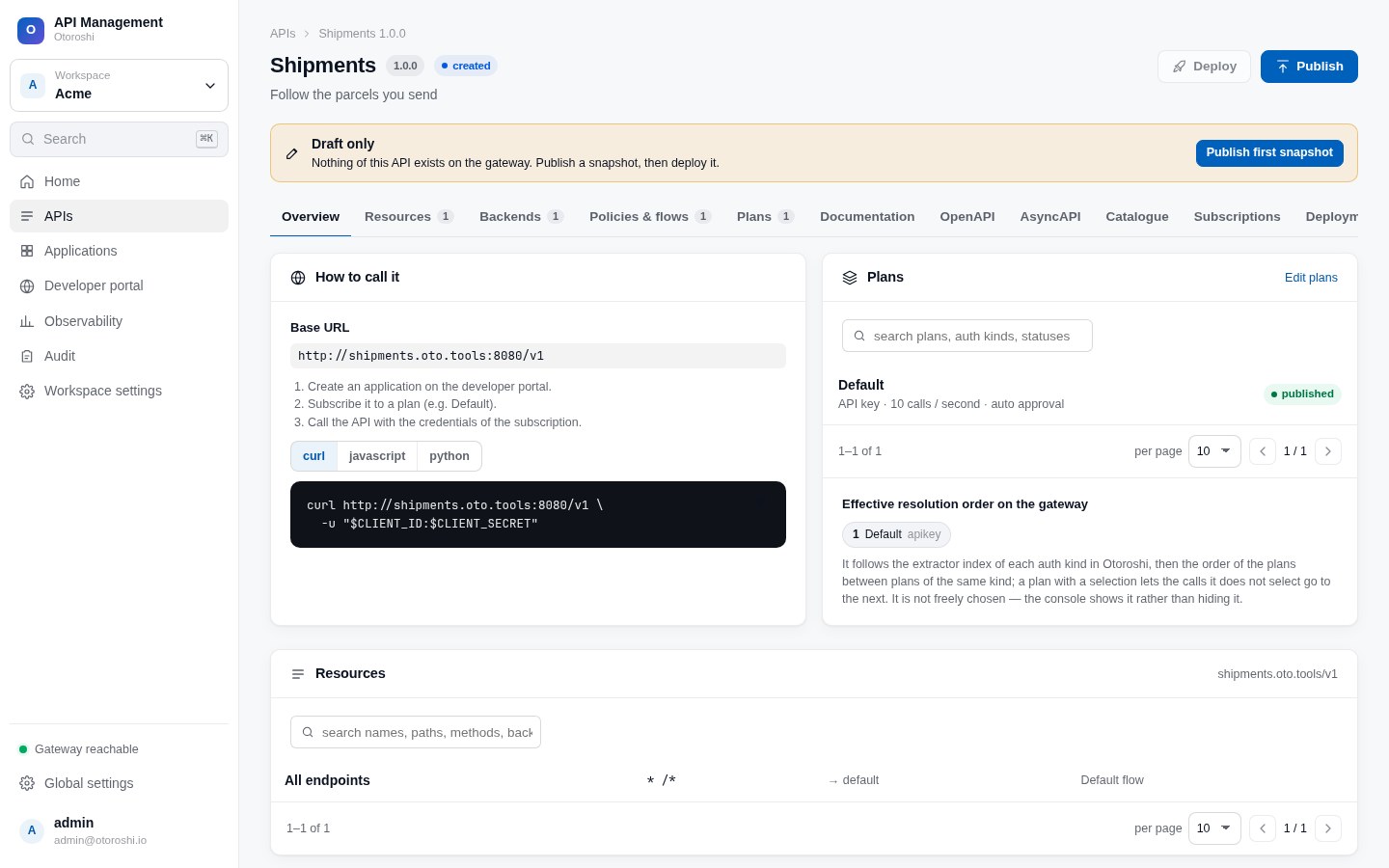
Create draft makes it a draft: one resource (every path, every method) towards a default
backend, and a Default plan. Draft only: nothing of it is on the gateway yet. The overview already
says how it will be called.
3. Point it at its backend
Backends holds where the calls go. The backends are infrastructure — targets, TLS, timeouts, load balancing — and belong to the route, never to the offer.
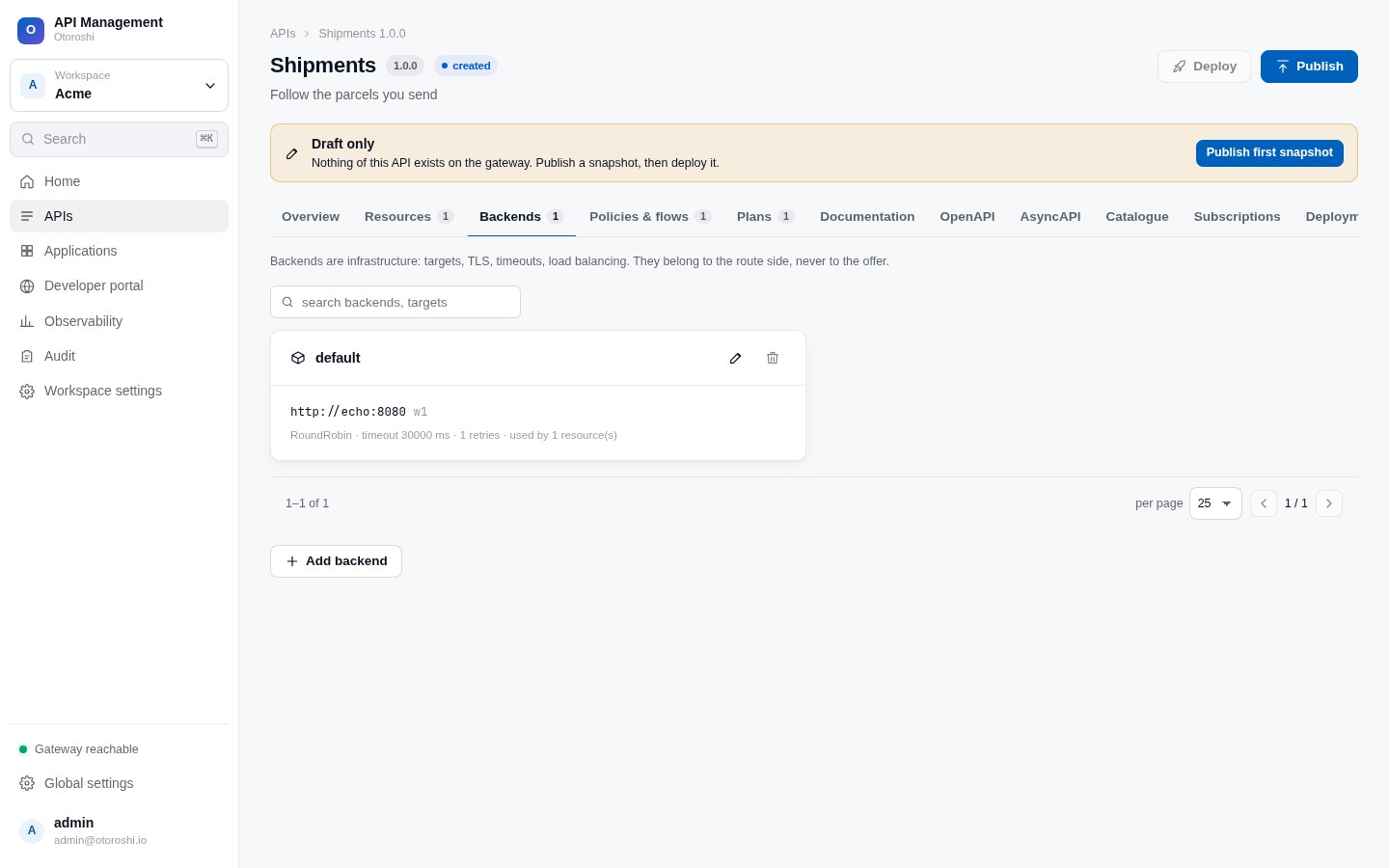
The pencil opens it. The API calls request.otoroshi.io, a public service that answers every request
with the request it received, in JSON — a stand-in for your own service. In the target:
| Field | Value |
|---|---|
| Host | request.otoroshi.io |
| Port | 443 |
| TLS | on |
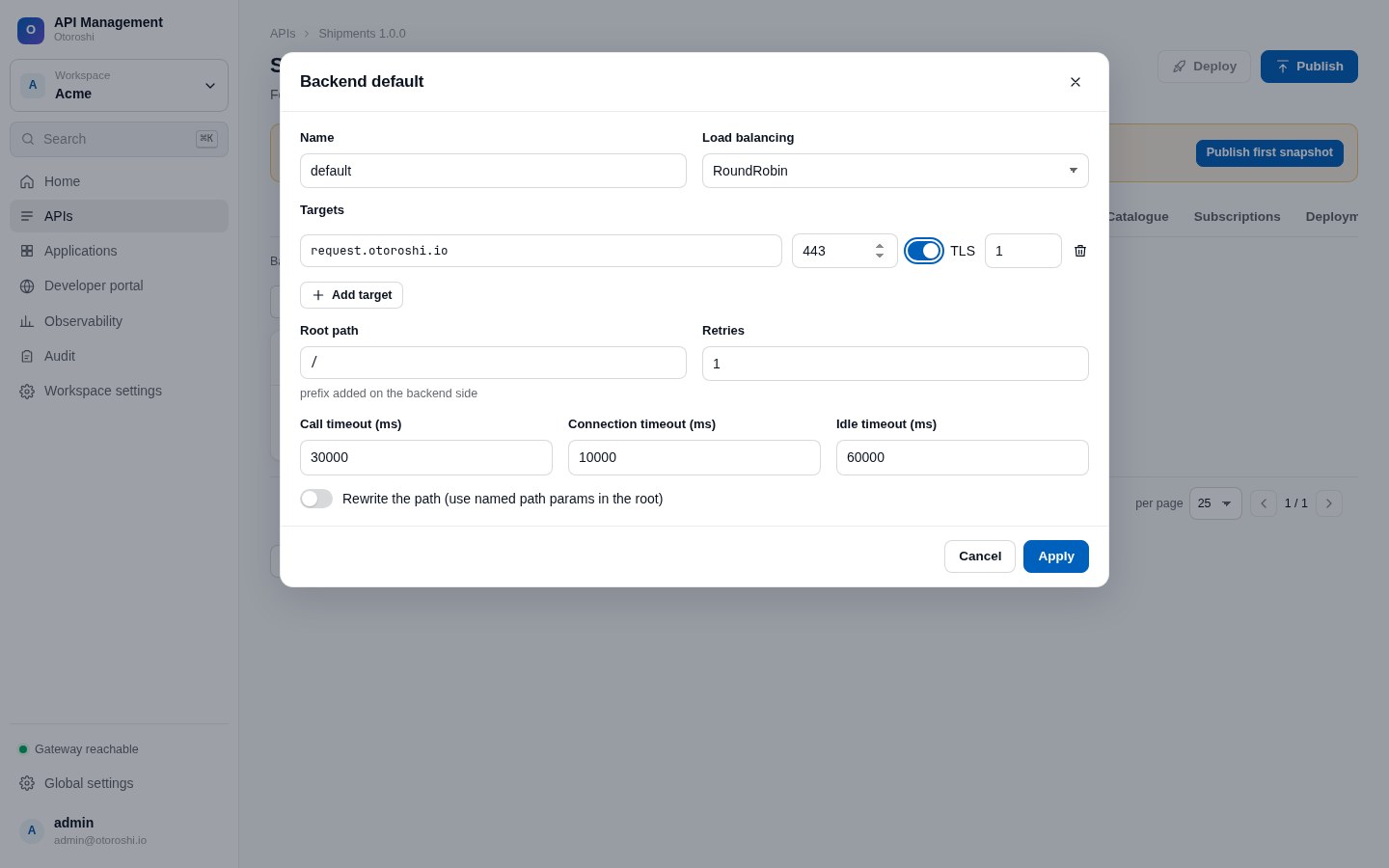
Apply.
4. Give it its contract
The contract of the API, in OpenAPI — copy it:
openapi: 3.1.0
info:
  title: Shipments
  version: 1.0.0
  description: |
    Follow the parcels you send: list your shipments, create one, read where it stands.

    Every call carries the credentials of one of your applications — its client id and its secret,
    as HTTP basic authentication.
paths:
  /shipments:
    get:
      summary: List your shipments
      operationId: listShipments
      parameters:
        - name: status
          in: query
          description: only the shipments in this state
          schema:
            type: string
            enum: [created, in_transit, delivered]
      responses:
        '200':
          description: your shipments, the most recent first
          content:
            application/json:
              schema:
                type: array
                items:
                  $ref: '#/components/schemas/Shipment'
    post:
      summary: Create a shipment
      operationId: createShipment
      requestBody:
        required: true
        content:
          application/json:
            schema:
              $ref: '#/components/schemas/NewShipment'
      responses:
        '201':
          description: the shipment, created
          content:
            application/json:
              schema:
                $ref: '#/components/schemas/Shipment'
  /shipments/{id}:
    get:
      summary: Read a shipment
      operationId: getShipment
      parameters:
        - name: id
          in: path
          required: true
          schema:
            type: string
      responses:
        '200':
          description: the shipment
          content:
            application/json:
              schema:
                $ref: '#/components/schemas/Shipment'
        '404':
          description: no such shipment
components:
  schemas:
    NewShipment:
      type: object
      required: [recipient, address]
      properties:
        recipient:
          type: string
        address:
          type: string
        weight_kg:
          type: number
    Shipment:
      allOf:
        - $ref: '#/components/schemas/NewShipment'
        - type: object
          properties:
            id:
              type: string
            status:
              type: string
              enum: [created, in_transit, delivered]
            created_at:
              type: string
              format: date-time
OpenAPI: paste it in the editor — or save it as a file and From a local file…, or Import it from a URL. The outline lists its operations. Save draft.
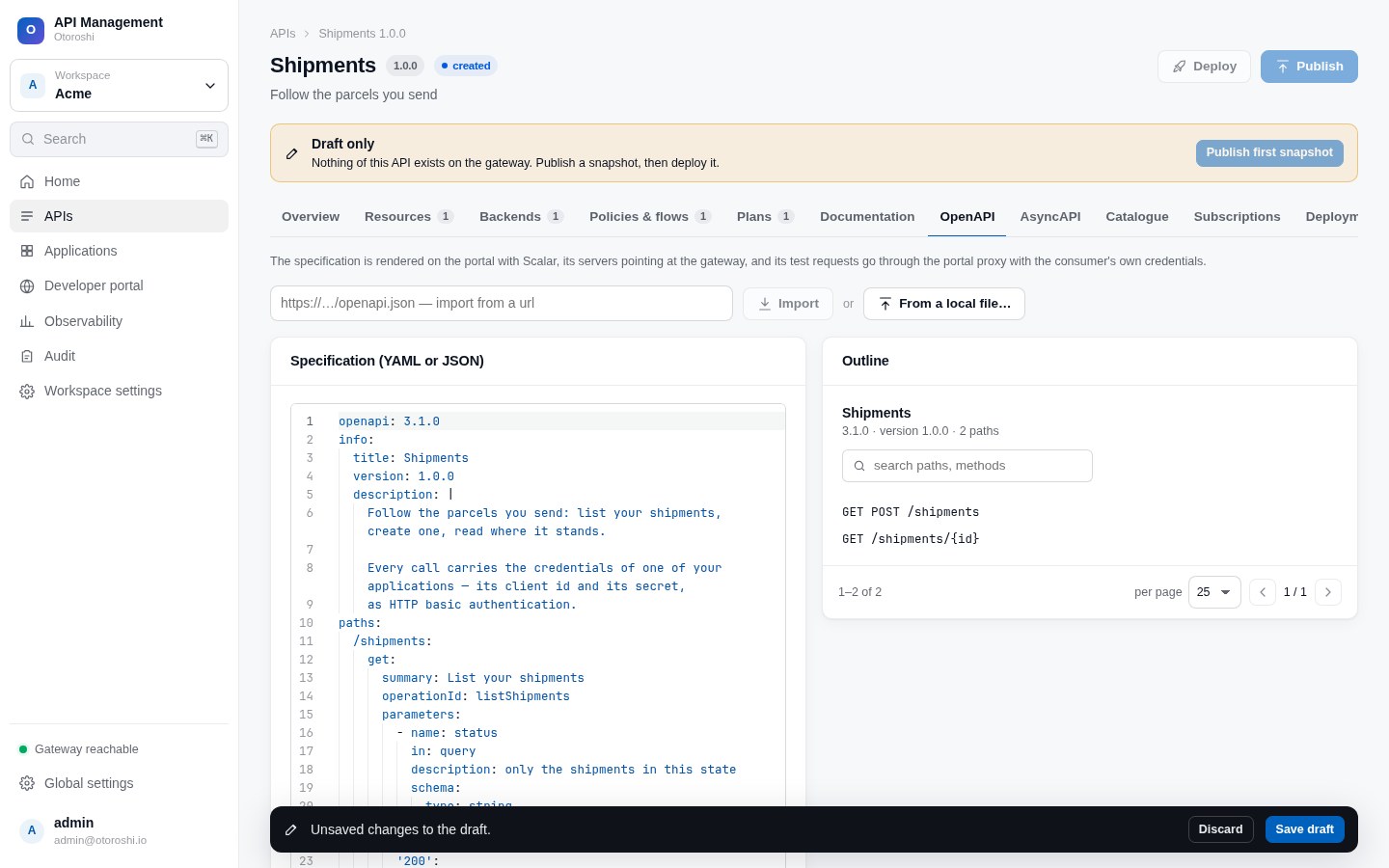
The specification never reaches the gateway: the portal shows it, its servers pointing at the gateway.
5. Shape the plan
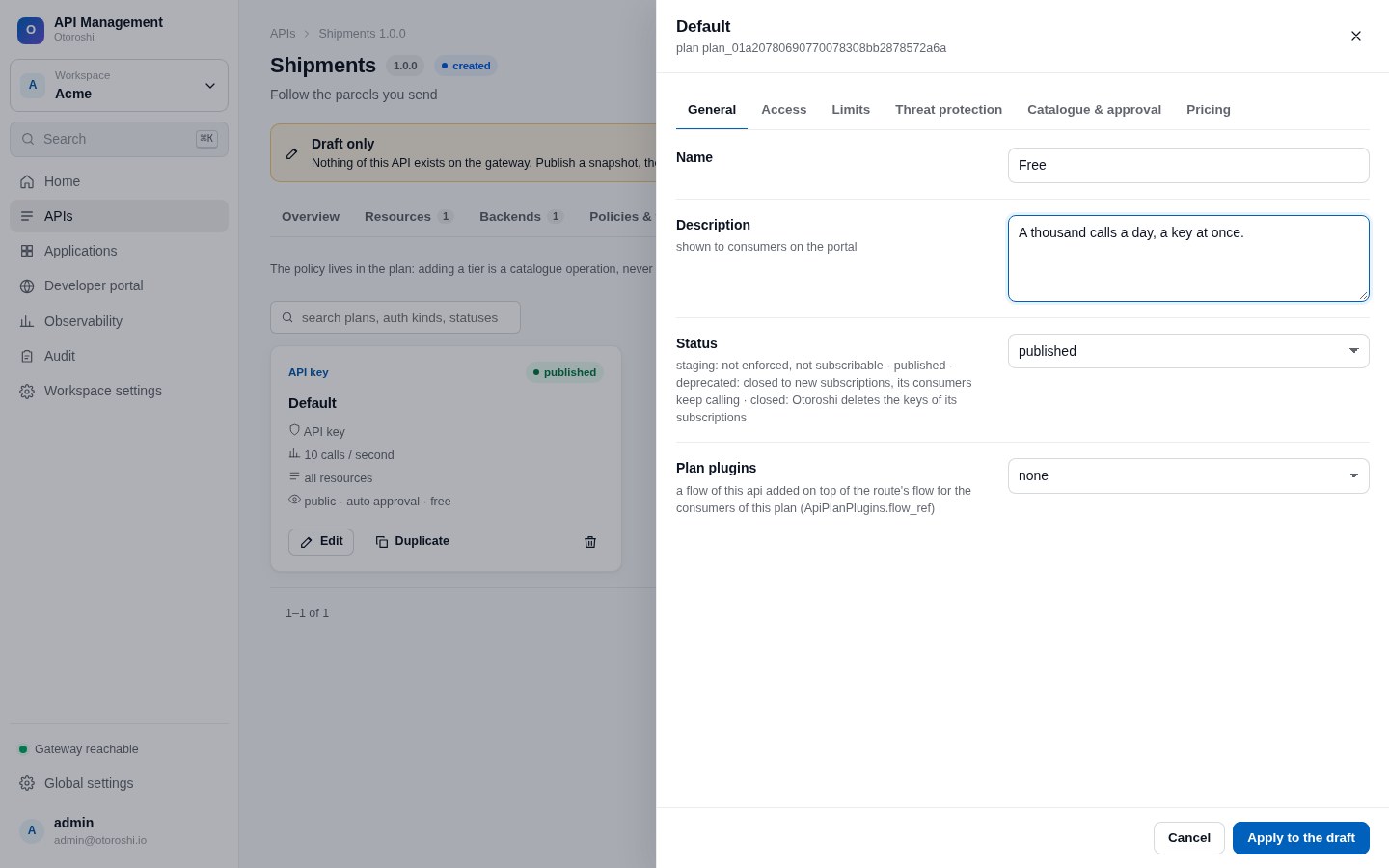
The plan is what a consumer subscribes to: who may call, how much, on what terms. Plans → Edit
on the Default plan. In General, a name the consumers will read, and a description:
| Field | Value |
|---|---|
| Name | Free |
| Description | A thousand calls a day, a key at once. |
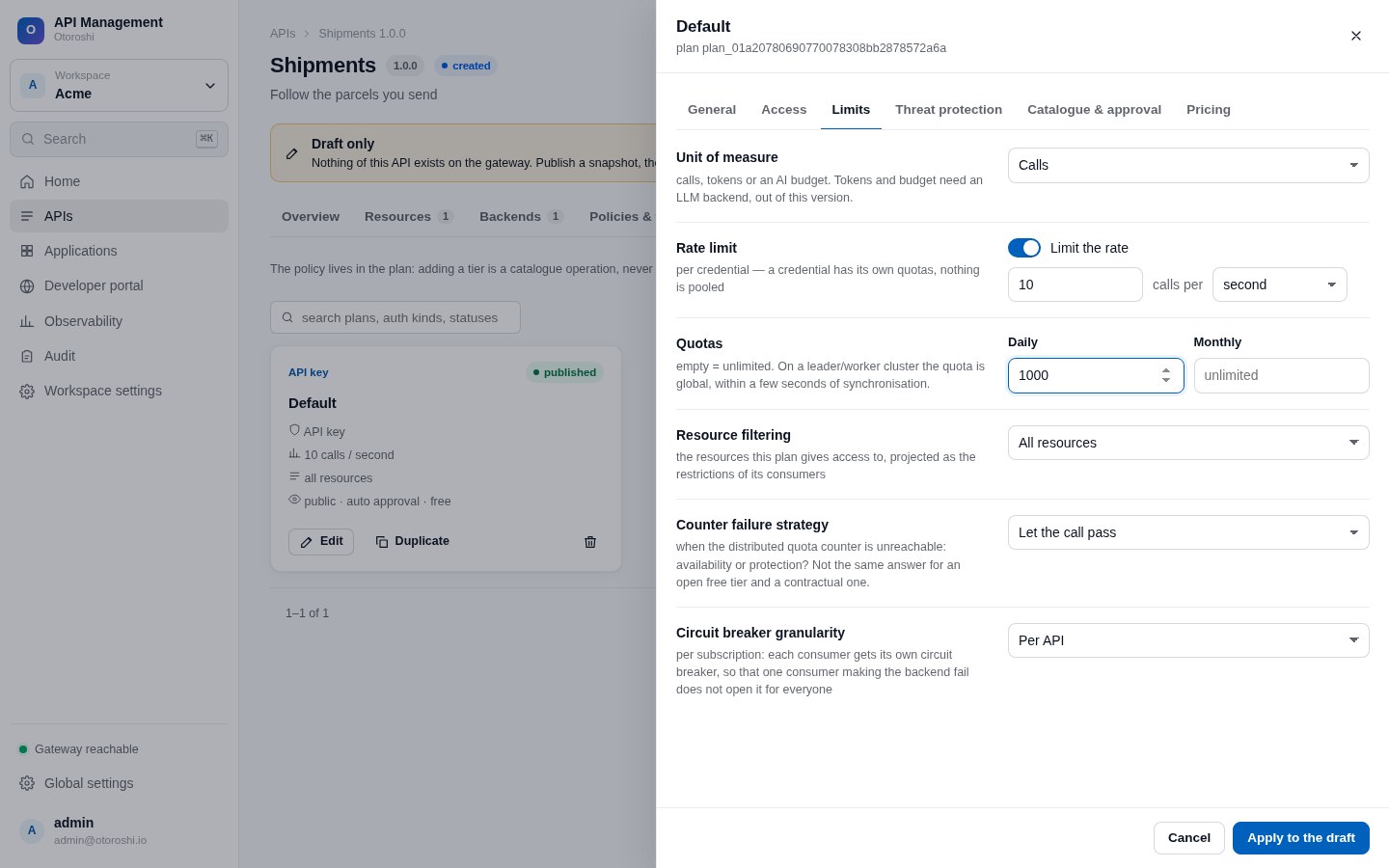
In Limits, the plan keeps its rate limit (10 calls a second) and gets a quota of 1,000 calls a day. The limits are per credential: each application that subscribes has its own.
| Field | Value |
|---|---|
| Quotas › Daily | 1000 |
In Catalogue & approval, what makes it self-service: the plan is public, subscribable, and its approval is automatic — the key is issued at once, no producer in between. With Manual review instead, each request waits in the console for a producer. The plan also asks the subscriber, in a word, what they plan to build. Nothing of this section reaches the gateway: it belongs to the portal.
| Field | Value |
|---|---|
| Visibility | Public (as it is) |
| Approval | Automatic (as it is) |
| Usage statement | Ask for a usage statement on — its question as it is |
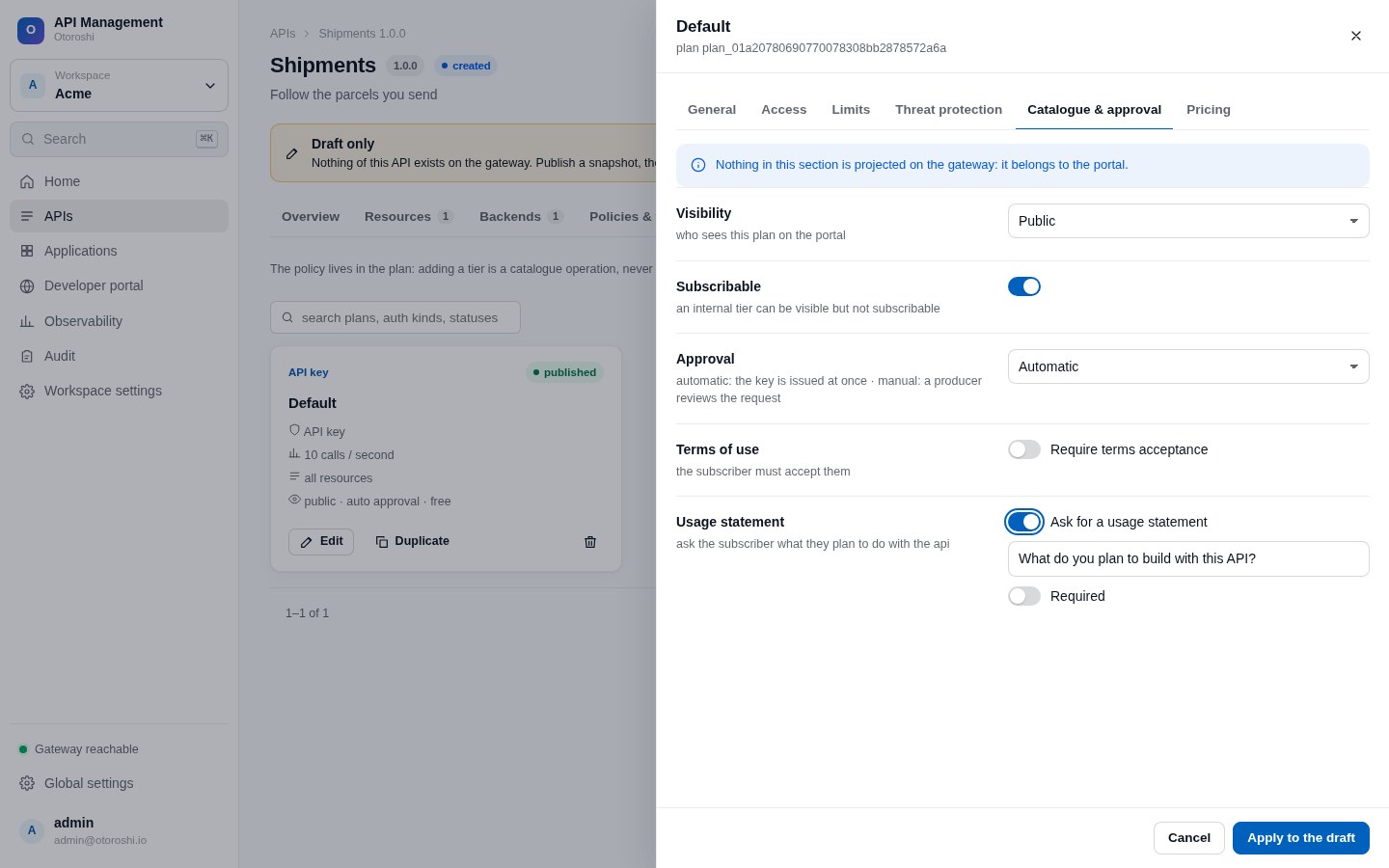
Apply to the draft, then Save draft.
6. Publish and deploy
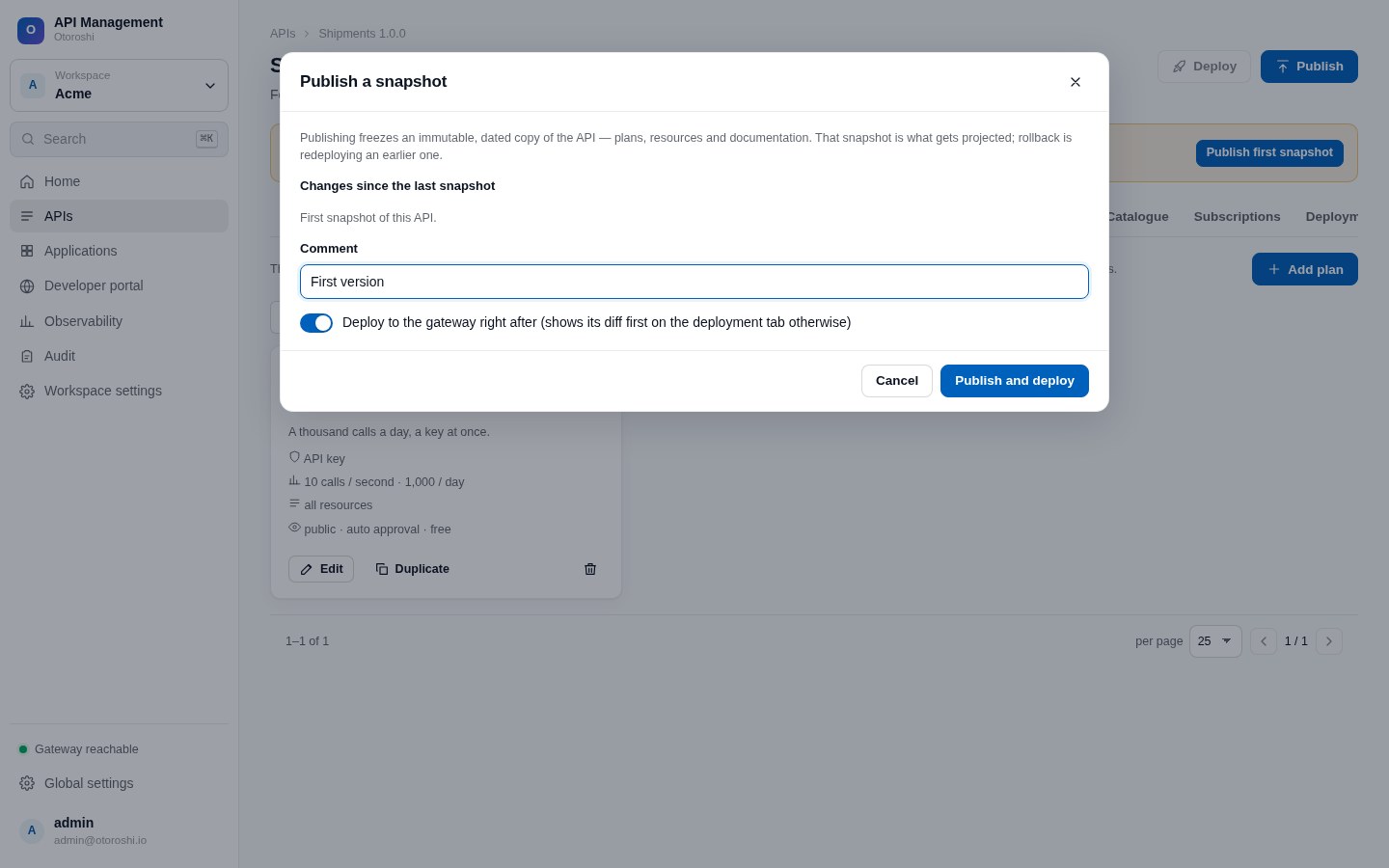
Publish freezes the draft into an immutable snapshot — plans, resources, documentation —, and Deploy to the gateway right after projects it on Otoroshi at once.
| Field | Value |
|---|---|
| Comment | First version |
| Deploy to the gateway right after | on (as it is) |
Then Publish and deploy.
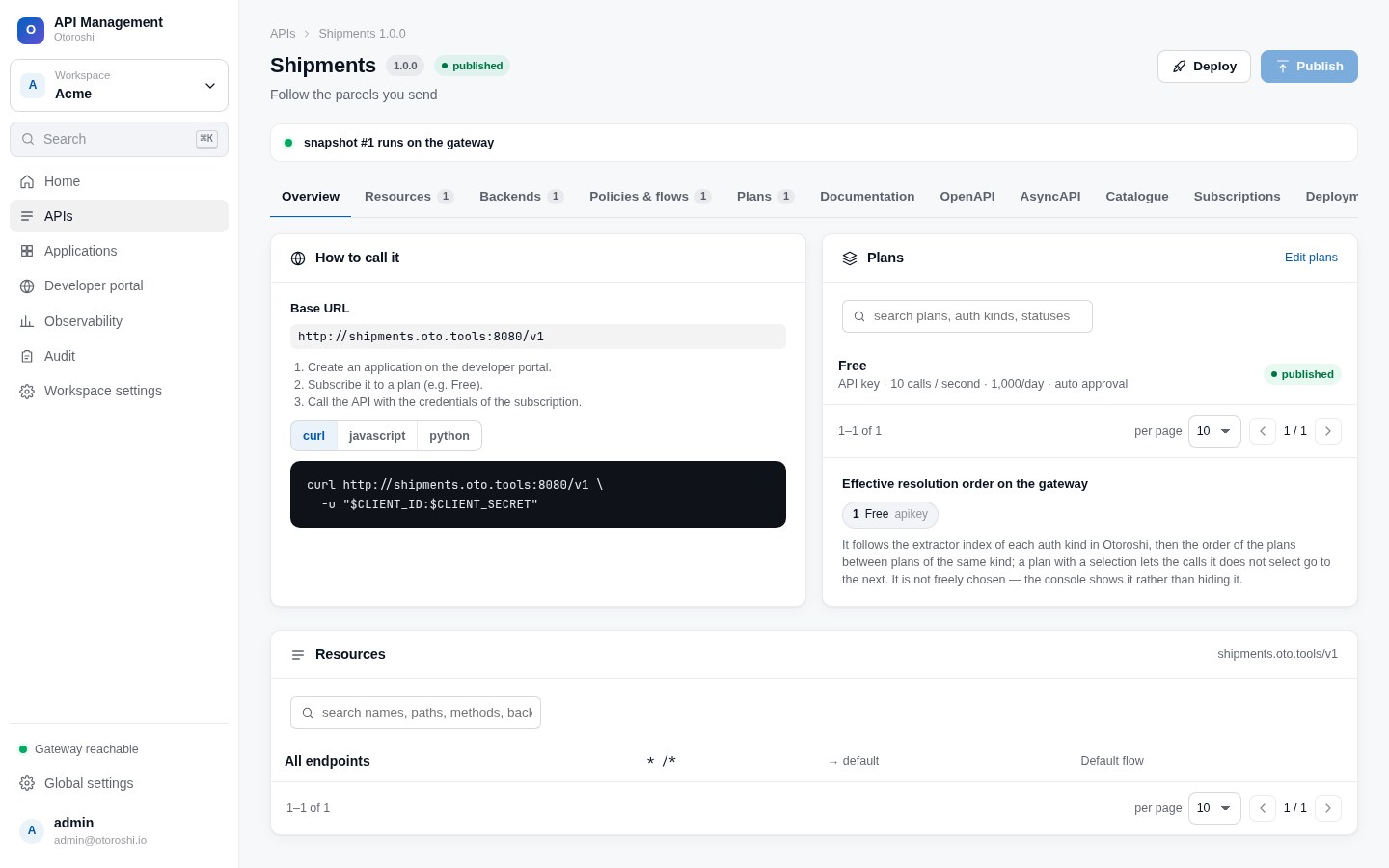
Snapshot #1 runs on the gateway: the API is served. A later change is a new draft, a new snapshot; going back is deploying an earlier one.
Part 2 — The consumer subscribes, alone
7. Find the API on the portal
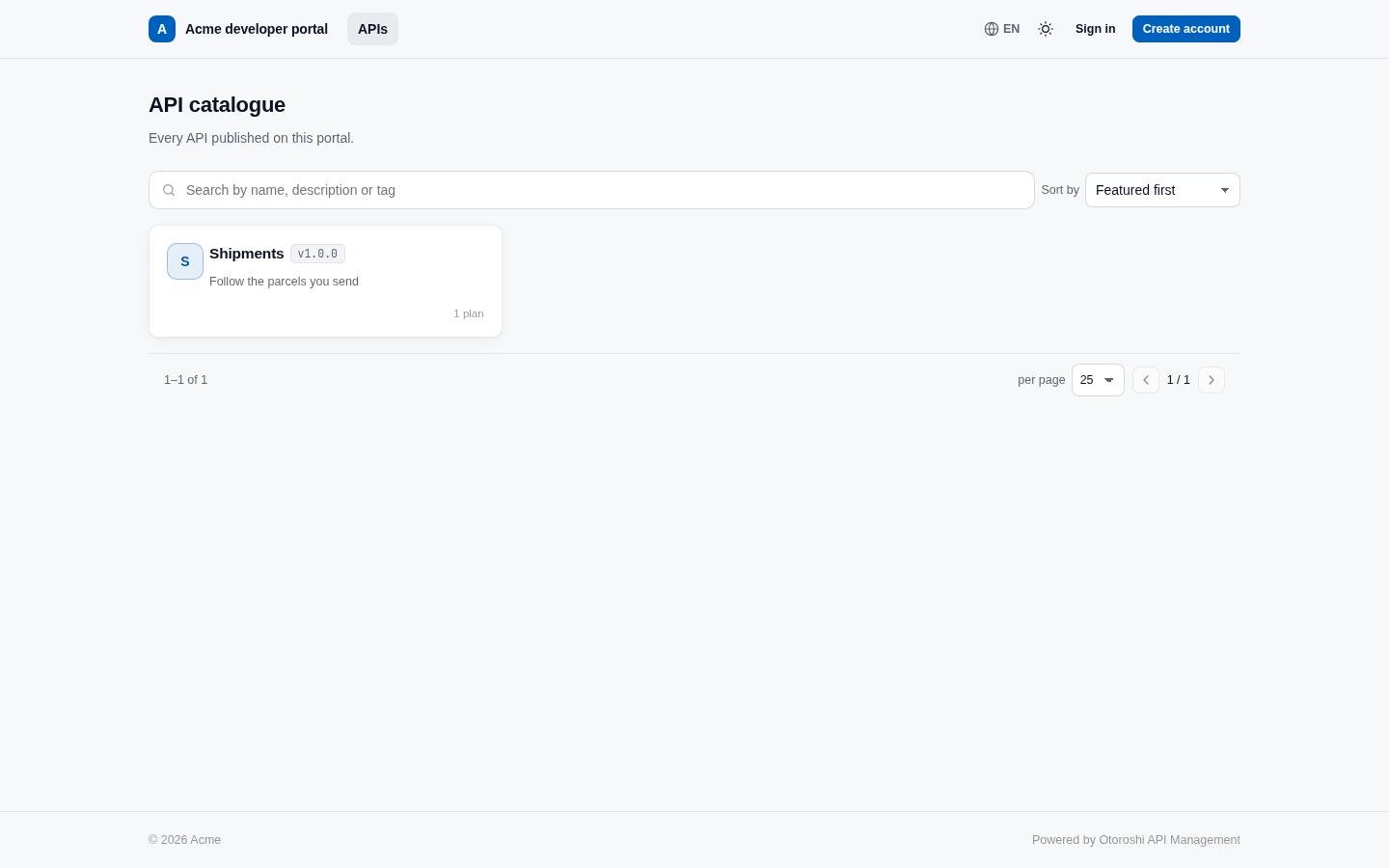
The portal of the workspace is at /acme/. Anyone can browse it; subscribing takes an account.
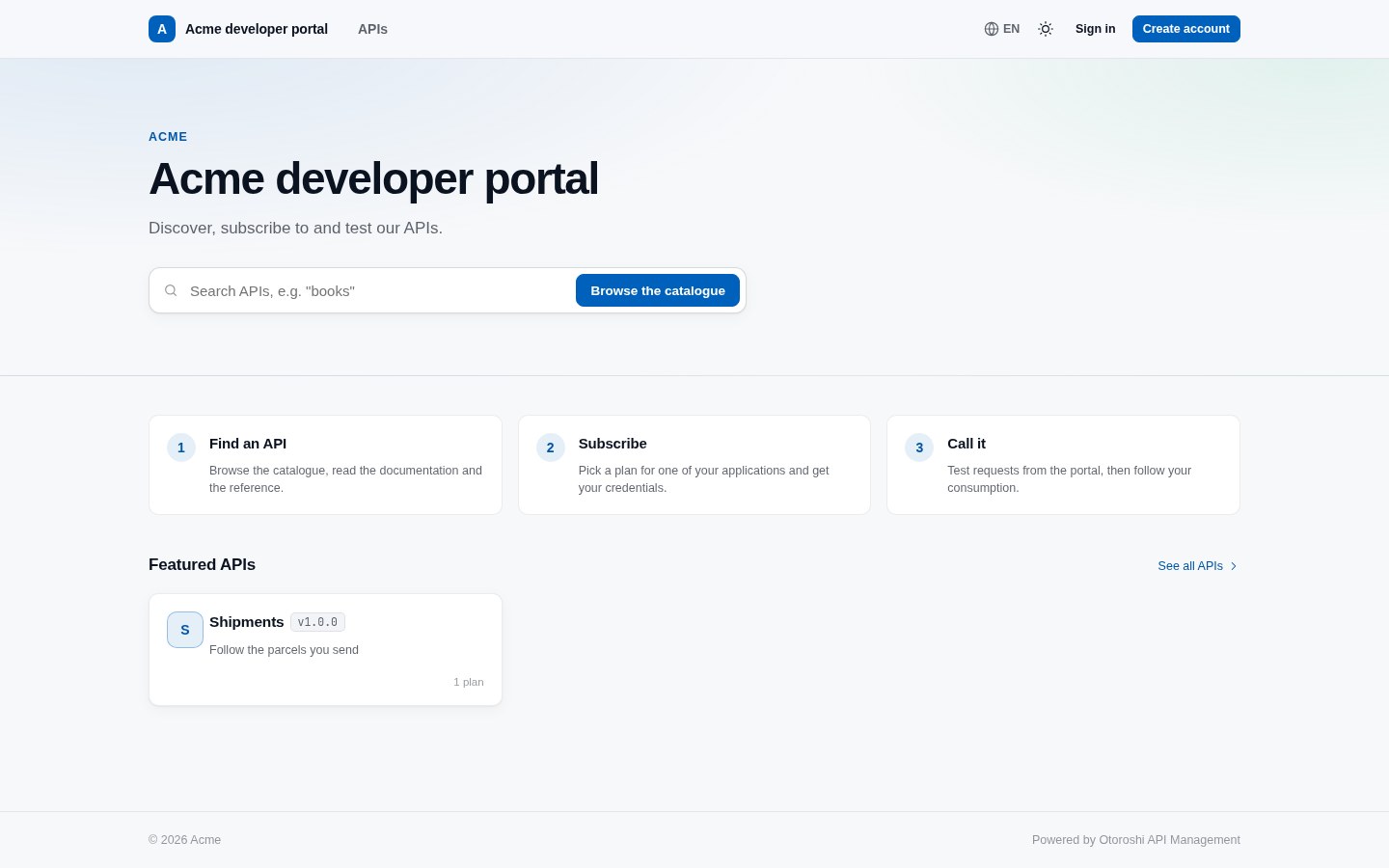
APIs, the catalogue: every API published on the portal, searched and sorted.
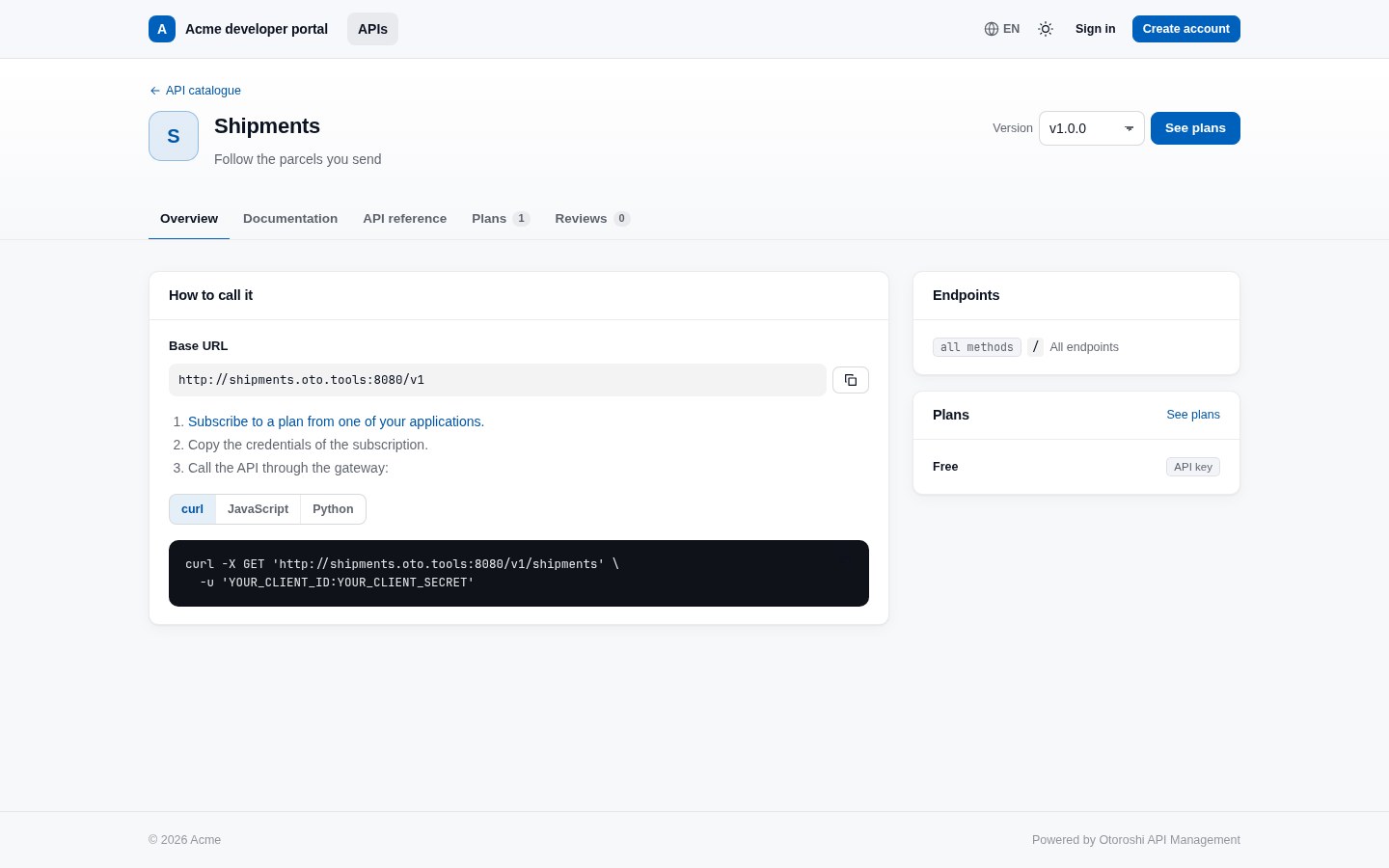
The page of the API says where to call it and how.
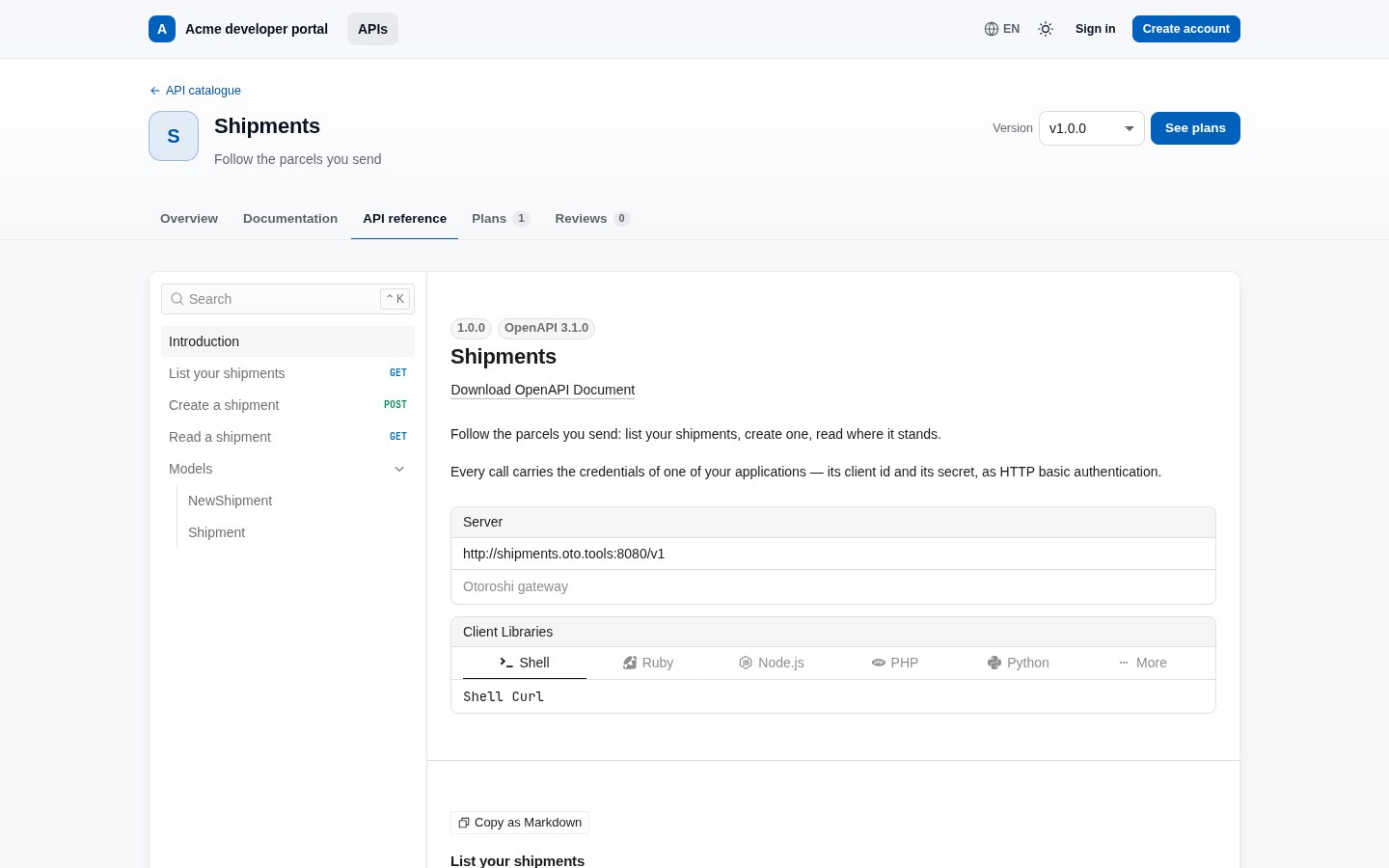
API reference renders its contract — its operations, their parameters, their answers, examples in several languages — its server being the gateway.
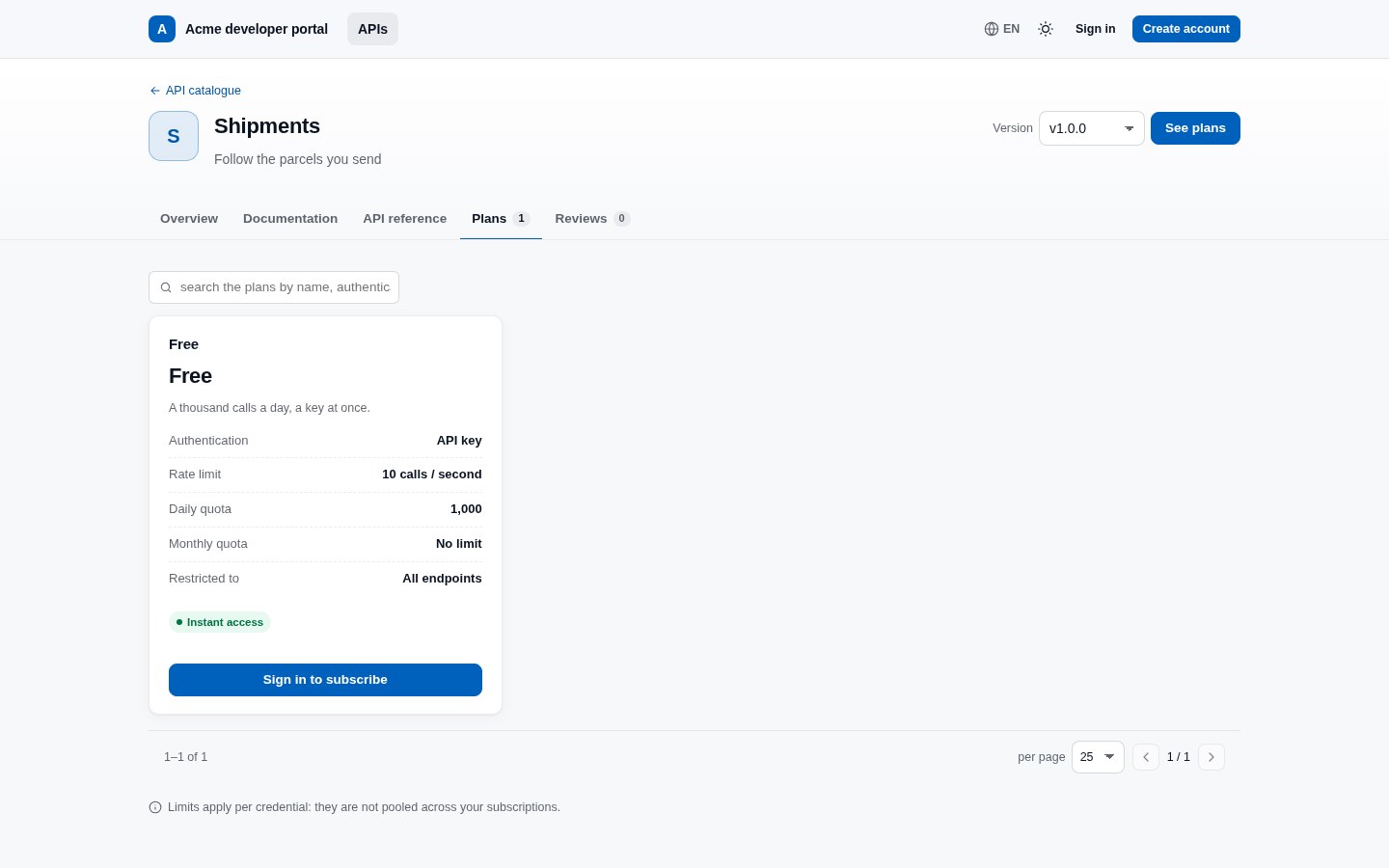
Plans lists what can be subscribed to, with its limits; Instant access says the key comes at once.
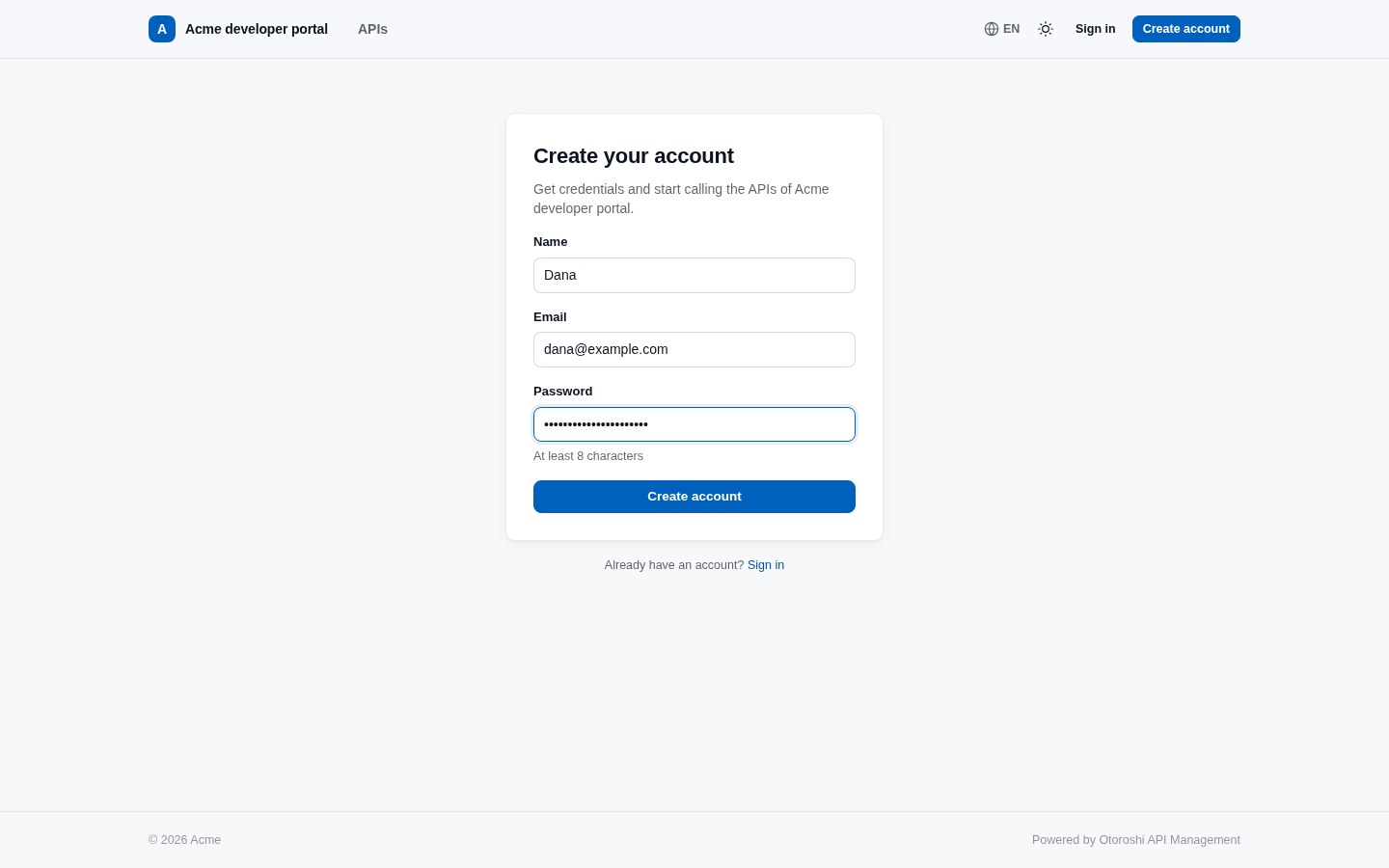
8. Create an account
Sign in to subscribe, then Create account:
| Field | Value |
|---|---|
| Name | Dana |
[object Object] | |
| Password | dana-tutorial-password — or any of 8 characters or more |
Self sign-up is on by default; in the console, Developer portal › Settings turns it off, or lets the consumers sign in with an identity provider.
9. Subscribe
Signed in, the consumer is back on the plan they chose. The credentials belong to an application: pick one, or create it now, and say what it is for.
| Field | Value |
|---|---|
| Application | New application… (as it is) |
| Application name | Parcel tracker |
| Intended usage | A page where our customers follow their parcels |
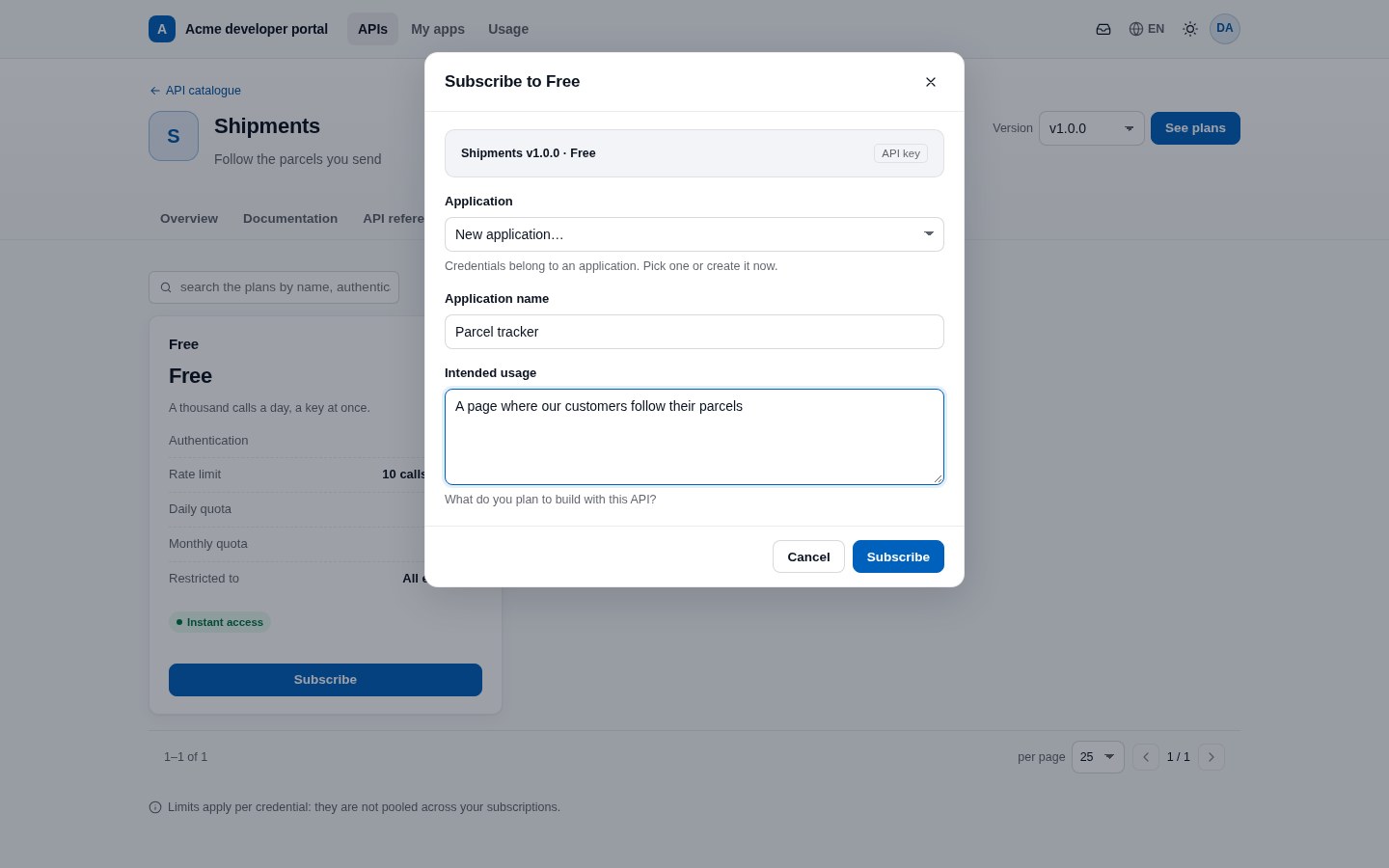
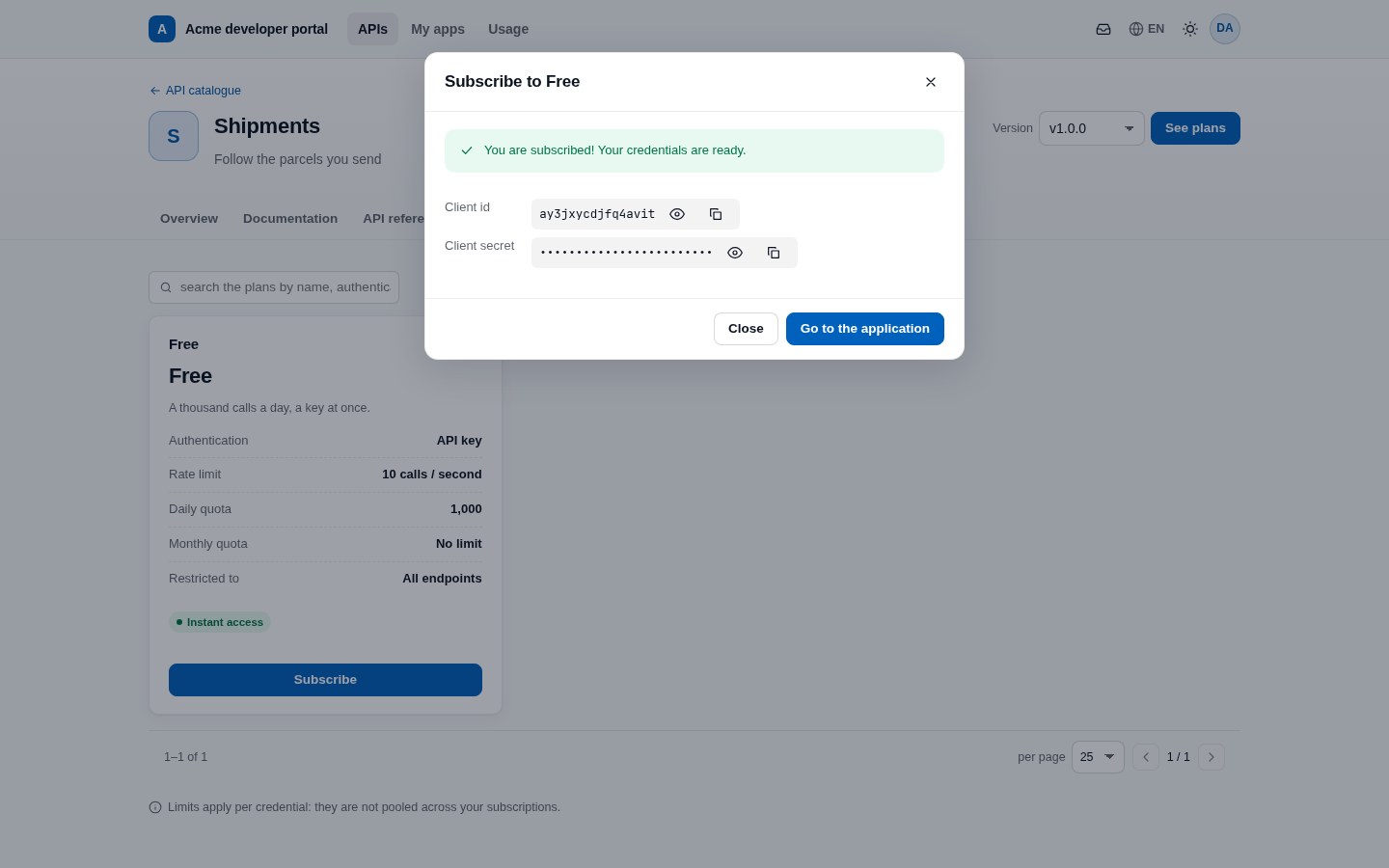
Subscribe. The approval is automatic: the subscription is active, its credentials are ready — a client id and a client secret.
10. Find the credentials again
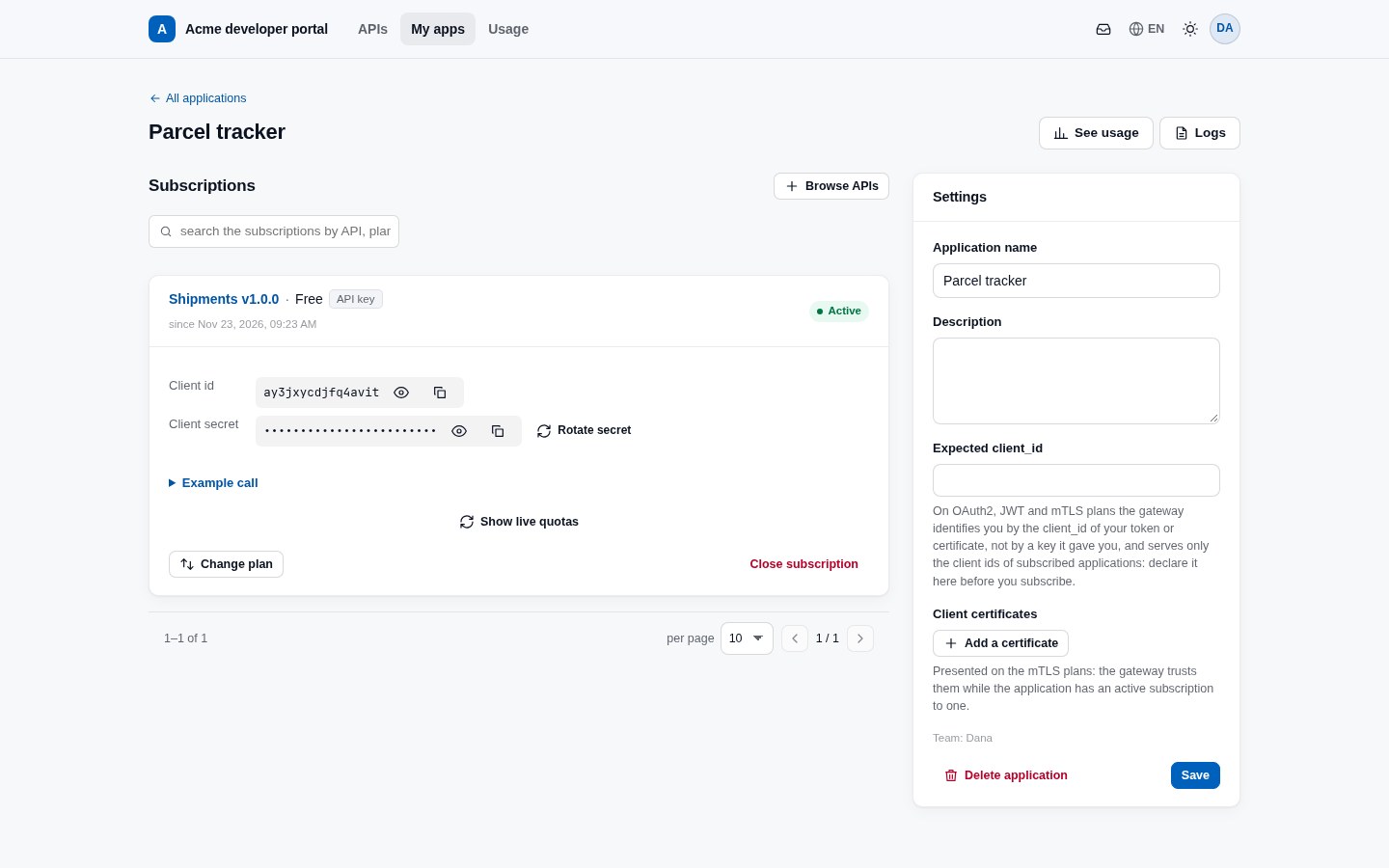
My apps keeps them: the subscriptions of each application and their credentials, an example call, the live quotas; the secret can be rotated, the plan changed, the subscription closed.
11. Call the API
Through the gateway, with the credentials as HTTP basic authentication. Copy the client id and the client secret of the portal (their copy buttons) into two variables:
export CLIENT_ID='<the client id>'
export CLIENT_SECRET='<the client secret>'
Then list the shipments in transit:
curl -i 'http://shipments.oto.tools:8080/v1/shipments?status=in_transit' \
  -u "$CLIENT_ID:$CLIENT_SECRET"
HTTP/1.1 200 OK
Otoroshi-Request-Id: 2124781129239102165
Otoroshi-Daily-Calls-Remaining: 967
Content-Type: application/json

{
  "method": "GET",
  "path": "/shipments",
  "headers": {
    "host": "request.otoroshi.io",
    "otoroshi-request-id": "2124781129239102165",
    "otoroshi-proxied-host": "shipments.oto.tools:8080",
    …
  },
  "body": null
}
request.otoroshi.io answers with the request it received: the gateway called it on /shipments,
the context path /v1 left on its side. The gateway says what remains of the daily quota, and gives
the call an id — the backend receives the same, and the request log finds the call by it. A new key
is routable within a few seconds.
Creating a shipment works the same:
curl -i -X POST 'http://shipments.oto.tools:8080/v1/shipments' \
  -u "$CLIENT_ID:$CLIENT_SECRET" \
  -H 'content-type: application/json' \
  -d '{"recipient": "Ada", "address": "1 rue de la Paix"}'
Without credentials the gateway answers 401; past 10 calls a second, 429; past 1,000 calls in
the day, too.
curl -i 'http://shipments.oto.tools:8080/v1/shipments'
HTTP/1.1 401 Unauthorized
Otoroshi-Error: true

{"Otoroshi-Error":"You're not authorized here !"}
Part 3 — Both sides see the traffic
12. The consumer: their usage
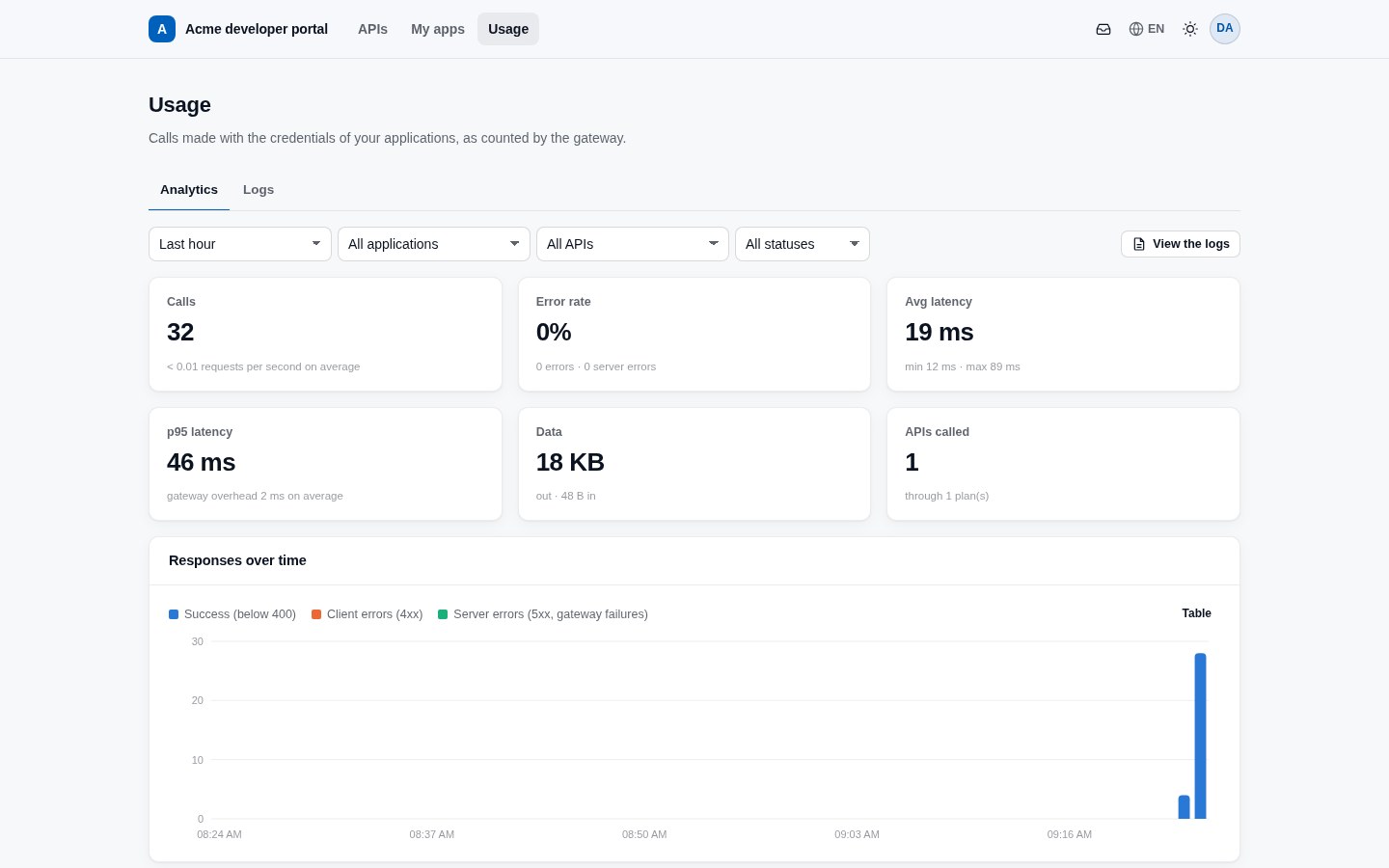
Usage on the portal: the calls of the consumer's applications, as the gateway counted them — their number, errors, latency, over time —, and Logs, the calls one by one.
13. The producer: their subscriber, their traffic
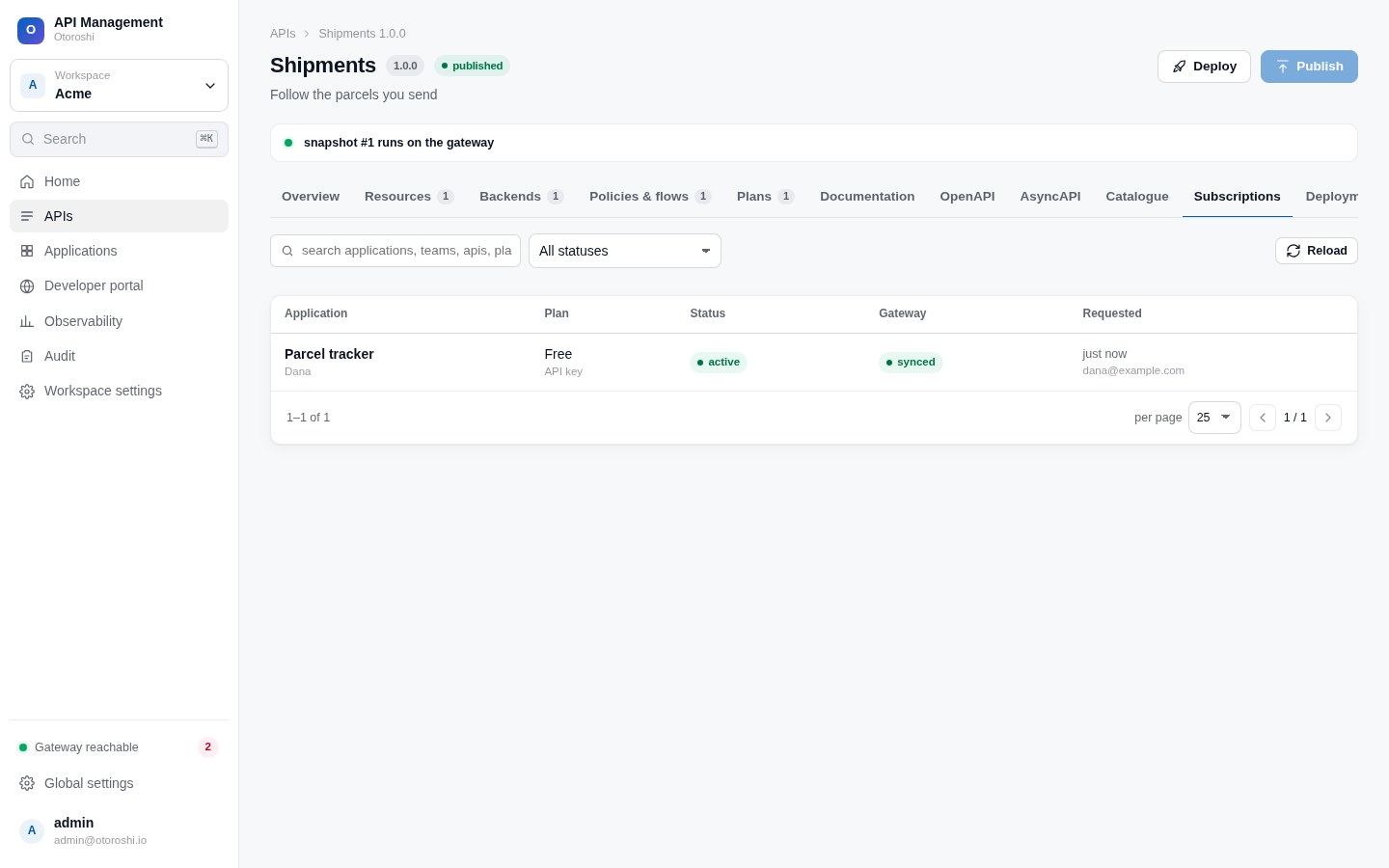
On the API, Subscriptions: Parcel tracker, of Dana, on the Free plan, active, and synced to the gateway — nobody had to approve it.
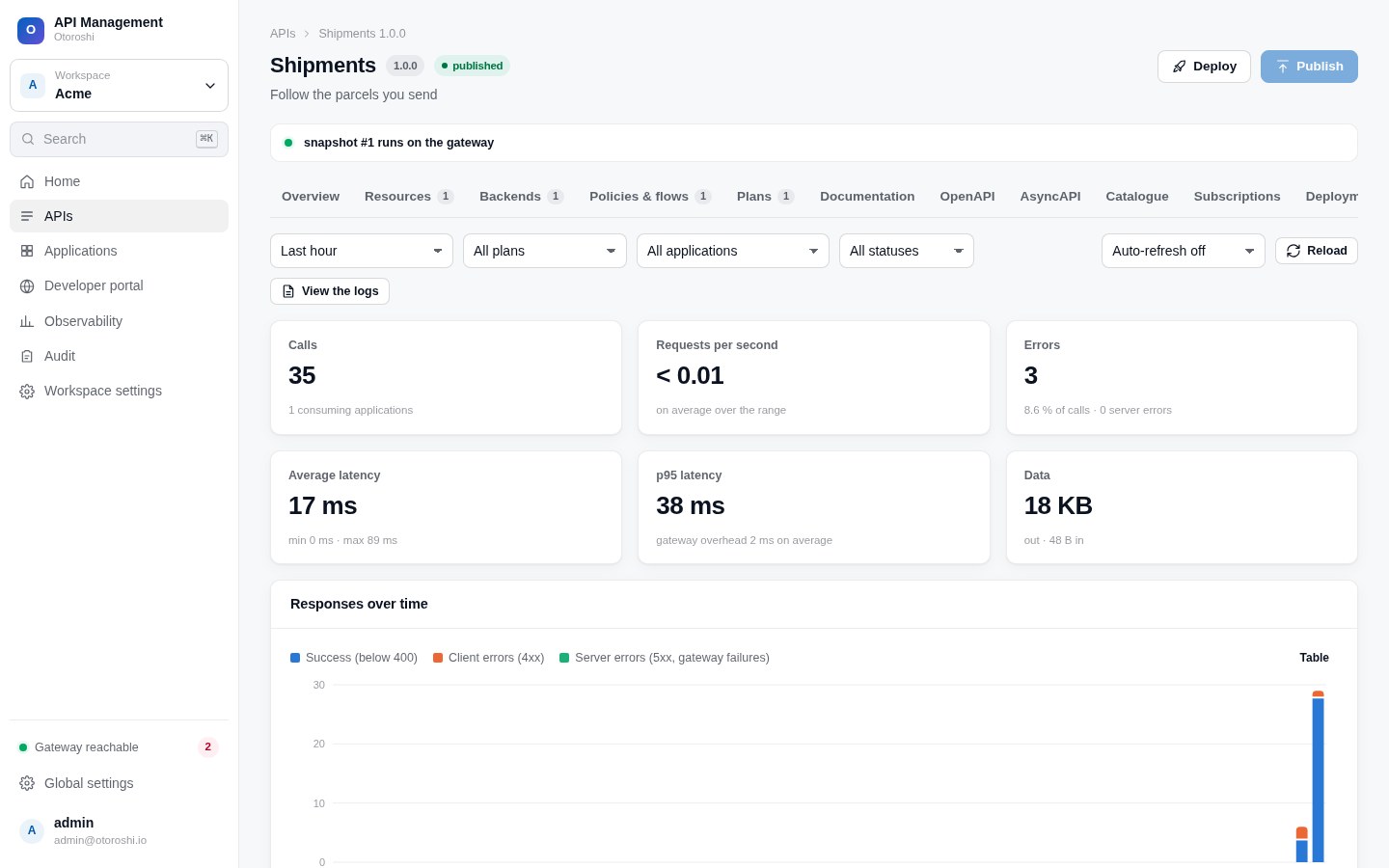
Analytics: every call of the API, the refused one too, by plan, by application, by status.
Next
- A plan for the bigger consumers: Plans → Add plan, more quota and Manual review — the requests wait in Subscriptions for a producer. Adding a tier is a catalogue operation, never an infrastructure one (plans).
- A change: edit the draft, publish snapshot #2; the Deployment tab redeploys any earlier snapshot (APIs and versions).
- The API as a file:
otoroshi-apim apis get acme shipments -o yamlgives the same API as a declarative document, to keep in git and apply from a CI (command line). - A paid plan: payments.
- The portal of the workspace in its colors: the design of a portal.