The waiting page
Browsers that open a sleeping app get a waiting page, unless the route turned it off (see Waking up). The built-in page follows the light or dark theme of the browser, and shows the progress of the wake up.
| Light | Dark |
|---|---|
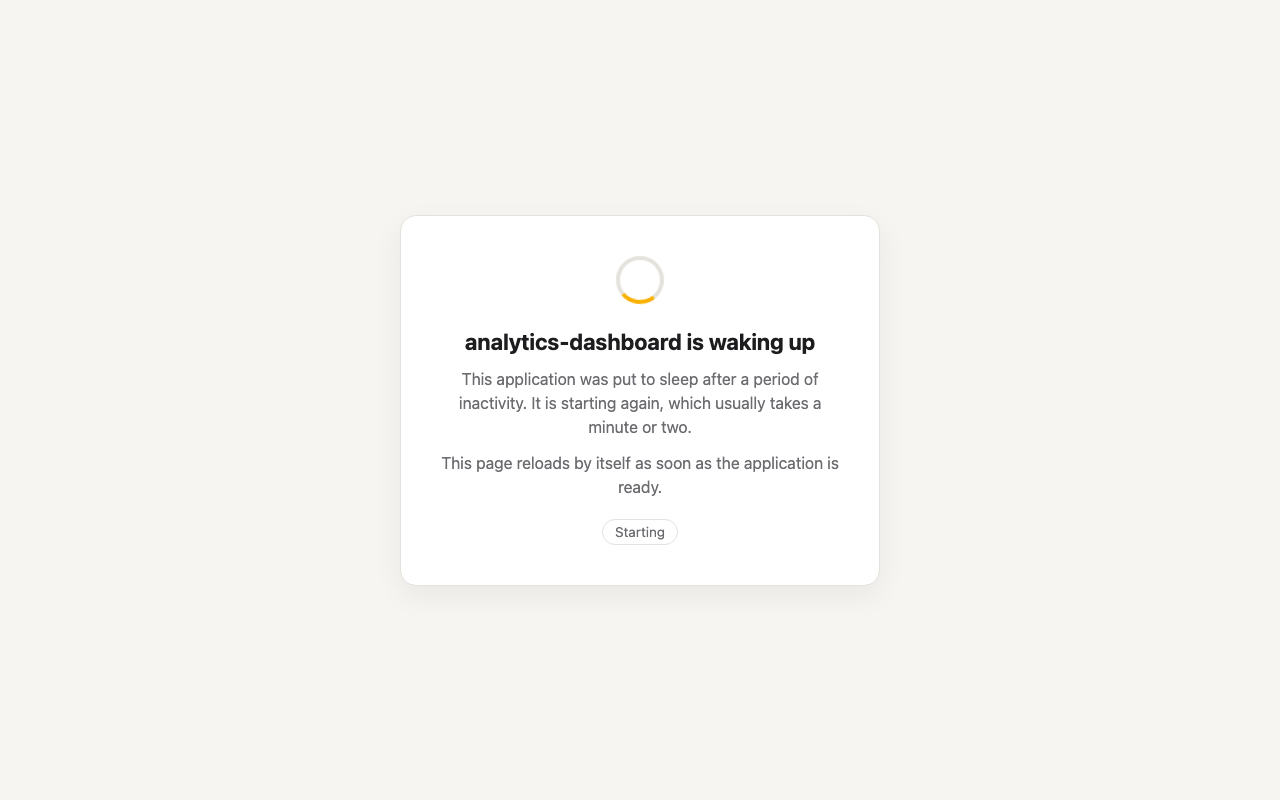 | 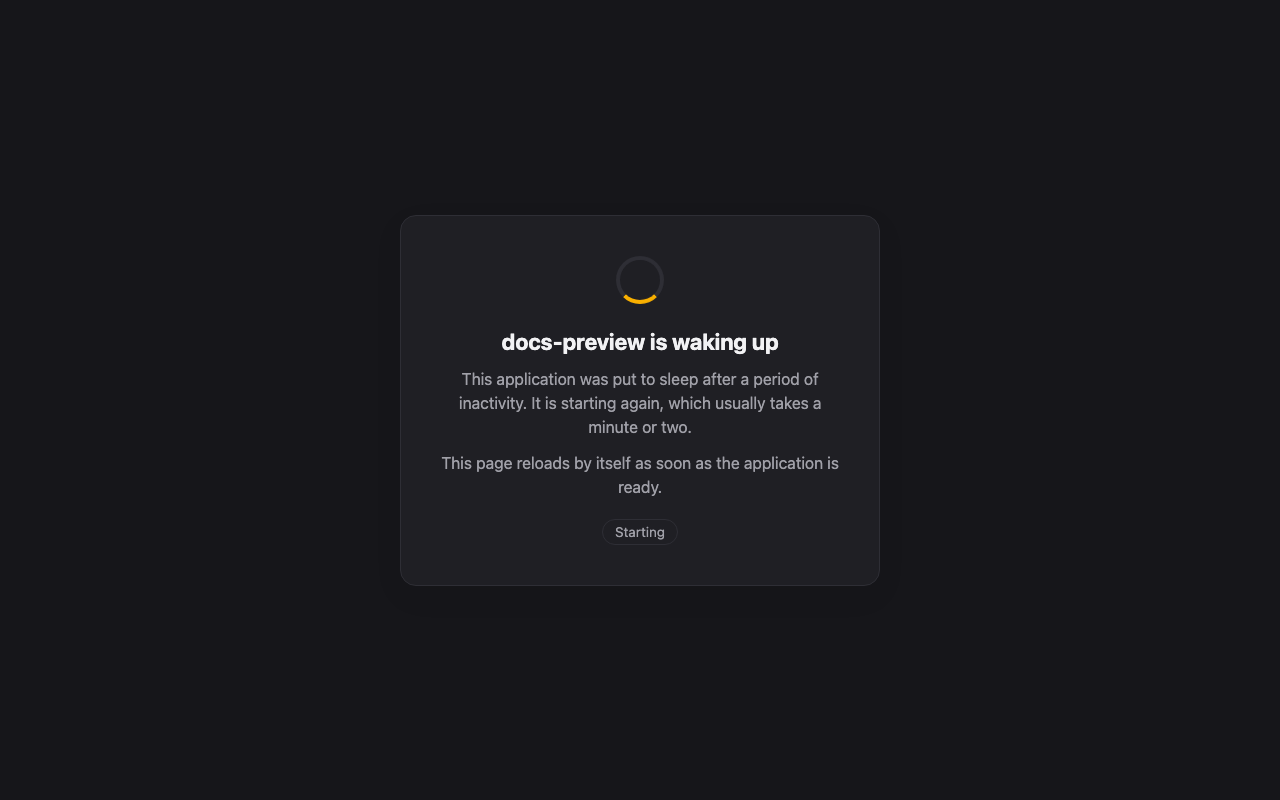 |
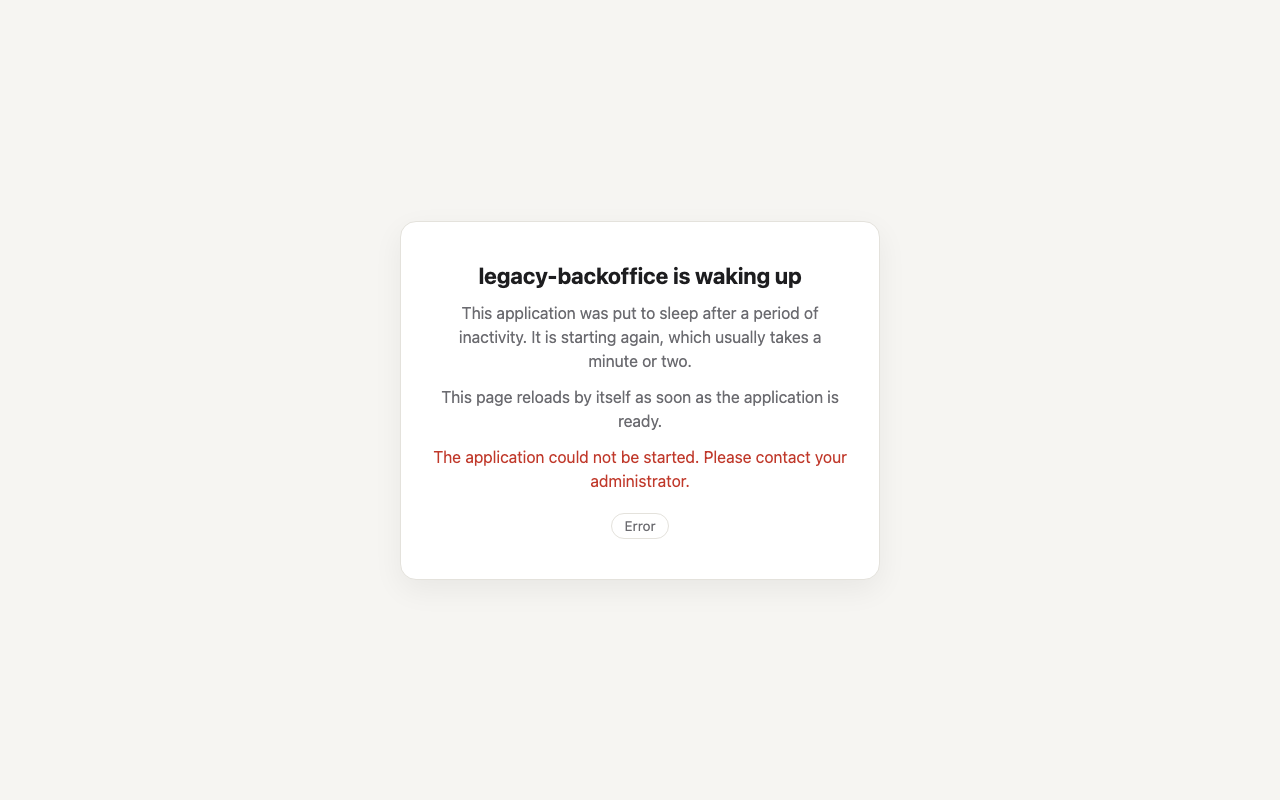
When the app cannot be started, the page says so:
Your own page
Paste your HTML in Custom waiting page (waiting_page), in the console or in the plugin form of
the route designer. It is served as is, with:
- its placeholders replaced;
- the reaper's script added right before
</body>(or at the end, without a</body>).
You only write the page: the script that polls the app and brings the user to it once it answers is always added for you. Two hooks let the page show how the wake up goes.
Placeholders
| Placeholder | Replaced with |
|---|---|
{{route_name}} | the name of the route |
{{app_name}} | the name of the app on Clever Cloud, or the route name when unknown yet |
{{app_id}} | the app id, app_... |
{{status}} | the state when the page was served: Finishing going to sleep, Asleep, wake up requested, Starting |
The values are HTML-escaped.
Hooks for the reaper's script
The script updates the page while it waits, through two hooks. Both are optional:
- the element with the id
clevercloud-reaper-statusgets the current state as its text:Finishing going to sleep,Asleep, wake up requested,Starting,Almost ready(the app is up but does not answer yet), orError; - the
<body>gets the classclevercloud-reaper-errorwhile the app is in error, and loses it otherwise: style your error message with it.
A minimal page
<!doctype html>
<html lang="en">
<head>
  <meta charset="utf-8">
  <meta name="viewport" content="width=device-width, initial-scale=1">
  <meta name="robots" content="noindex">
  <title>{{app_name}} is starting</title>
  <style>
    body { font-family: system-ui, sans-serif; display: grid; place-items: center; min-height: 100vh; margin: 0; }
    .error { display: none; color: #c0392b; }
    body.clevercloud-reaper-error .error { display: block; }
  </style>
</head>
<body>
  <main>
    <h1>{{app_name}} is starting</h1>
    <p>It was asleep to save energy. This page reloads as soon as it is ready.</p>
    <p>Status: <strong id="clevercloud-reaper-status">{{status}}</strong></p>
    <p class="error">It could not be started. The team has been notified.</p>
  </main>
</body>
</html>
A complete page
A page ready to use: it shows the state of the wake up and how long it has been waiting, says when it takes longer than usual or when the app cannot start, follows the light or dark theme of the browser, and reloads every 30 seconds for a browser without JavaScript. The polling and the reload are the reaper's script, added to it when it is served; its own script only counts the seconds. Paste it in Custom waiting page as is, or get the file: waiting-page.html.
<!doctype html>
<html lang="en">
<head>
  <meta charset="utf-8">
  <meta name="viewport" content="width=device-width, initial-scale=1">
  <meta name="robots" content="noindex">
  <!-- without javascript, a reload every 30 seconds does the job -->
  <noscript><meta http-equiv="refresh" content="30"></noscript>
  <title>{{app_name}} is starting</title>
  <style>
    :root { --bg: #f6f6f8; --card: #fff; --text: #17171c; --muted: #66667a; --accent: #4f46e5; --error: #c0392b; --line: #e3e3ea; }
    @media (prefers-color-scheme: dark) {
      :root { --bg: #111116; --card: #1b1b22; --text: #f1f1f5; --muted: #a0a0b2; --accent: #8b85ff; --line: #2c2c36; }
    }
    * { box-sizing: border-box; }
    html, body { height: 100%; margin: 0; }
    body { background: var(--bg); color: var(--text); font: 16px/1.5 system-ui, -apple-system, "Segoe UI", Roboto, sans-serif;
           display: grid; place-items: center; padding: 16px; }
    main { background: var(--card); border: 1px solid var(--line); border-radius: 14px; padding: 36px 32px; max-width: 460px; width: 100%; text-align: center; }
    h1 { font-size: 1.35rem; margin: 0 0 8px; }
    p { color: var(--muted); margin: 0 0 18px; }
    .bar { height: 6px; border-radius: 3px; background: var(--line); overflow: hidden; margin: 22px 0 12px; }
    .bar > div { height: 100%; width: 40%; background: var(--accent); border-radius: 3px; animation: slide 1.4s ease-in-out infinite; }
    @keyframes slide { from { transform: translateX(-100%); } to { transform: translateX(250%); } }
    .meta { display: flex; justify-content: space-between; font-size: .85rem; color: var(--muted); }
    .slow, .failed { display: none; font-size: .9rem; margin-top: 16px; }
    .failed { color: var(--error); }
    body.is-slow .slow { display: block; }
    /* set and removed by the reaper's script while the app is in error */
    body.clevercloud-reaper-error .failed { display: block; }
    body.clevercloud-reaper-error .bar,
    body.clevercloud-reaper-error .slow { display: none; }
    button { margin-top: 18px; border: 1px solid var(--line); background: transparent; color: var(--text); border-radius: 8px; padding: 8px 14px; font: inherit; cursor: pointer; }
    button:hover { border-color: var(--accent); }
  </style>
</head>
<body>
  <main>
    <h1>{{app_name}} is starting</h1>
    <p>It was put to sleep to save energy. It wakes up now, and this page opens it as soon as it answers.</p>
    <div class="bar" aria-hidden="true"><div></div></div>
    <div class="meta">
      <!-- kept up to date by the reaper's script: Asleep, wake up requested / Starting / Almost ready / Error -->
      <span id="clevercloud-reaper-status">{{status}}</span>
      <span id="elapsed">0:00</span>
    </div>
    <div class="slow">It takes longer than usual: it may be deploying a new version. Keep this page open.</div>
    <div class="failed">The application could not be started. The team has been notified.</div>
    <button type="button" onclick="window.location.reload()">Reload now</button>
  </main>
  <!-- the reaper adds its script right before </body>: it polls the app and reloads this page once the
       app answers. This one only shows how long the page has been waiting. -->
  <script>
    (function () {
      var started = Date.now();
      setInterval(function () {
        var s = Math.floor((Date.now() - started) / 1000);
        document.getElementById('elapsed').textContent = Math.floor(s / 60) + ':' + String(s % 60).padStart(2, '0');
        document.body.classList.toggle('is-slow', s > 180);
      }, 1000);
    })();
  </script>
</body>
</html>
It uses both hooks: #clevercloud-reaper-status for the state, and the clevercloud-reaper-error
class to swap the progress bar for the error message.
The built-in page
The built-in page is in the extension's resources, at
cloudapim/extensions/clevercloudreaper/waiting.html:
a good starting point for your own.
The page is served while the app is asleep, by the route of the app: a stylesheet, a script or an image served by the app itself is not available. Inline what the page needs, or load it from another host.
What the script does
Every five seconds, the script sends a HEAD request to the URL of the page with the header
CleverCloud-Reaper: poll:
- The reaper answers (the response carries
CleverCloud-Reaper-Status): the app still sleeps or is in error. The script shows the state and tries again, every thirty seconds in error. - A
5xx, or the404of Clever Cloud for an app with no instance (X-CleverCloudUpgrade: true): the app is up but does not answer yet. The script showsAlmost readyand tries again. - Anything else: the app answered. The page reloads, and the user gets the app.
The poll is not traffic: it neither keeps the app awake nor counts as an access. The reload that follows it does. While the app sleeps, a poll does ask for a wake up again, so a page left open in a tab keeps the wake up alive until the app is up. Details of the headers are in the headers reference.