Quickstart
This takes an app you already run on Clever Cloud, puts it behind a local Otoroshi, and lets the reaper put it to sleep after two minutes without traffic. Then a browser wakes it up.
You need Java 17 or later, clever-tools 3.12 or later, and an app on Clever Cloud you can afford to stop for a few minutes.
The reaper really stops the instances of the app. Pick a staging or demo app, not production.
1. Create a Clever Cloud API token
clever login
clever tokens create "otoroshi reaper"
Copy the token it prints: it is shown once. The token acts as your user, so the reaper sees every app you can see in the Clever Cloud console.
2. Download Otoroshi and the extension
curl -L -o otoroshi.jar \
  'https://github.com/MAIF/otoroshi/releases/download/v18.0.0-rc1/otoroshi.jar'
# the extension jar, from github.com/cloud-apim/otoroshi-clevercloud-reaper/releases/latest
curl -L -o clevercloud-reaper.jar \
  'https://github.com/cloud-apim/otoroshi-clevercloud-reaper/releases/download/<version>/otoroshi-clevercloud-reaper_3-<version>.jar'
3. Start Otoroshi with the extension
export CLEVER_CLOUD_API_TOKEN='<the token from step 1>'
export OTOROSHI_INITIAL_ADMIN_LOGIN='admin@otoroshi.io'
export OTOROSHI_INITIAL_ADMIN_PASSWORD='password'
export OTOROSHI_STORAGE='file'

java -cp "./clevercloud-reaper.jar:./otoroshi.jar" \
  play.core.server.ProdServerStart
The logs should say:
the 'Cloud APIM - Clever Cloud Reaper' extension is enabled !
Open http://otoroshi.oto.tools:8080/ and log in with
admin@otoroshi.io / password. *.oto.tools resolves to 127.0.0.1, so every name below works locally without
touching /etc/hosts.
4. Route the app through Otoroshi
Create a route (Routes → Create new route) with:
- Frontend: the domain
my-app.oto.tools. - Backend: one target,
app-<uuid>.cleverapps.ioon port443with TLS. That is the default domain of the app, shown on its Domain names page in the Clever Cloud console. - The Override host header plugin, so Clever Cloud gets the
Hostit routes on. Without it, Clever Cloud answers404whatever the reaper does.
Check that http://my-app.oto.tools:8080/ shows your app.
5. Enable the reaper on the route
Open Clever Cloud Reaper: type it in the search bar at the top of the backoffice, or go to /bo/dashboard/extensions/cloud-apim/clevercloud-reaper. Your route is in the table: click it.
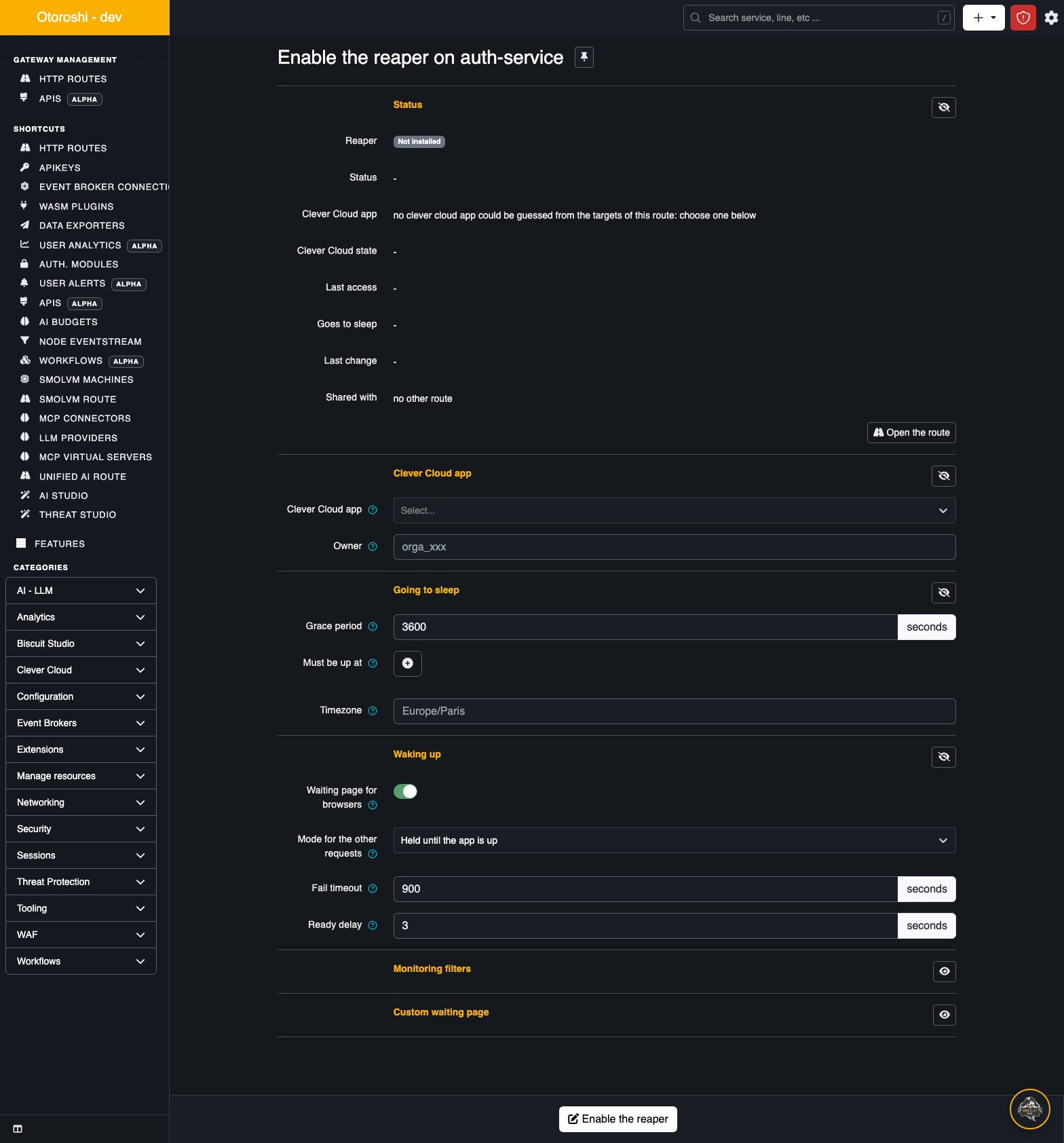
- Clever Cloud app: it is already guessed from the
cleverapps.iotarget. Otherwise pick it in the list. - Grace period: set
120seconds, so you do not wait an hour. - Click Enable the reaper at the bottom.
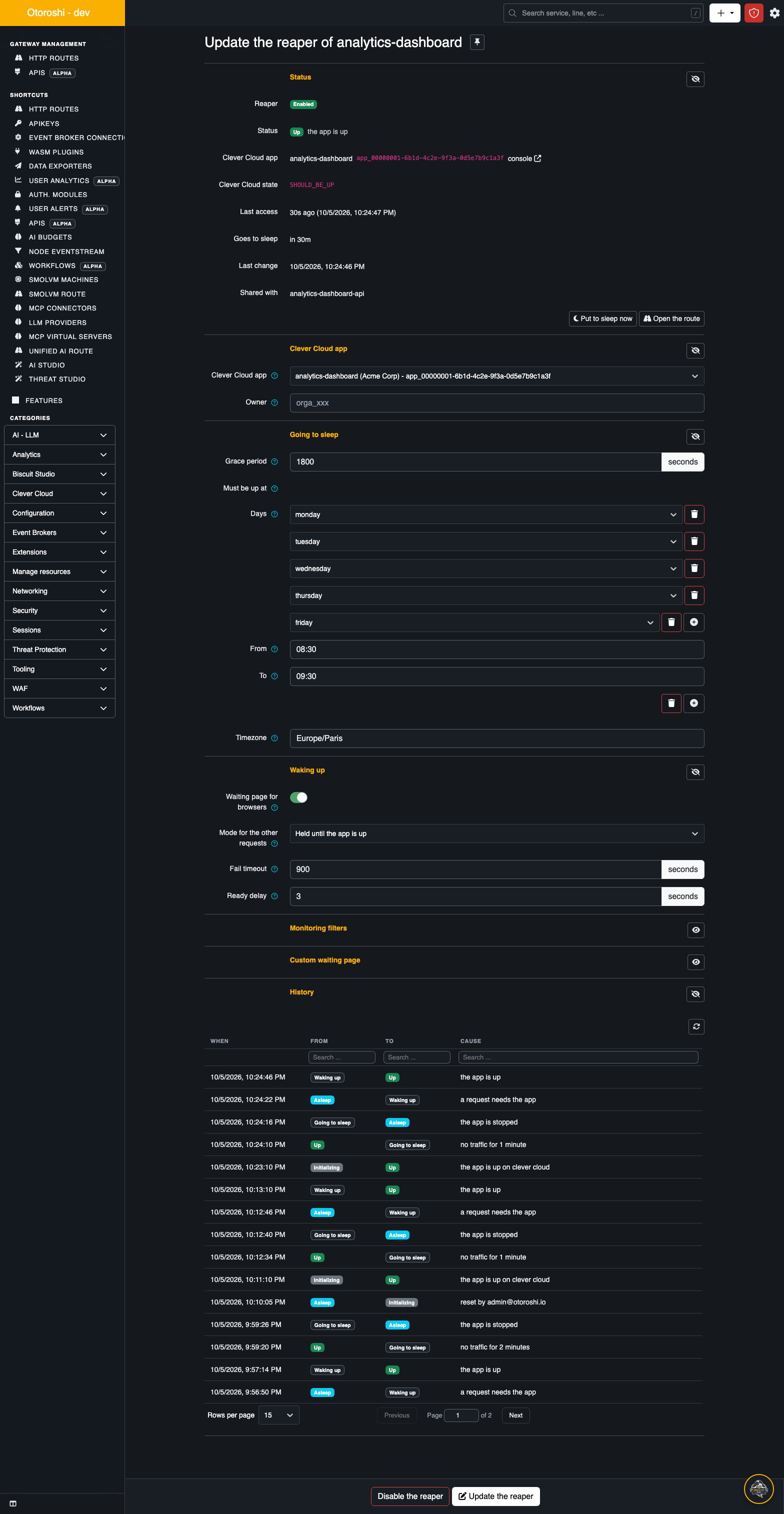
The status goes from Initializing to Up within a few seconds, and the Goes to sleep line counts down.
6. Watch it fall asleep
Leave the app alone for two minutes. The status turns to Going to sleep, then to Asleep. In the Clever Cloud console, the app is stopped. The History section at the bottom of the page lists both transitions, with their cause.
7. Wake it up
Open http://my-app.oto.tools:8080/ in a browser. You get the waiting page:
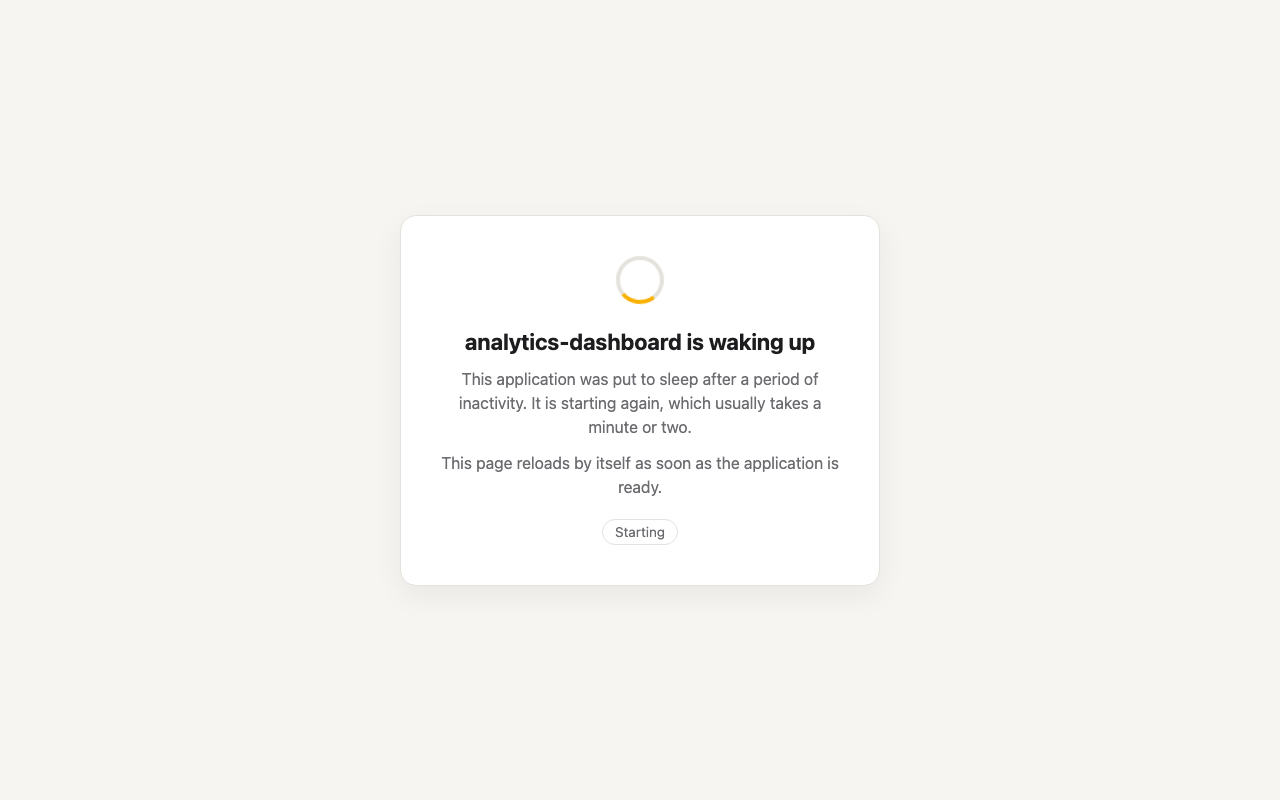
The app is starting on Clever Cloud. The page checks every five seconds whether the app answers, and reloads by itself once it does: your app shows up, nothing to click.
An API client gets the same wake up without the page: its request is held until the app is up, then forwarded.
curl -i http://my-app.oto.tools:8080/api/health
# ... a minute or two later
HTTP/1.1 200 OK
Next steps
- Keep the app up during office hours, and let your uptime checks through without waking it up: Keeping apps awake.
- Choose what API callers get while the app boots: Waking up.
- Run it for real, in a cluster: Install and Architecture.
- Before turning it on for many apps, run it in dry-run for a day.