The console
The extension adds two pages to the Otoroshi backoffice: the routes table, and the page of a
route. Open them by typing Clever Cloud Reaper in the search bar at the top of the backoffice,
from the Clever Cloud category of the features page, or at
/bo/dashboard/extensions/cloud-apim/clevercloud-reaper.
The routes
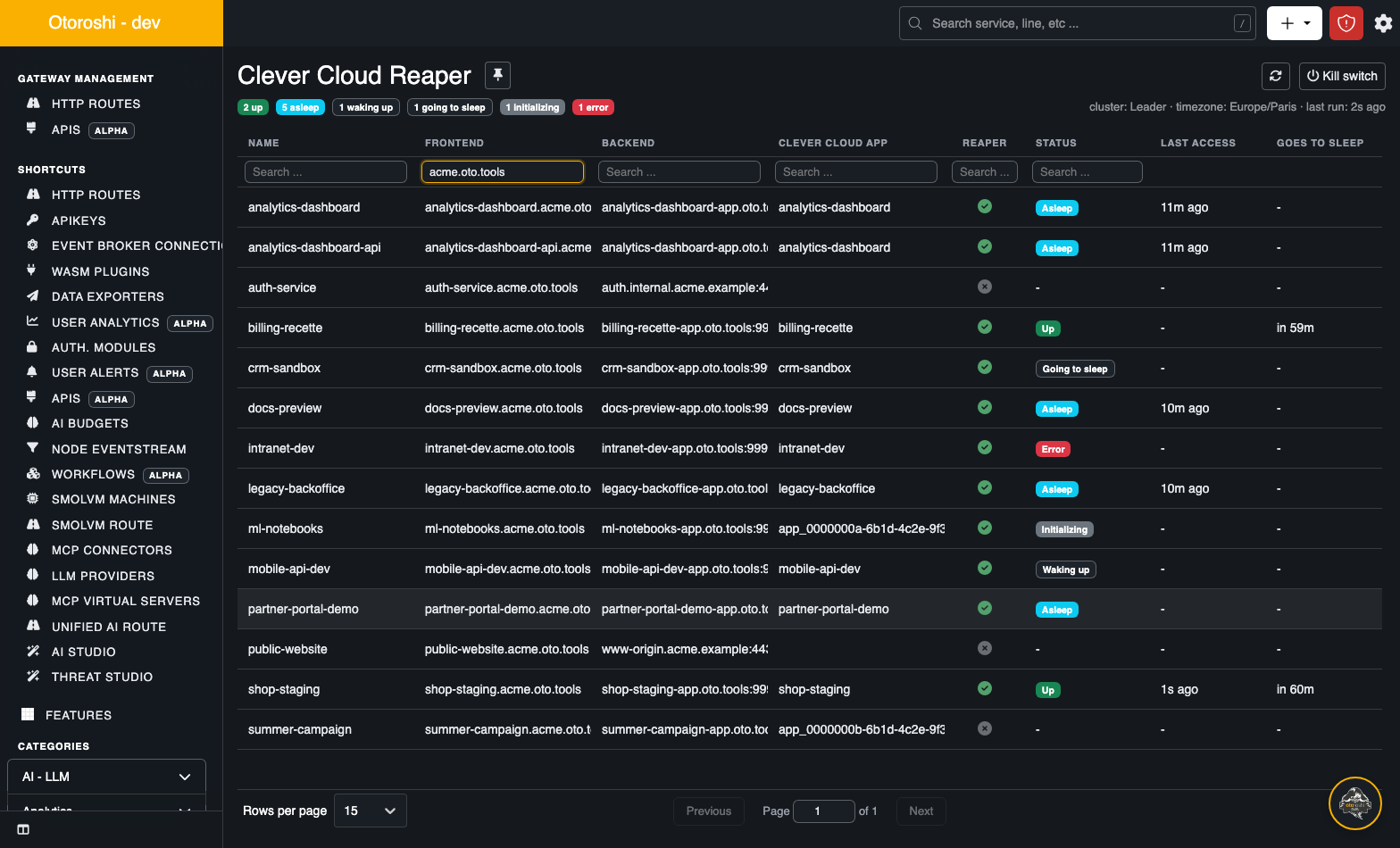
Every route of the install is listed, whether the reaper manages it or not, fifteen per page, read from memory: the page costs nothing to the datastore.
| Column | |
|---|---|
| Name | the route |
| Frontend | its first domain, and how many others it has |
| Backend | its first target |
| Clever Cloud app | the app behind it: set in the plugin, or guessed from the targets |
| Reaper | whether the reaper is enabled on the route |
| Status | the state of its app: Up Going to sleep Asleep Waking up Initializing Error |
| Last access | the last request on the app, from any of its routes and any node |
| Goes to sleep | when the app will be put to sleep if nothing happens before |
| Saved | what the sleeps of the app saved in all |
Every column can be filtered (type in the box under its title) and sorted (click its
title). To see only the routes under the reaper, type enabled under Reaper. Click a row to
open the page of the route.
Above the table:
- a summary of the apps by state, the cluster mode of the node, the default timezone, and when the job last ran;
- warnings when something prevents the reaper from working: no API token, a failed run, the dry-run mode, the kill switch;
- what sleeping saved: today, this month, this year, in all, and what the apps asleep right now would cost per hour (see Savings);
- the Kill switch button, for super admins: see Operations.
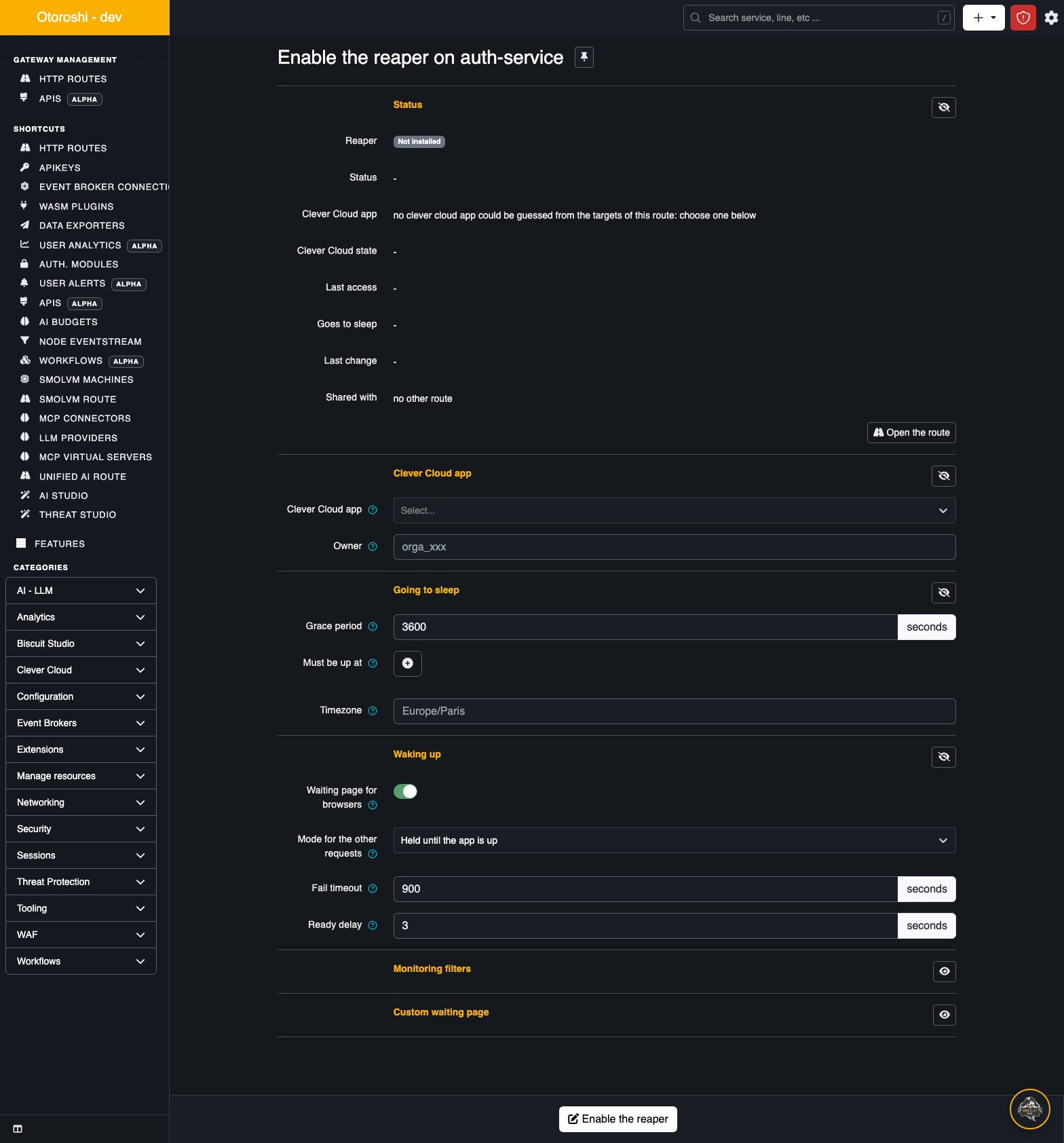
The page of a route
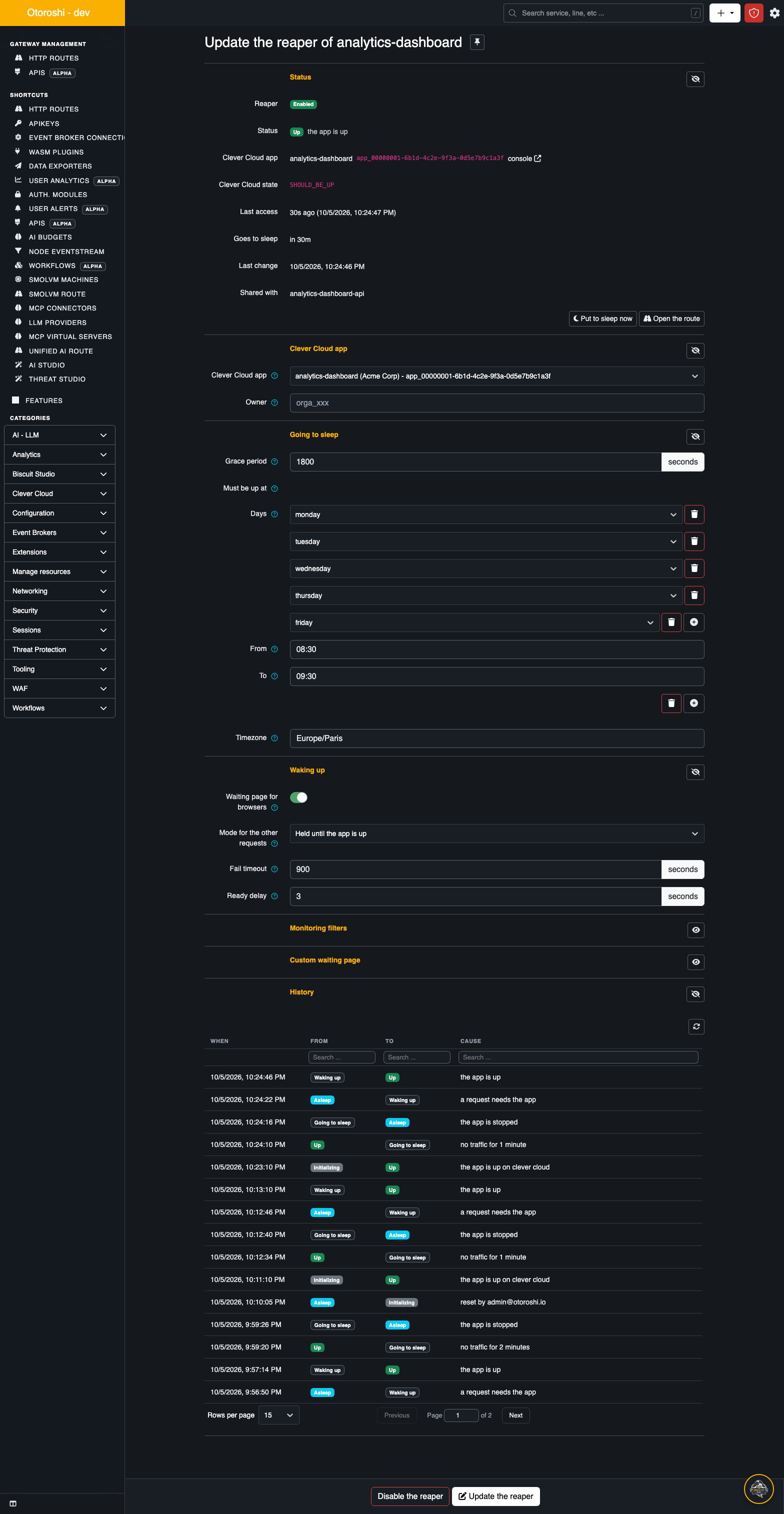
It is laid out like the other forms of Otoroshi.
Status
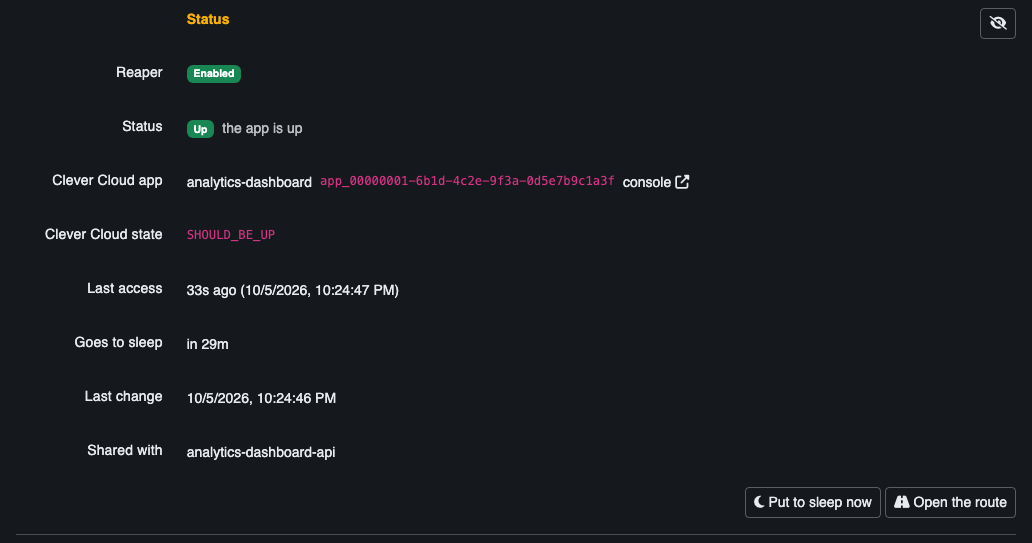
| Line | |
|---|---|
| Reaper | Enabled, Disabled (the plugin is there, switched off) or Not installed |
| Status | the state of the app, and the cause of the last change |
| Clever Cloud app | its name, its id, and a link to it in the Clever Cloud console |
| Clever Cloud state | what Clever Cloud says: SHOULD_BE_UP, SHOULD_BE_DOWN, WANTS_TO_BE_UP... |
| Last access | the last request on the app, from any route and any node |
| Goes to sleep | the countdown to the next sleep, while the app is up |
| Last change | when the state last changed |
| Shared with | the other routes of the same app, which share its state |
And the actions, depending on the state:
| Action | When | Does |
|---|---|---|
| Wake up | asleep, or going to sleep | starts the app now, as a request would |
| Put to sleep now | up | stops the app now, whatever its traffic. Within a must-be-up range, the job starts it again right after |
| Reset | in error | forgets the error: the app is evaluated again from scratch |
| Open the route | always | the route in the Otoroshi route designer |
A manual Put to sleep now is logged in the history with the email of the user. The app wakes up with the next request, as usual, and gets its normal grace period after that.
Savings
What the app costs when it runs, what its current sleep saved so far, what its sleeps saved today, this month, this year and in all, and a bar per day for the last 30 days. See Savings.
Settings
The settings of the plugin, in sections: Clever Cloud app, Going to sleep, Waking up, Monitoring filters and Custom waiting page. They are described in Configuring a route.
History
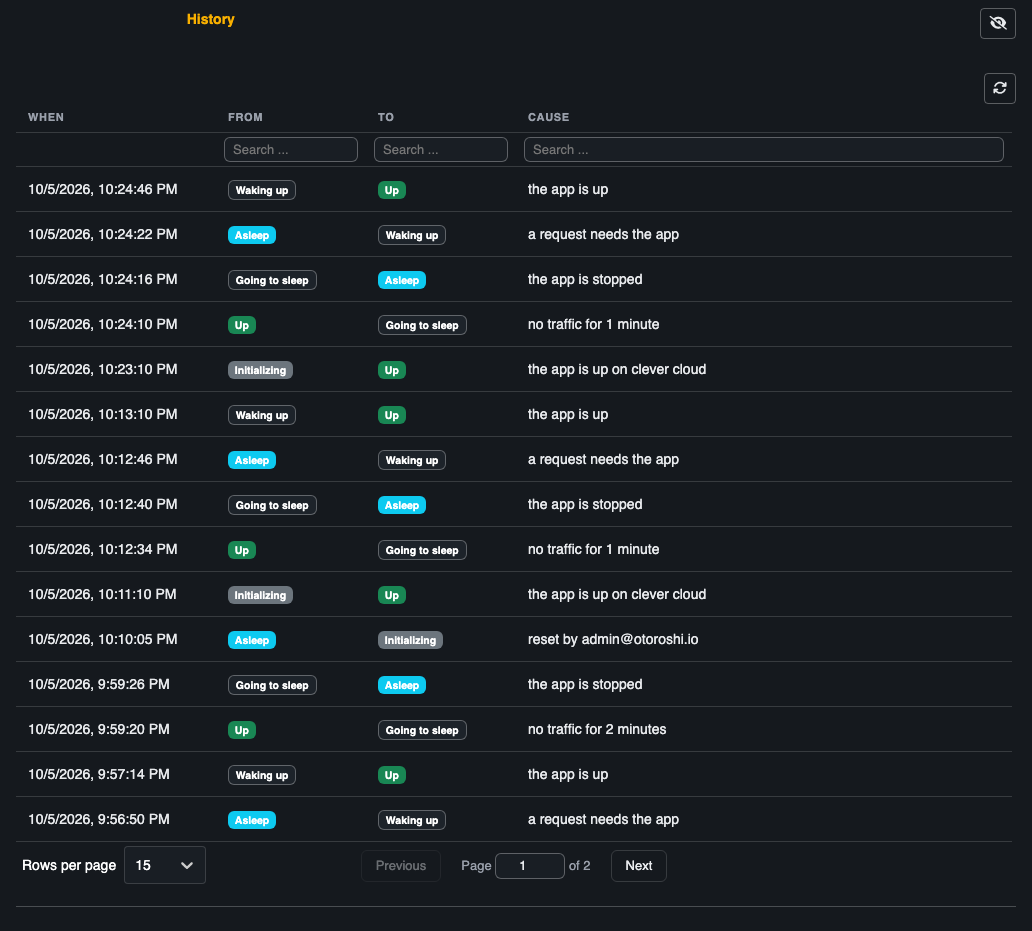
The last transitions of the app (100 by default, see history-size), the latest first: when, from
which state, to which state, and why. The history belongs to the app, so routes sharing an app show
the same one.
The buttons at the bottom
- Enable the reaper, on a route without it: adds the plugin with the settings above.
- Update the reaper: saves the settings.
- Disable the reaper: switches the plugin off and keeps its settings. If the app was asleep and no other route manages it, it is started at once: nothing would ever wake it up otherwise.
What the page polls
The page of a route refreshes itself every five seconds while it is open; the table refreshes when you filter, sort or change page. Everything they show comes from the memory of the node that serves the backoffice, which is refreshed from the datastore at each cluster sync: on a worker the numbers can lag the leader by a second or two.