The documentation
Everything the portal shows comes from the documentation section of the Otoroshi API: a JSON
object, inline in the API, or loaded from a URL.
Its fields
| Field | Type | Description |
|---|---|---|
enabled | boolean | Enable or disable the portal |
source | object | null | Load the documentation from a URL (see below) |
home | resource | The home page, below the hero of the portal |
logo | resource | The logo and favicon of the portal |
references | reference[] | The OpenAPI specifications of the API reference |
resources | resource[] | Everything the portal serves: pages, specifications, images… |
navigation | sidebar[] | The tabs of the top bar, each with a sidebar of pages |
redirections | redirection[] | Paths redirected to others |
footer | resource | null | The text of the footer (HTML when its content_type is text/html) |
banner | resource | null | A notice above the top bar (HTML when its content_type is text/html) |
metadata | object | The settings of the portal (portal.*) |
search | object | { "enabled": true }, not used yet |
The plans developers take keys of are the plans of the API itself (see Plans).
Resources
A resource is anything the portal serves at a path.
| Field | Type | Description |
|---|---|---|
path | string | Where it is served (e.g. /docs/getting-started) |
title | string | Its title (the title of the browser tab, of its card on the home) |
description | string | Its summary, on its card on the home (the first paragraph of an inline Markdown page by default) |
content_type | string | text/markdown, text/html, application/json, image/png… |
site_page | boolean | true: a page of the portal, in its layout. false or absent: served as is |
text_content | string | Its content, inline |
json_content | object | Its content, inline JSON |
base64_content | string | Its content, base64 encoded (images…) |
url | string | Its content, fetched from this URL each time it is served |
http_headers | object | Headers sent when fetching url (a token for a private repository: never shown on the portal) |
transform | string | markdown renders the content as Markdown (a text/markdown content type does too); scalar (or redoc) shows it as a specification in the API reference |
transform_wrapper | string | HTML around a Markdown content, {content} where it goes |
The content comes from url, else base64_content, else json_content, else text_content. A
page whose url answers an error is shown with a short notice instead of its content.
Markdown and HTML pages
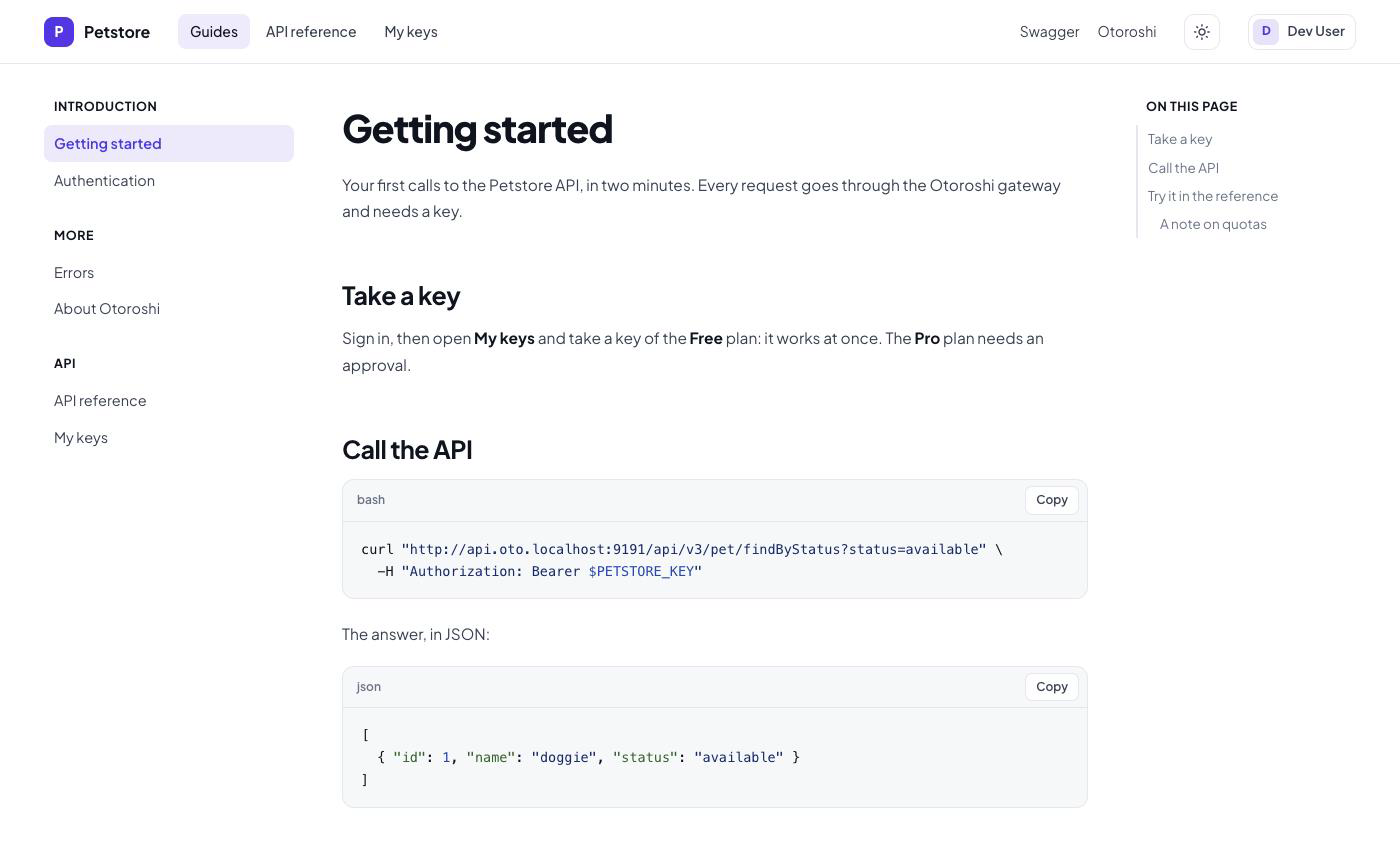
A Markdown page is rendered in the browser: GitHub-flavoured Markdown, code highlighted with a copy
button, headings with anchors, tables that scroll. An HTML page is shown as is. Both get an On this
page table of contents from their h2 and h3.
The links and images of a page that start with / are paths of the portal: written /docs/errors,
they are served under the prefix of the portal, or under /apis/<slug> in a
catalog.
Navigation
Each entry of navigation is a tab of the top bar, with a sidebar of its pages. Its path (or the
first of its paths) opens its first page.
{
  "label": "Guides",
  "path": "/docs",
  "items": [
    {
      "label": "Introduction",
      "kind": "category",
      "links": [
        { "label": "Getting started", "link": "/docs/getting-started" },
        { "label": "Authentication", "link": "/docs/authentication" }
      ]
    },
    { "label": "FAQ", "link": "/docs/faq" }
  ]
}
Items are categories ("kind": "category" with links) or links. A page of a tab gets the
previous and next pages of the tab at its bottom; the pages of the tabs are also listed on the home.
Icons ("icon": { "css_icon_class": "bi bi-book" }, Bootstrap Icons)
are shown on the cards of the specifications.
Redirections
{ "from": "/old-docs", "to": "/docs/getting-started" }
/logout always redirects to the Otoroshi logout.
A remote documentation
The whole documentation can come from a JSON file, to keep the portal in git next to the API:
{
  "documentation": {
    "enabled": true,
    "source": { "url": "https://raw.githubusercontent.com/my-org/my-api/main/portal.json" }
  }
}
The file has the same format. Its resources with a relative url (./docs/intro.md) are fetched
next to it. The documentation is kept 15 seconds before it is fetched again.