Taking a key
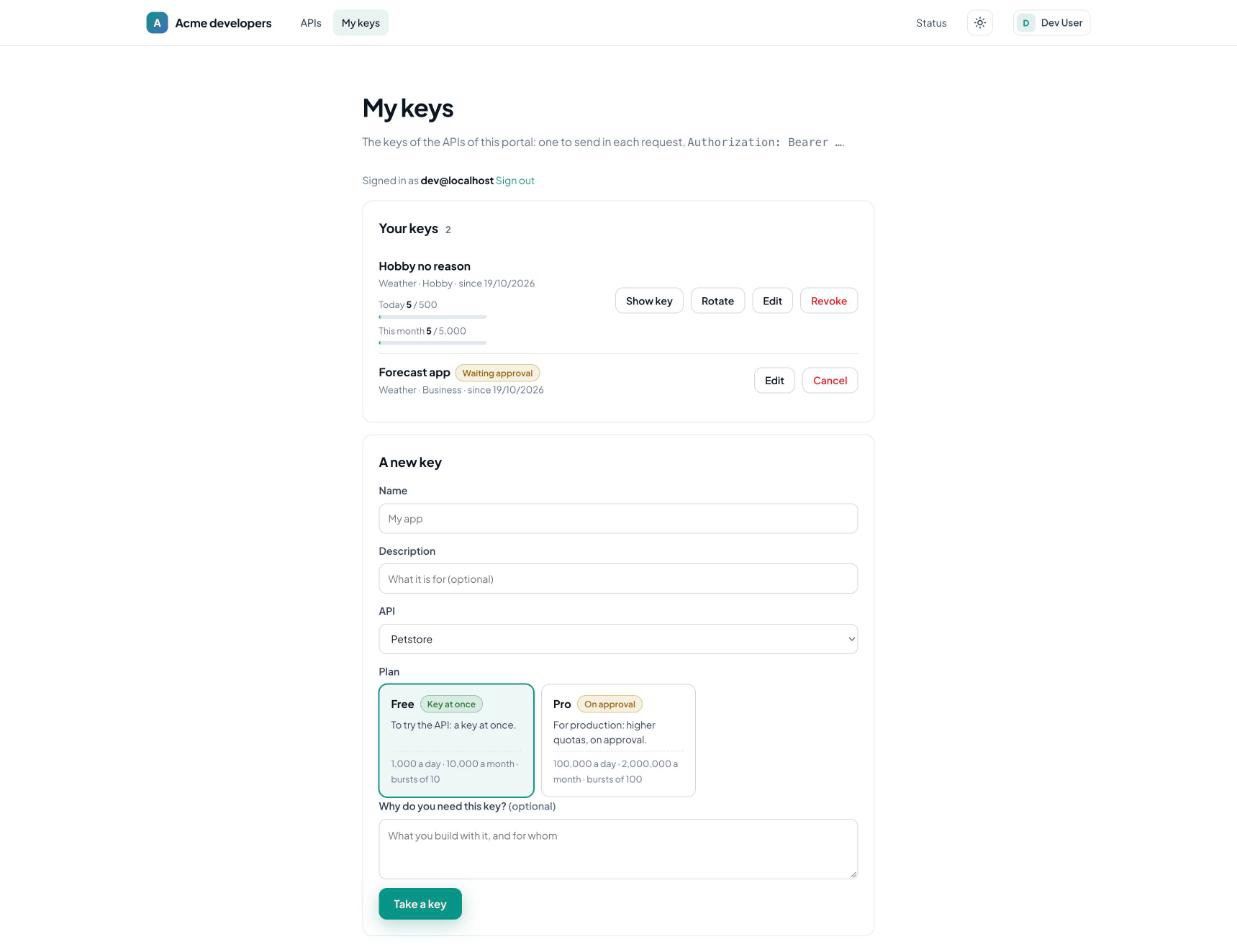
A developer signs in, opens My keys, and fills A new key:
| Name | The name of the key (their app) |
| Description | Optional |
| API | In a catalog only: the API of the key, then the plans of that API |
| Plan | A card per plan: its description, its quotas, Key at once or On approval |
| Why do you need this key? | The reason, when the portal asks for it (portal.keys.reason) |
| Terms of use | A box to check, when the portal has terms (portal.terms) |
The button says what happens: Take a key (the key is shown at once) or Request a key (it waits for an approval).
The reason
portal.keys.reason in the settings:
| Value | |
|---|---|
optional | The default: asked, not required |
required | Required for every plan |
manual | Required for the plans validated by hand, optional for the others |
none | Not asked |
The terms of use
portal.terms is an address, or a path of the documentation (/docs/terms, a page of the portal).
When it is set, the developer checks I accept the terms of use before taking a key; the portal
refuses a key without it.
What is kept
The reason and the acceptance of the terms are kept in the metadata of the subscription, where the admin who approves it reads them:
| Metadata | |
|---|---|
portal-reason | The reason, on one line |
portal-terms | The terms accepted |
portal-terms-accepted-at | When they were accepted |
otoroshi-api-client-name | The name of the key |
created_by | otoroshi-api-portal-plugin |
A key on approval
With a manual plan, the subscription is created pending, and its API key disabled. The key shows
Waiting approval on the portal. To approve it, confirm the subscription in Otoroshi — in the admin,
or with the admin API:
curl -X POST -H 'Content-Type: application/json' -d '{}' \
  -u <admin-client-id>:<admin-client-secret> \
  'https://otoroshi-api.example.com/apis/apis.otoroshi.io/v1/apis/<api-id>/subscriptions/<subscription-id>/confirm'
The subscription becomes enabled, its key with it, and the developer sees the key on the portal.
To refuse it, delete the subscription.
Limits
portal.keys.per_userlimits how many keys a developer takes of the API- only the published, non private
apikeyplans of the API are offered - a developer only ever sees and changes their own keys