Threat Studio
The backoffice pages are organised the way the extension is built: a page per entity, a page per surface. That is the right shape for configuring one thing and the wrong one for answering is this fleet protected, and by what.
Threat Studio is the other half. It lives at /extensions/cloud-apim/threat-studio, needs a
backoffice session, and is reachable from the Threat Protection menu or by searching for it.
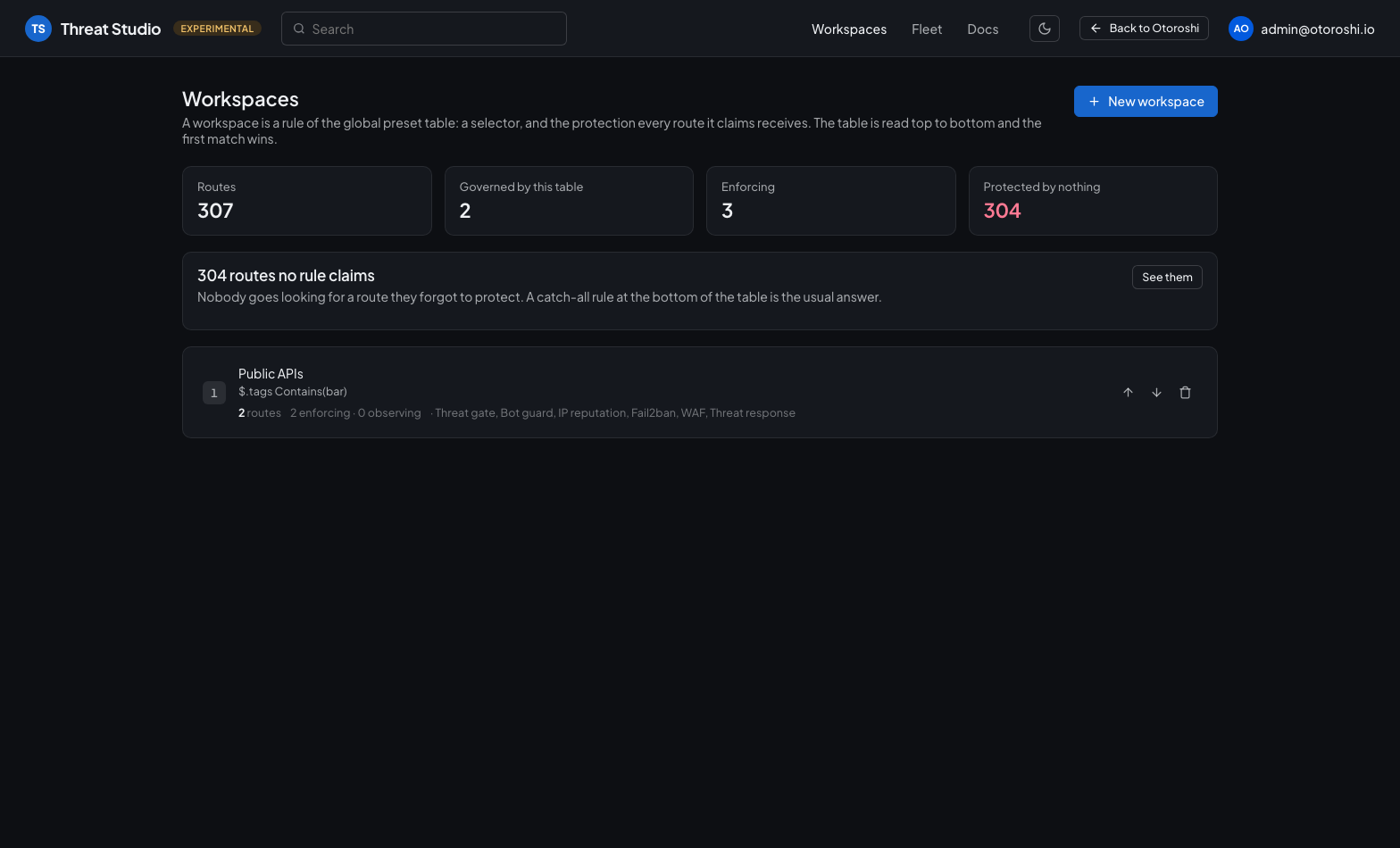
Each row is a rule of the global preset table. The summary leads with the count that earns the page — the routes no rule claims — and the workspace shows its selector and the sections it lays down.
There is no workspace entity, no studio database, no extra state to back up. A workspace is a rule of the global preset table, and everything else it shows is either an ordinary entity of the extension or a query over the analytics you already export. Deleting the studio would delete nothing.
Every entity is created, edited and deleted here; WAF tuning and learning run here; a caller is banned here. The studio does not hand you off to the backoffice to finish a job.
A workspace is a rule of the table
The global preset pairs a selector with a protection, and the studio is that table with a console around it.
| In the studio | In the configuration |
|---|---|
| Workspace | one rule of the global preset table |
| Its scope | that rule's targets, resolved against the router |
| Its protection | that rule's preset — the same fields as the route-level preset |
| Its position | where the rule sits in the table, which decides who wins |
So the ordering on the workspaces page is not a display preference. The table is read top to bottom and the first matching rule wins; moving a workspace up is a configuration change, and the studio says so.
What only the gateway can answer
Which routes a rule claims goes through the expression language and the live router, so the studio asks the extension rather than guessing. What comes back is richer than a list:
- the routes each workspace claims, and the ones it merely matches — the second list is what explains a workspace that looks empty, because a rule above it took them;
- the routes no rule claims, which is the finding the page exists for;
- the routes that carry their own fabric, on which the table stands down;
- rules that sit under a catch-all and can therefore never be reached at all.
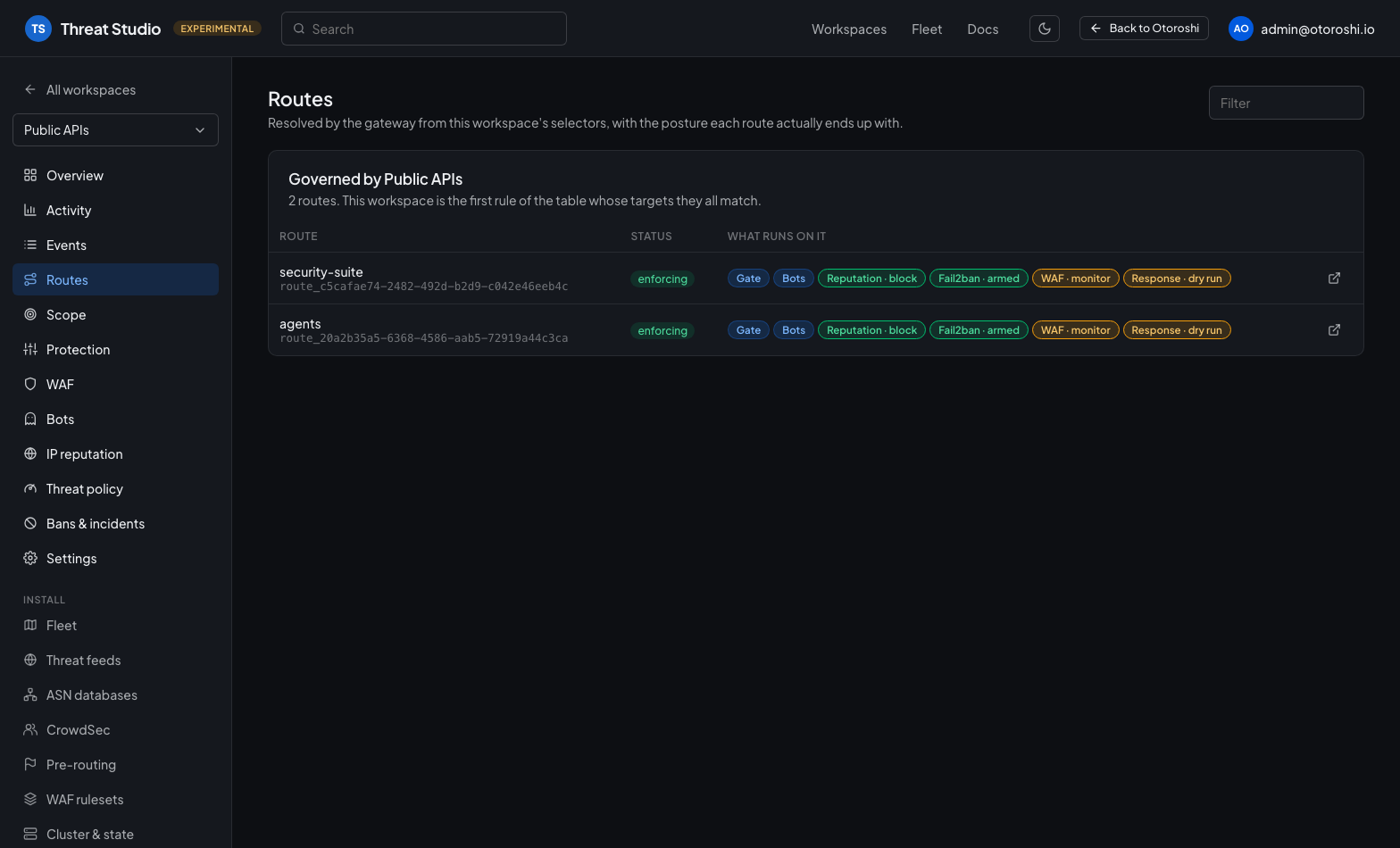
The second table is the one that explains a workspace that looks empty — a route it matches, governed by a rule sitting higher in the table.
What each workspace has
| Page | Answers |
|---|---|
| Overview | What it covers, what it is armed to do, and what the traffic did |
| Activity | The analytics, scoped to its routes — decisions, sources, detectors, routes, WAF, consumers |
| Logs | The decisions one by one, with the signals behind each one |
| Routes | Which routes it governs, and the posture each of them ends up with |
| Scope | Its selectors |
| Protection | The arming console: which sections run — from the threat gate to the traffic, login and object guards, the API contract, uploads and the response guards — what each sensitive data detector does, which contract each route is checked against, and whether any of it can stop a request |
| API | The API reports of its routes: which credential each endpoint checks, the operations used and the zombies, the shadow endpoints, and how the traffic drifts from the contracts |
| WAF · Bots · IP reputation · Threat policy | The entities it points at, and the state they are in |
| Bans & incidents | Its traffic's incidents, and what the fabric is holding right now |
| Settings | Name, position in the table, and whether it applies at all |
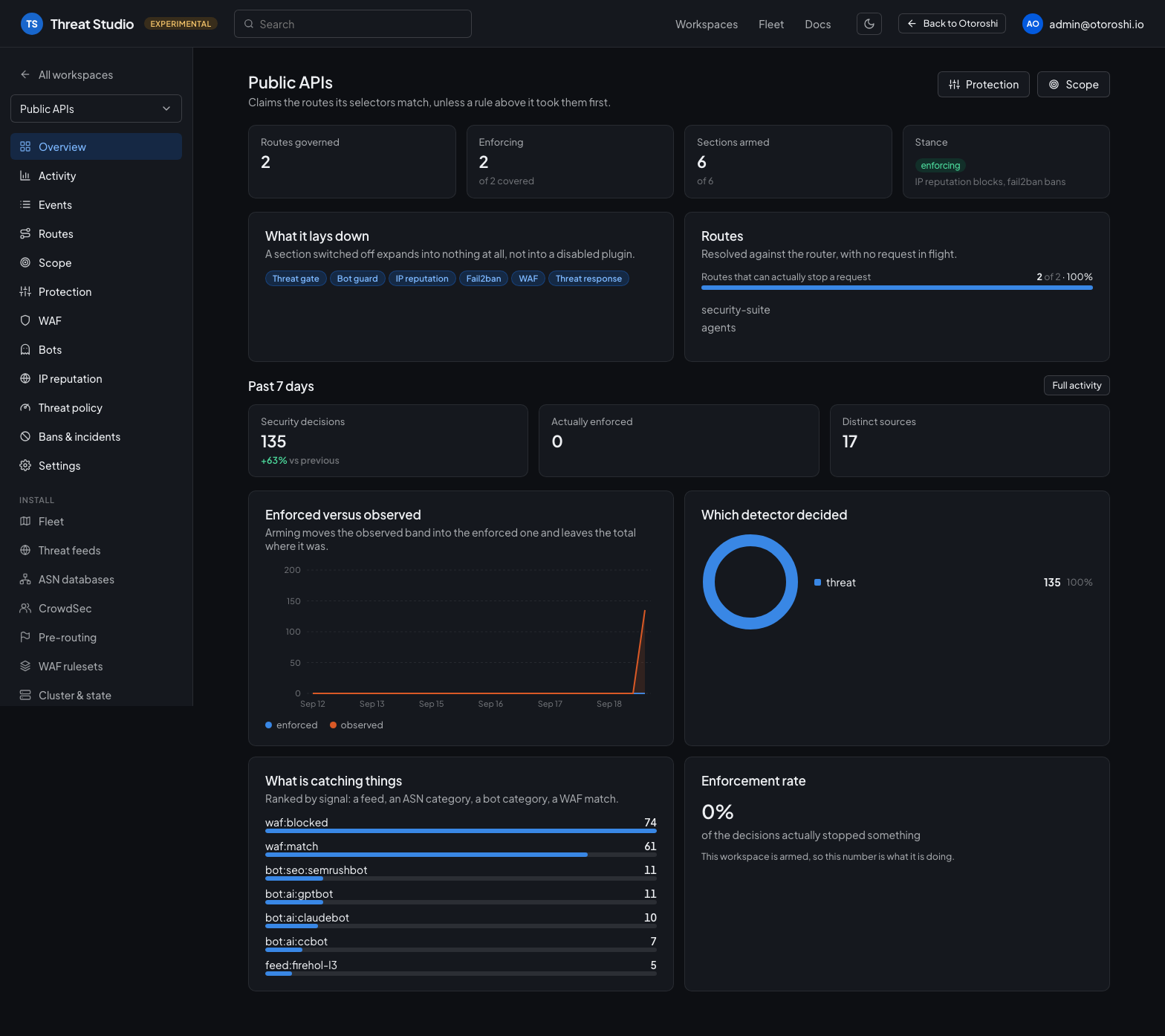
The overview leads with coverage — which works before a single event exists — then the traffic. The routes below are governed by this workspace's selectors, resolved against the router.
The two pages where you write the configuration rather than read it are Scope — the selectors that decide which routes the workspace claims — and Protection — the arming console.
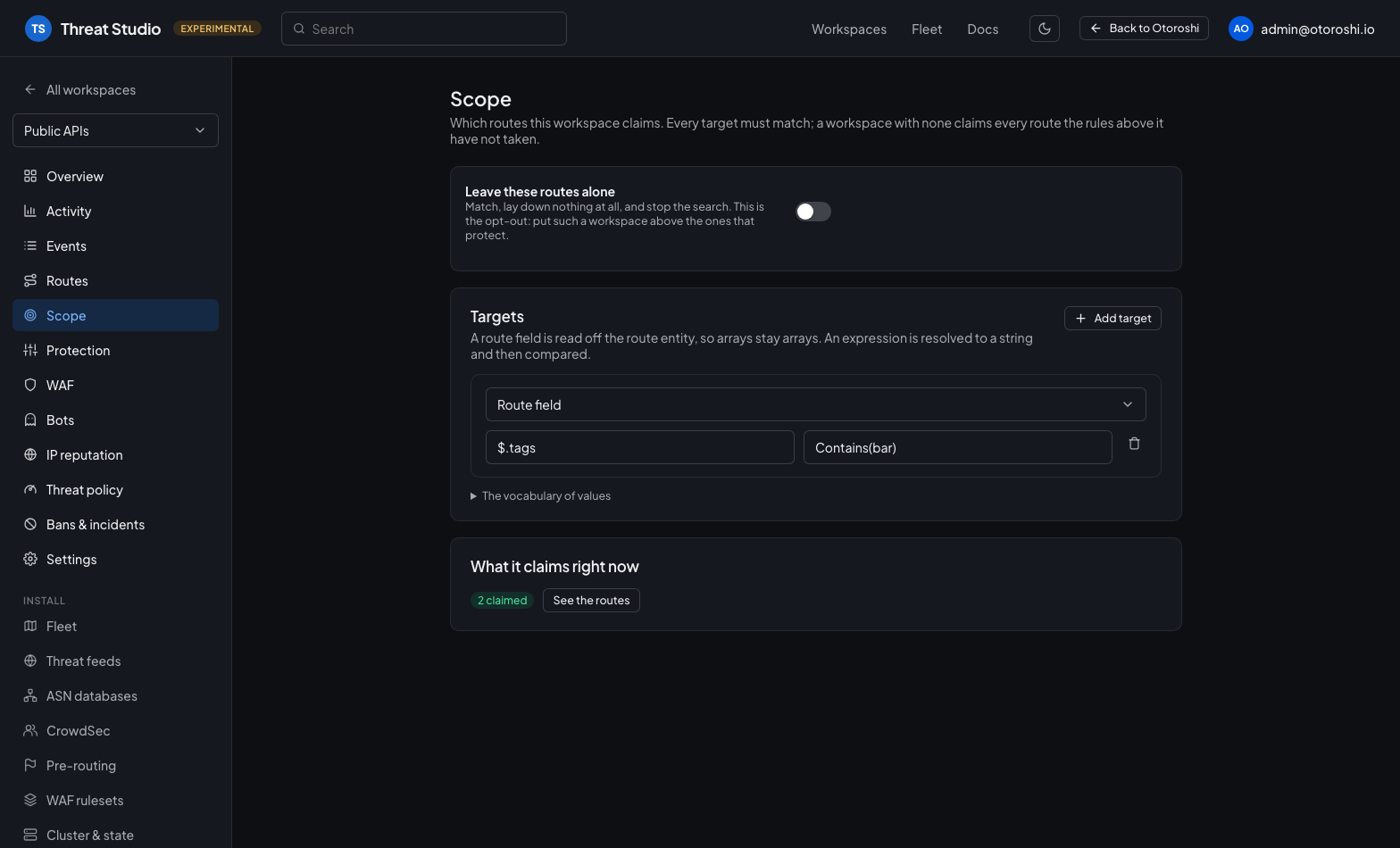
A target reads a route field ($.tags, $.groups, $.metadata.*) or an expression, and compares it with the platform's own predicate language. Every target must match; a workspace with none claims every route.
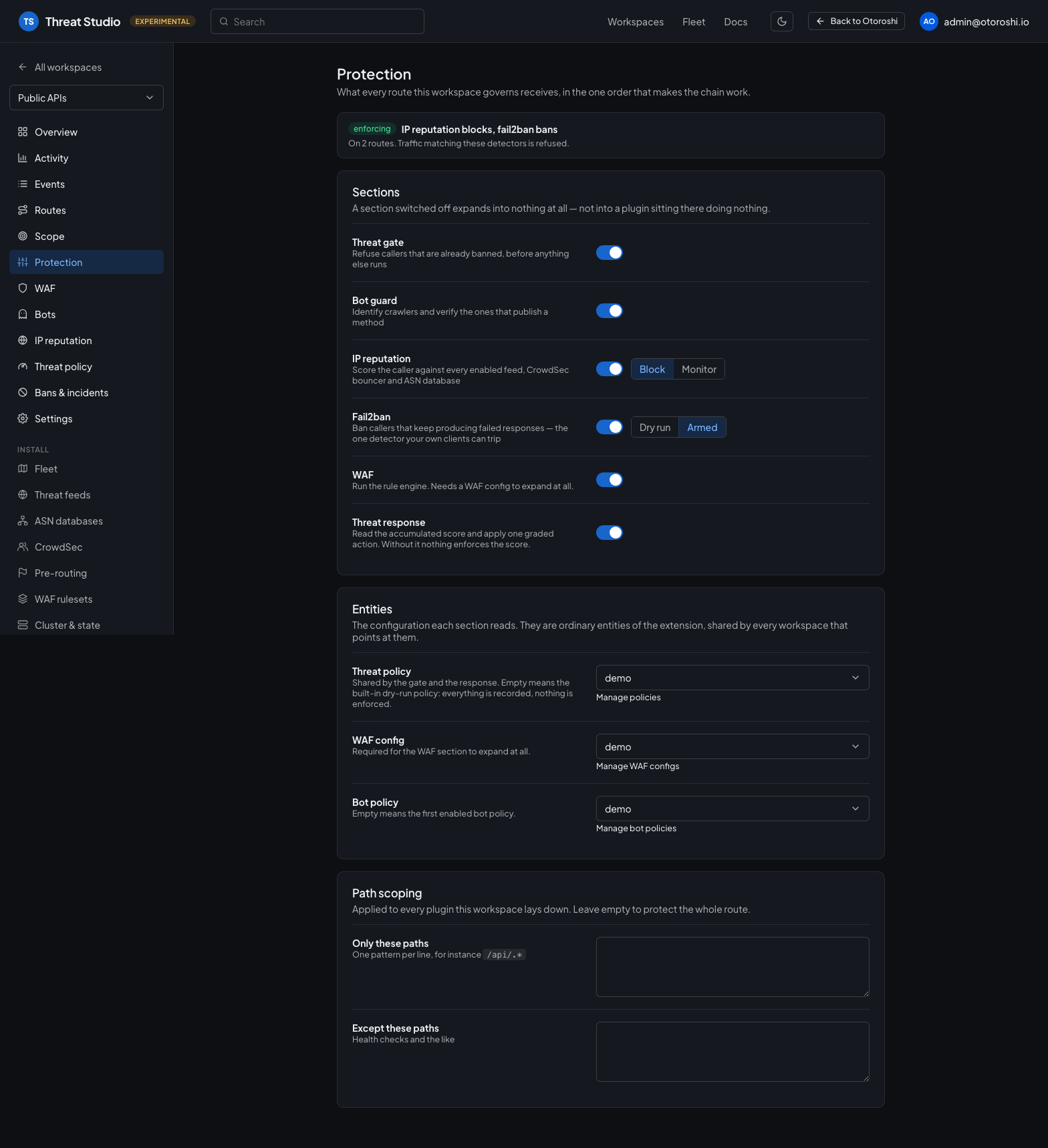
It leads with the one question that matters — can any of this actually refuse a request — because a section switched off expands into nothing, and a workspace can arm everything and still only observe.
Under those, a second section covers what belongs to the install rather than to any workspace: the fleet, threat feeds, ASN databases, CrowdSec, pre-routing, shared WAF rulesets, rule feeds, alert rules, malware scanners, API contracts — imported from a URL, listed operation by operation, with what uses each — and the cluster state.
Every enabled threat feed, ASN database and CrowdSec bouncer is consulted for every route whose workspace enables reputation — the mode is a per-workspace choice, the sources are not. The three pre-routing validators are further out of reach still: they run before a route is known, so no selector could ever reach them.
During an incident, Bans & incidents is worked from the studio: what the fabric is holding right now, the incidents it is still watching, and the allowlist — with the one action there was no way to start before, banning a caller by hand.
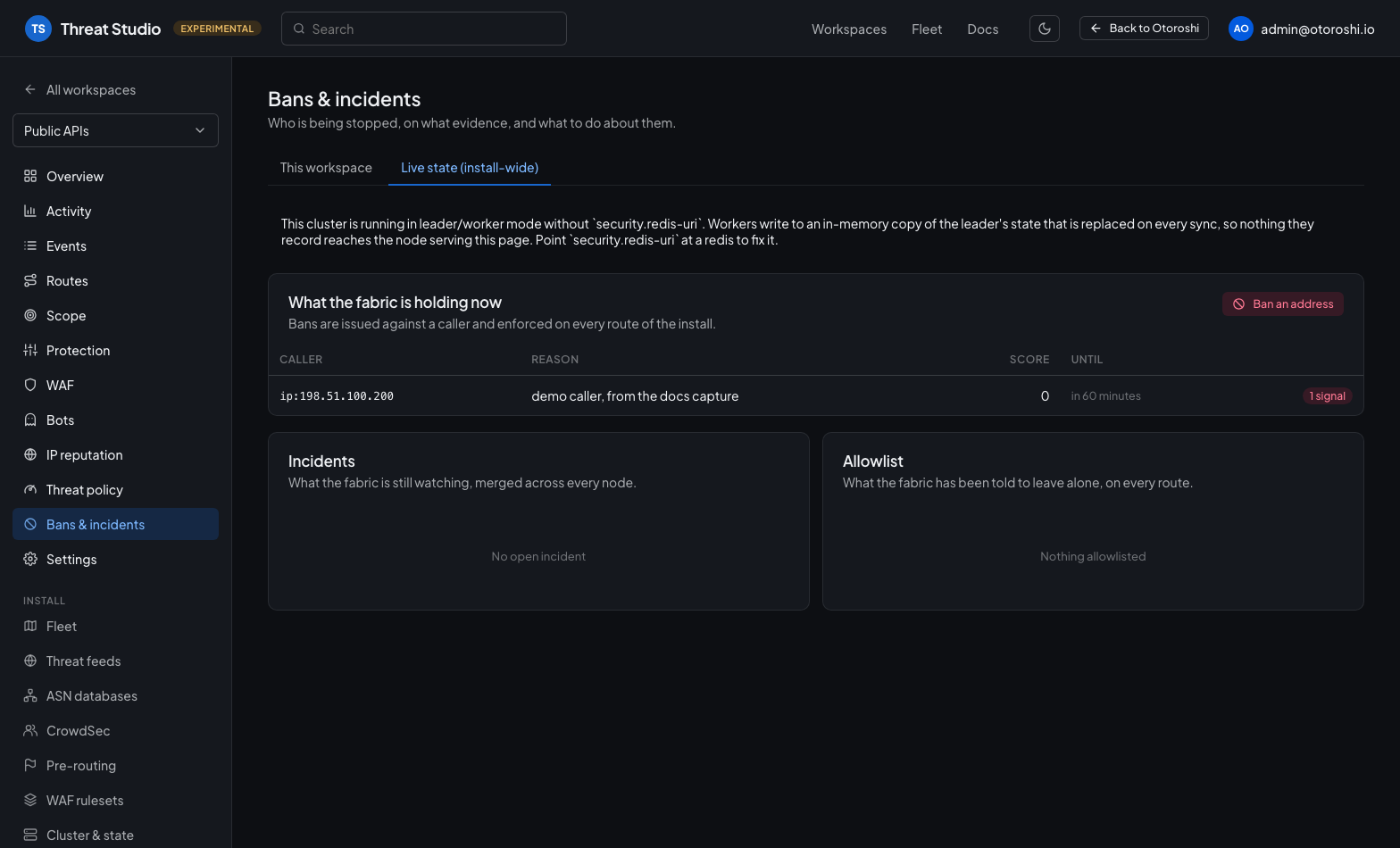
A ban is issued against a caller — an IP, an api key, a user — and enforced on every route of the install. Extend it, lift it, or move it to the allowlist from the same row.
WAF, tuning and learning, in the studio
The WAF page has three tabs. Config picks and edits the rule engine this workspace runs. Tuning is the assistant — the rules that fired on traffic somebody thinks is legitimate, and for each one the exclusions it generated, every one already run so the verdict is measured rather than described. Learning measures a window of real traffic and reports what arming would cost, with the verified exclusions ready to apply.
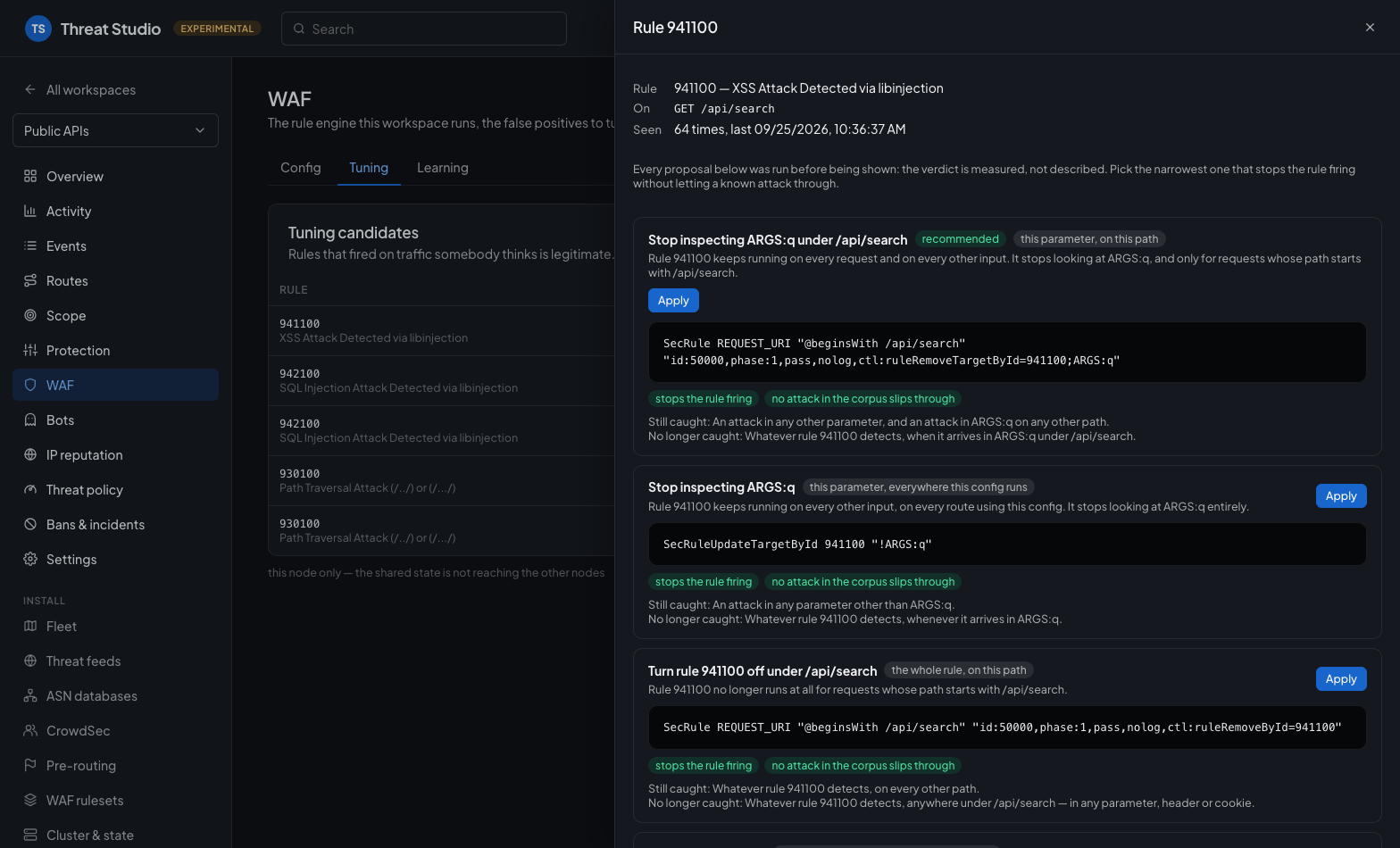
Each proposal shows the SecLang it would write, whether it stops the rule firing, and what it would stop catching — so the narrowest safe one is the obvious pick. None of this leaves the studio.
The analytics
This is the half the studio is really for, and it needs the user-analytics exporter — see the security console.
The platform's own analytics filters carry a single route_id, which is the right shape for a
dashboard about one route and the wrong one for a question asked of a set of them. Every query of
the extension therefore takes a route_ids parameter, and an empty list means the whole fleet —
so the same widgets serve a workspace and the install.
Beside the twelve queries the console already had, the studio adds the ones a security console is actually read for:
| Enforcement | enforced versus observed over time (the dry-run gap as a trend), actions over time, threat score distribution, decisions by hour and weekday |
| Sources | distinct sources over time, sources by spread — how many routes they touched — and sources by threat score rather than by volume |
| Detectors | every signal with the share of decisions it was acted on: the question actually asked of a feed |
| Routes | per route, decided against enforced: configuration says what a route should do, this says what it did |
| Incidents | incidents over time, and the largest ones with the caller they were opened on |
| Consumers | api keys and users decided against — an attack from a valid key is the one a perimeter view never shows |
| WAF | inspected / blocked / would have blocked on one axis, the rules behind the blocks, block statuses, body-limit pressure |
| Cluster | decisions by node, which is how an unshared shared state shows up |
All of them are declared through the same analyticsQueries() point as the platform's own, so they
also appear in the widget wizard and compose into your own dashboards.
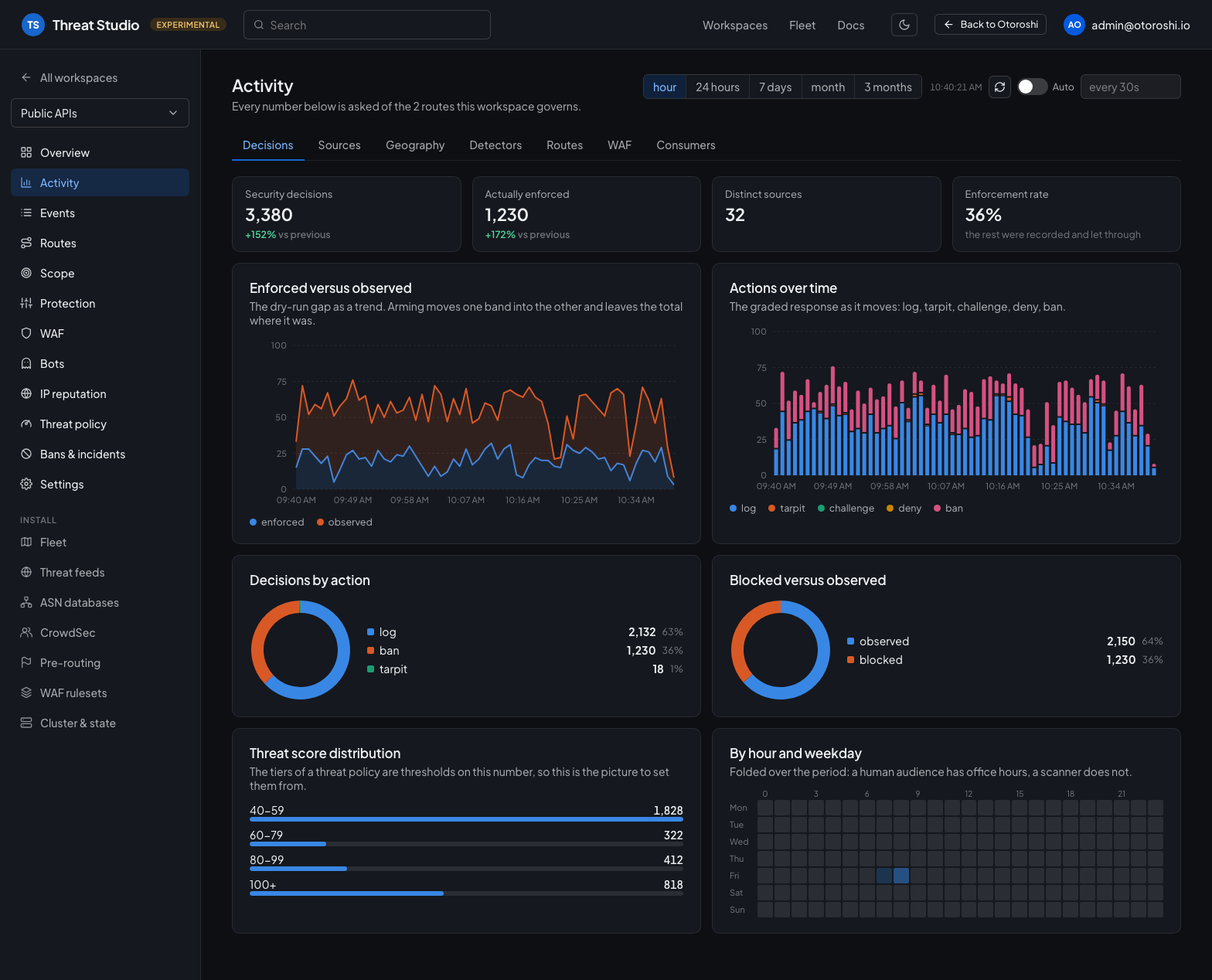
Every number is asked of the routes this workspace governs, here over the past hour: how many decisions, how many actually acted, and the graded response as it moves.
The Activity tabs
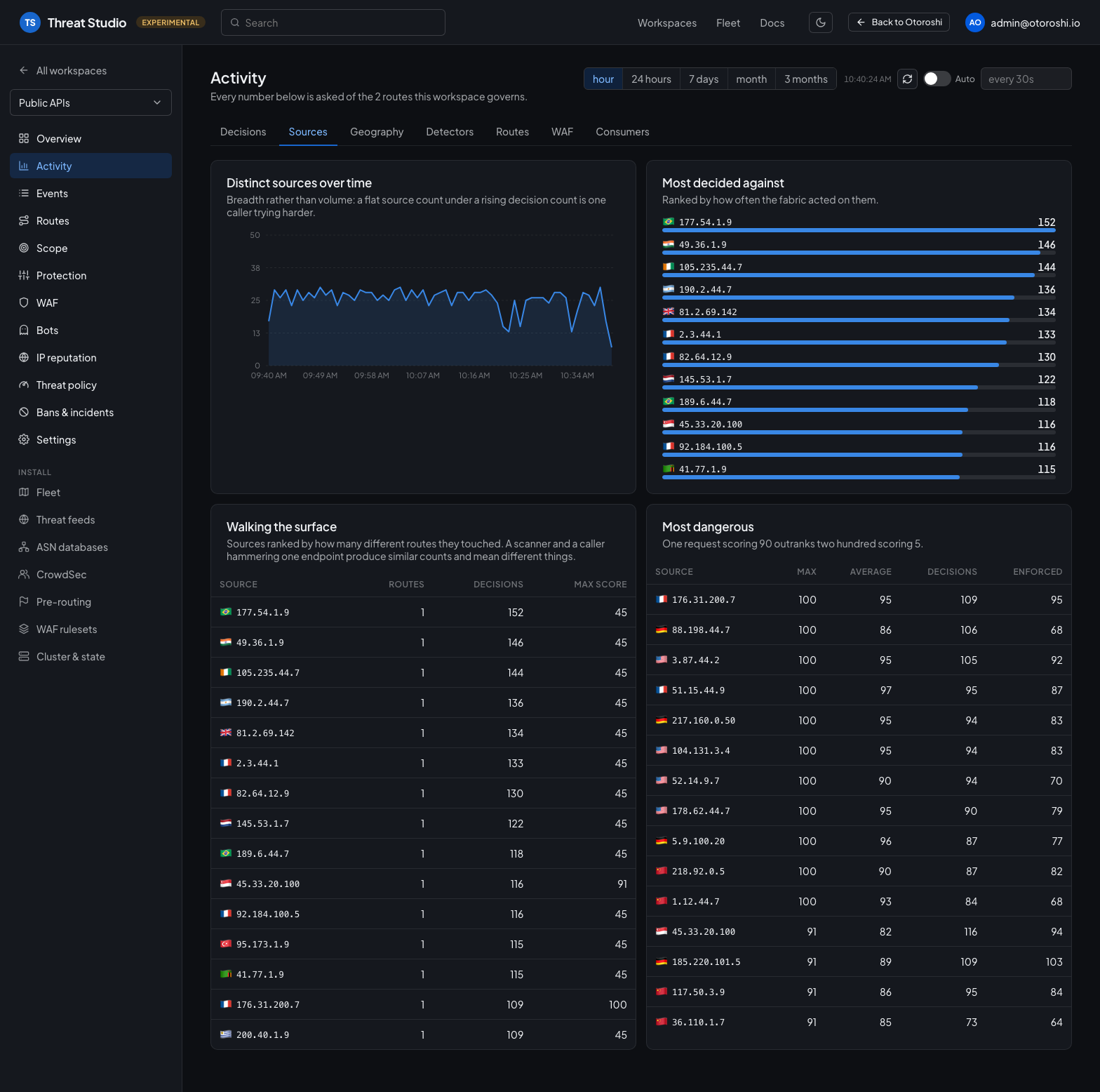
Sources — breadth over time, who the fabric decided against most, who walks the surface, and who is the most dangerous rather than the noisiest.
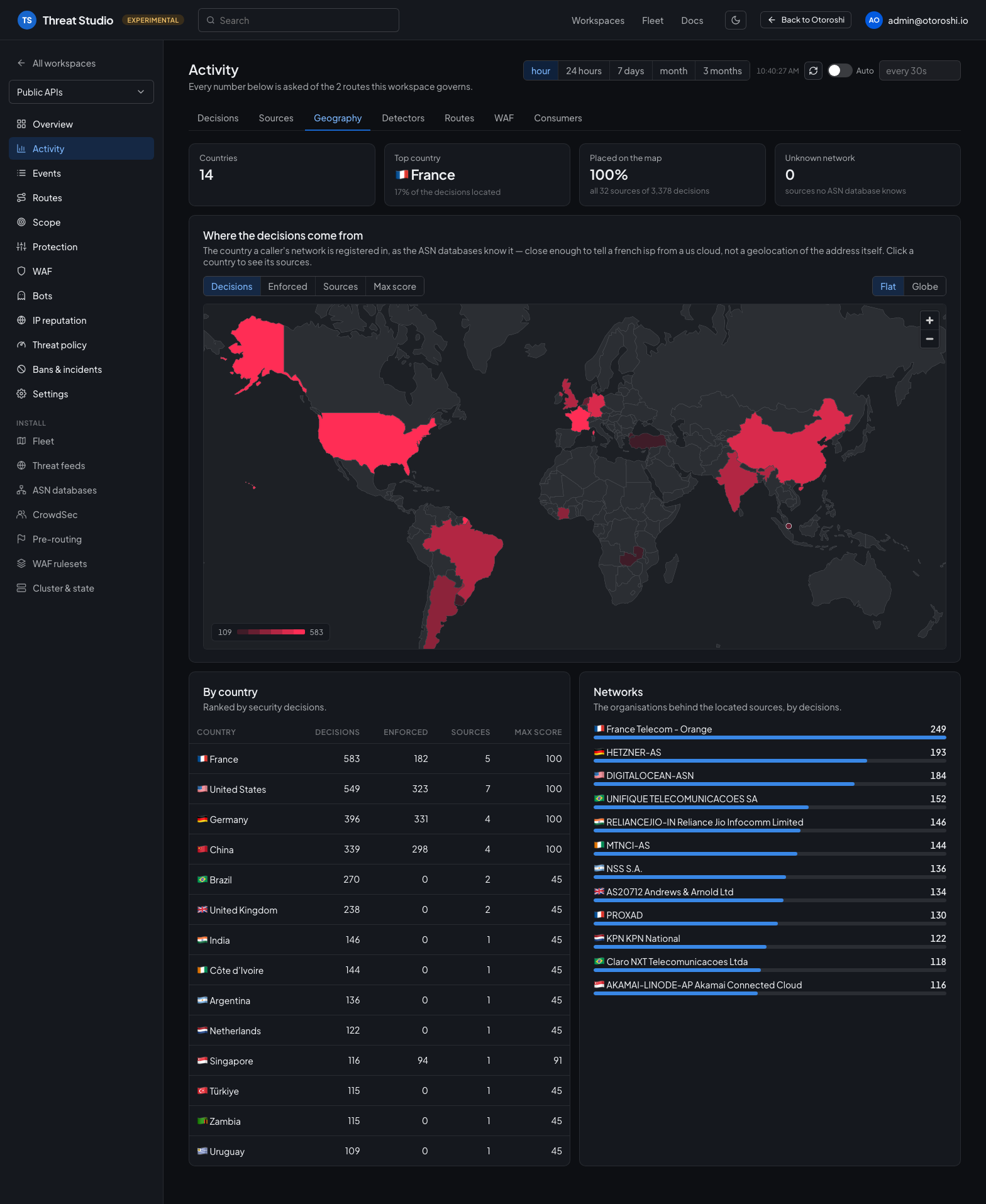
Geography — where the decisions come from, on a world map. The country is the one a caller's network is registered in, as the ASN databases know it: the same lookup that puts a flag next to every address in the studio. It is not stored with the events, so the map is drawn from the most active sources of the period and says how much of it they account for. Colour the countries by decisions, enforced decisions, sources or highest score.
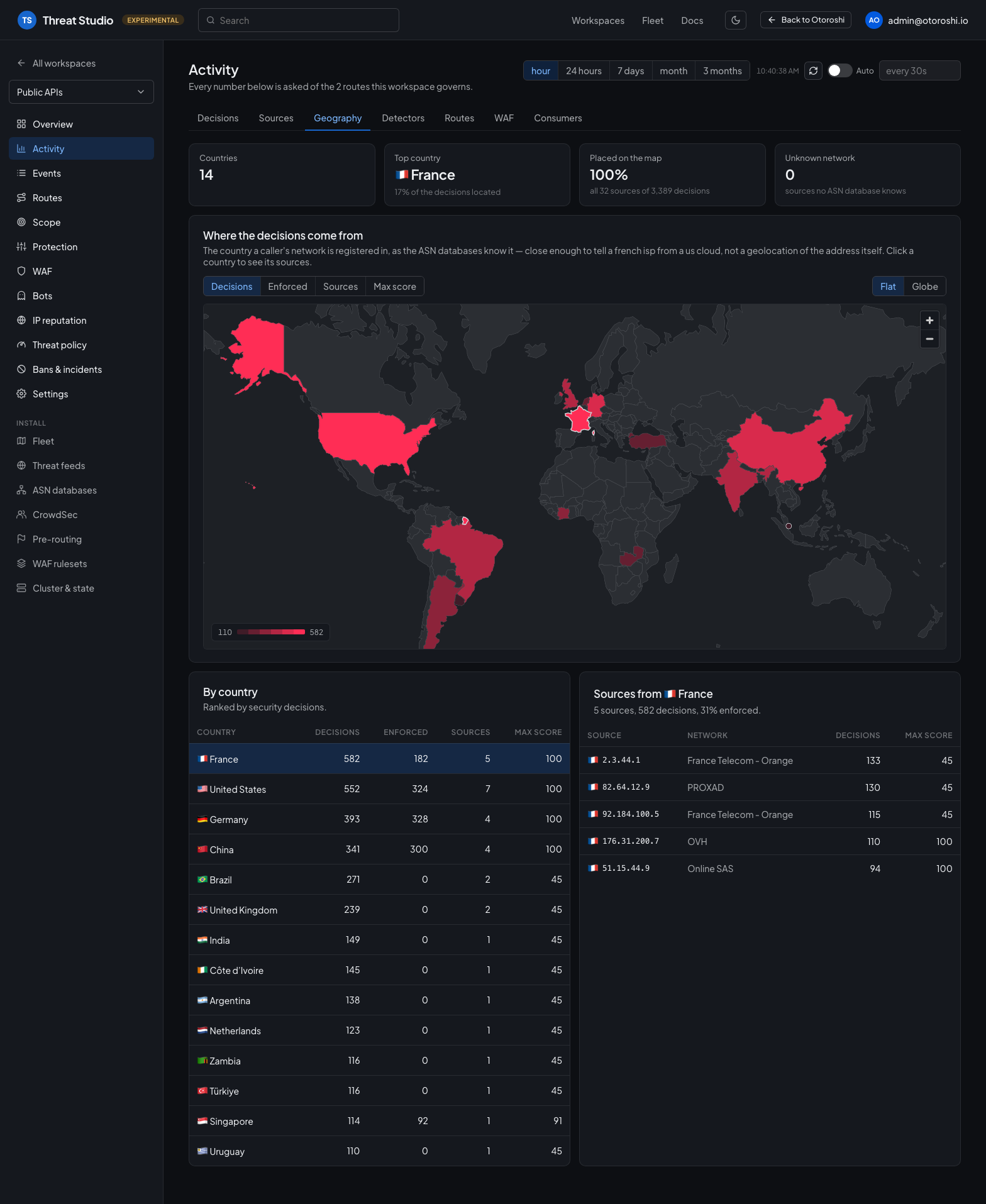
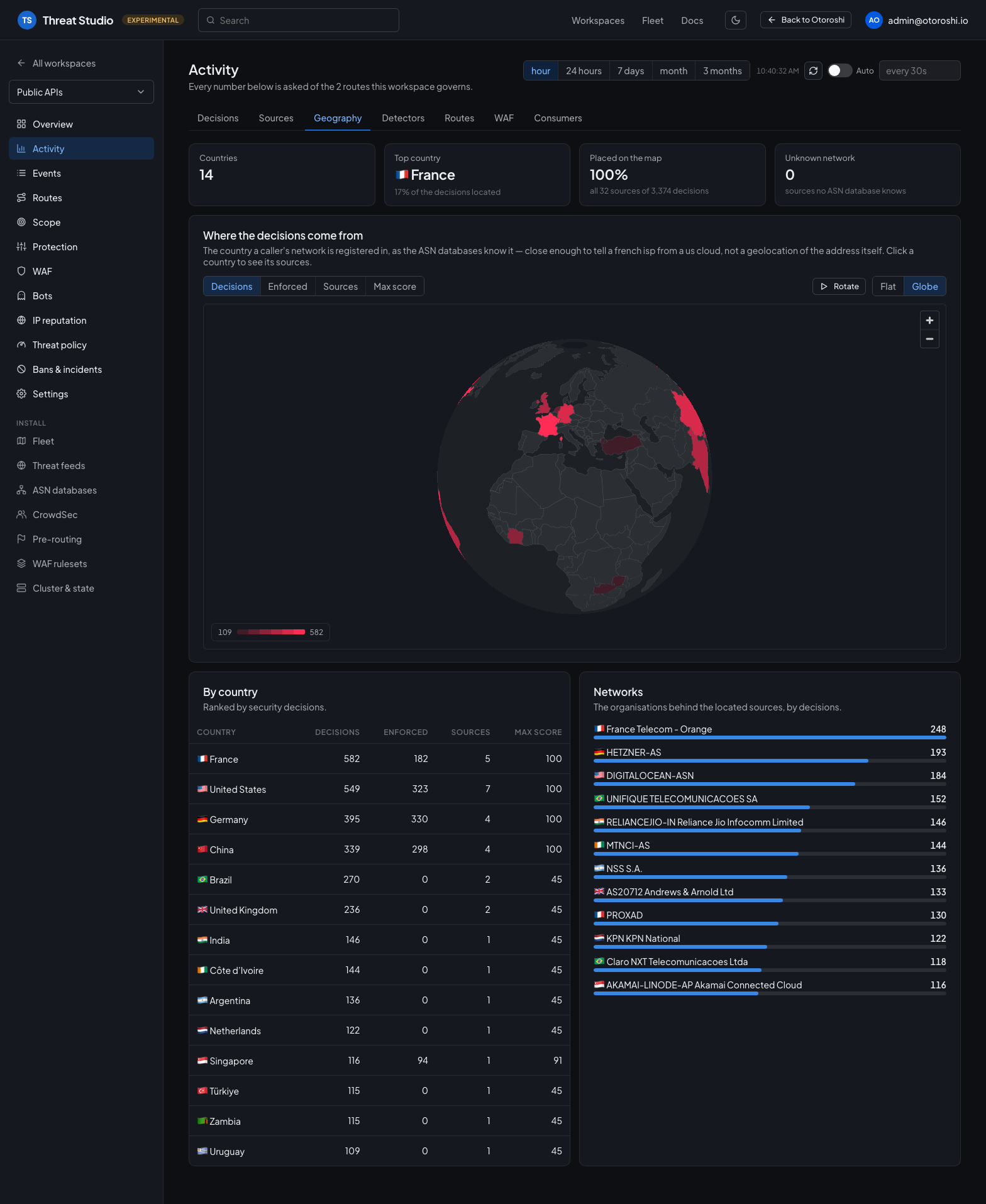
Clicking a country — on the map or in the table — lists its sources and their networks. The map also turns into a globe, which can be left rotating on a wall screen: the view, the metric, the selected country and the rotation are all kept in the address, so a link opens on exactly what was shared.
Detectors — which component decided, the signals that fired, and whether each of them ever changes an outcome. A feed that fires constantly and never enforces is noise being paid for.
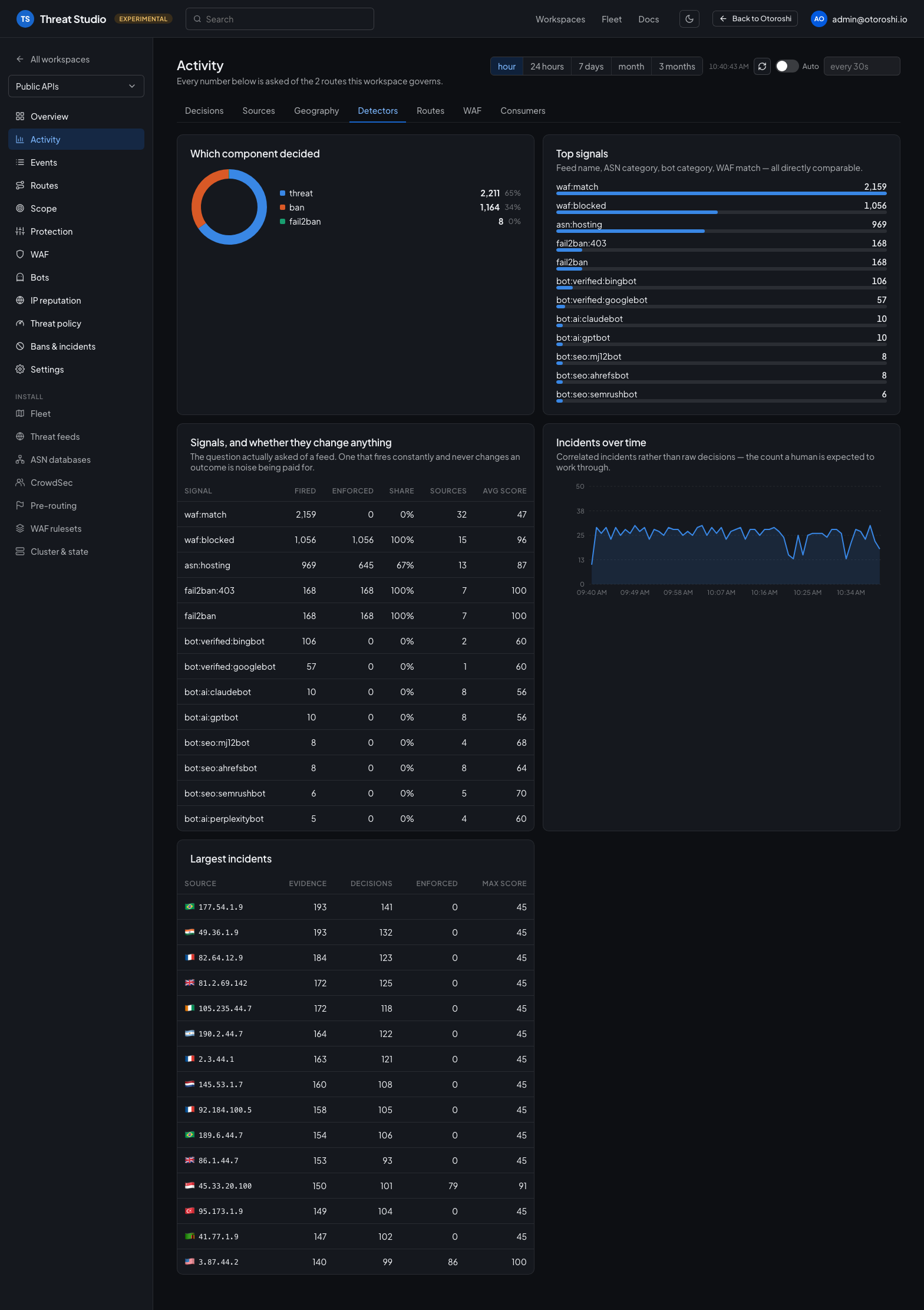
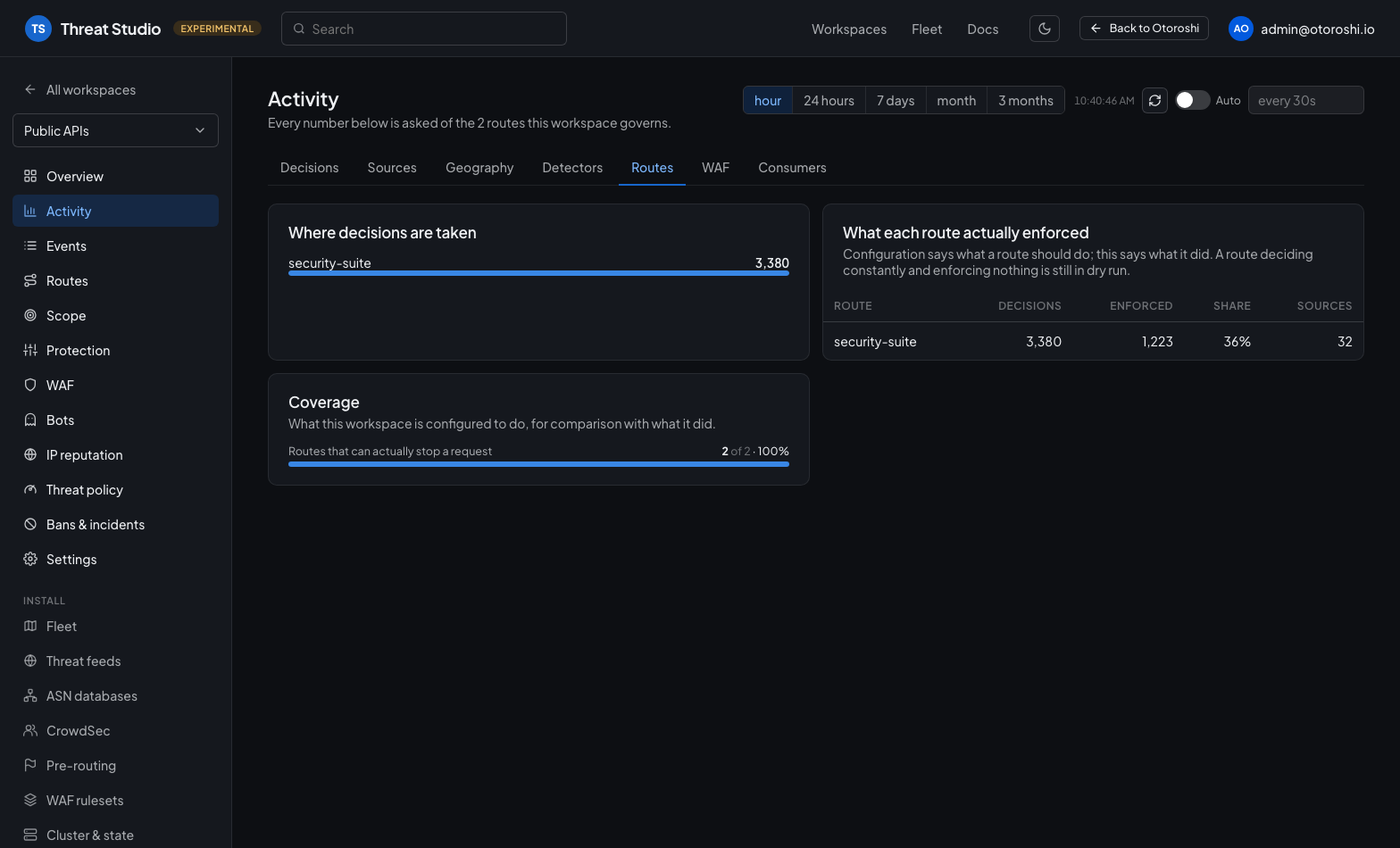
Routes — where decisions are taken, and what each route actually enforced next to what the workspace is configured to do.
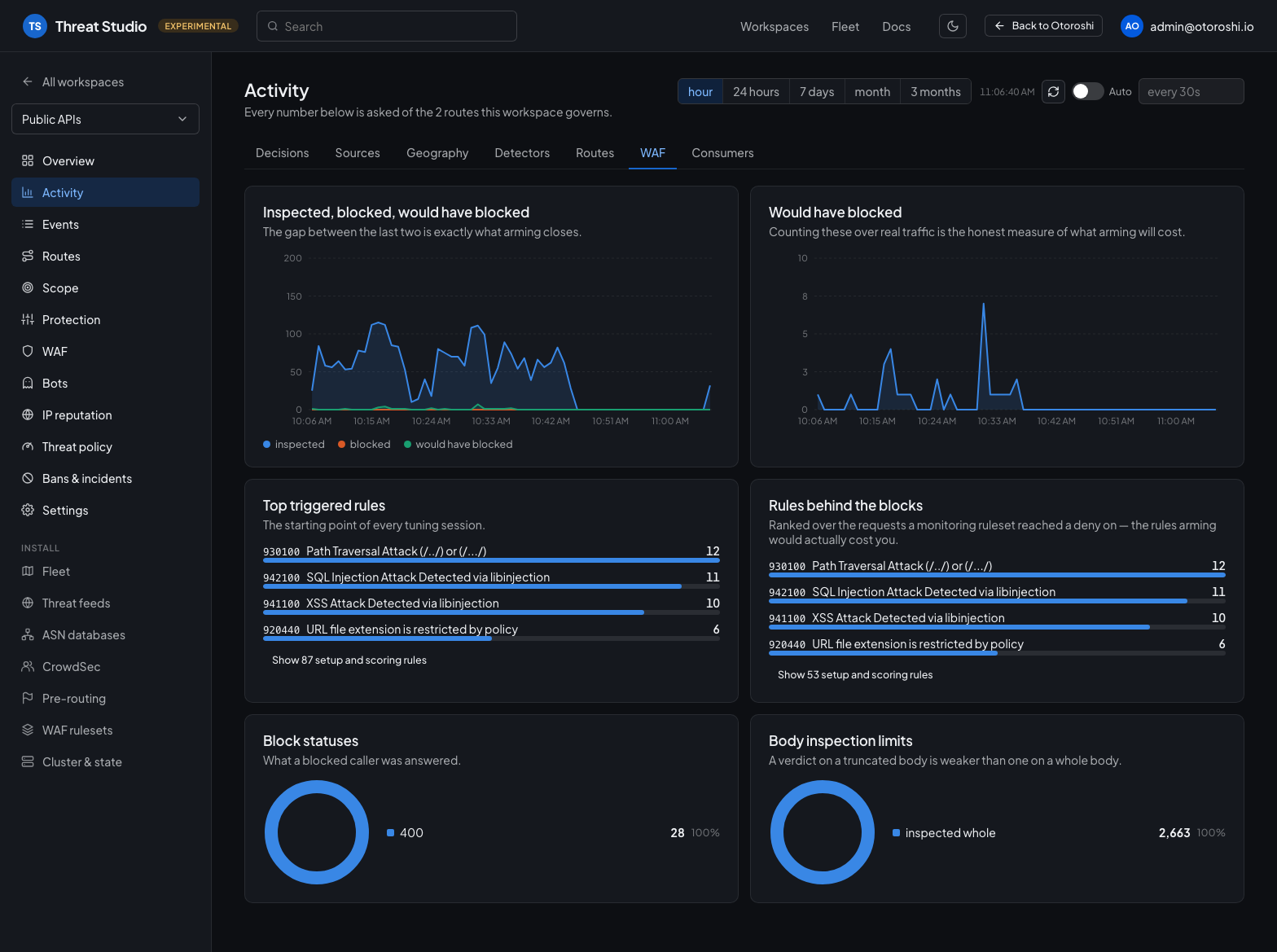
WAF — inspected, blocked and would-have-blocked on one axis, the rules that fire and the ones behind the blocks, what a blocked caller was answered, and how often a body was inspected whole.
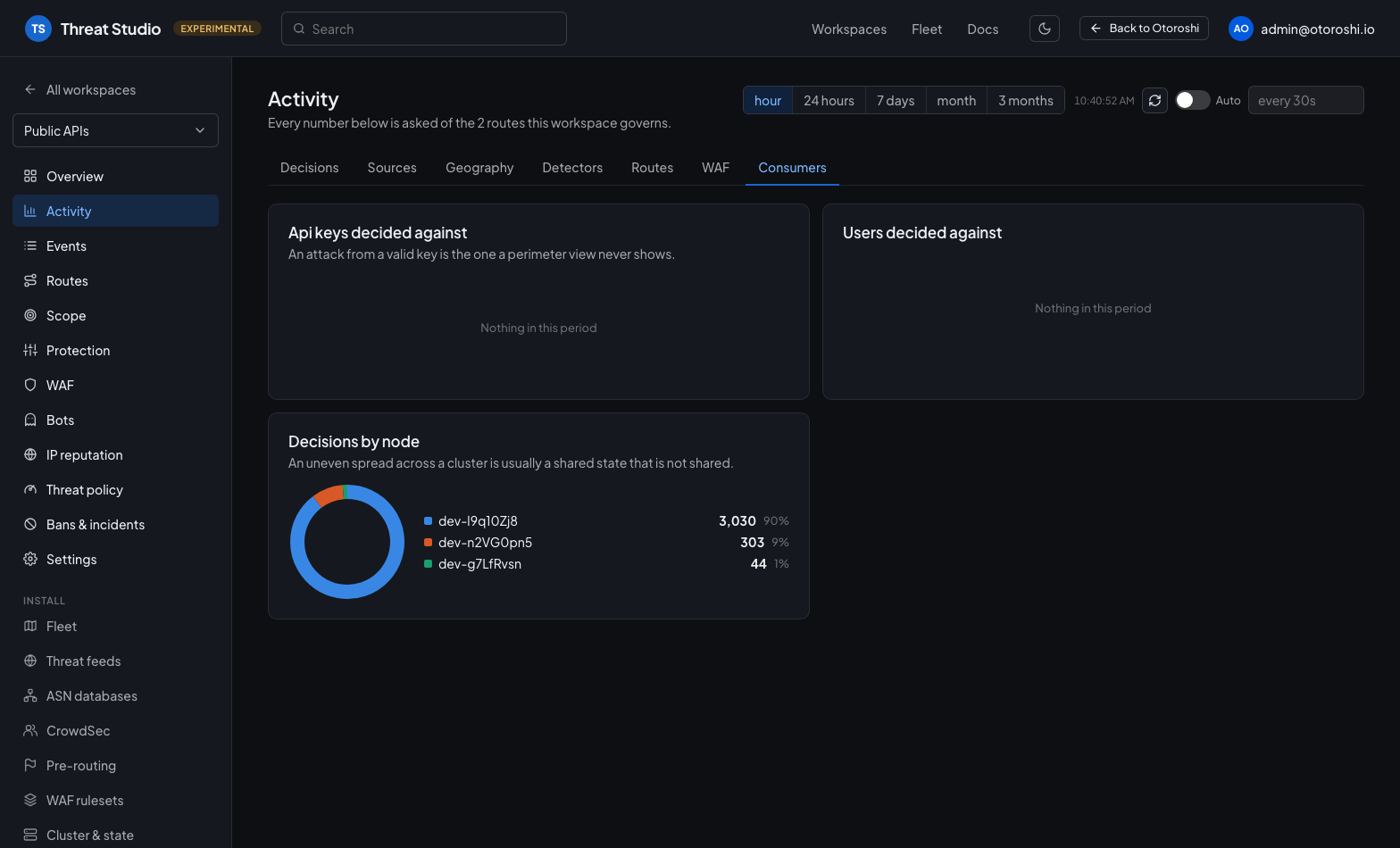
Consumers — api keys and users decided against, and the spread of decisions across the nodes of a cluster.
The rows themselves
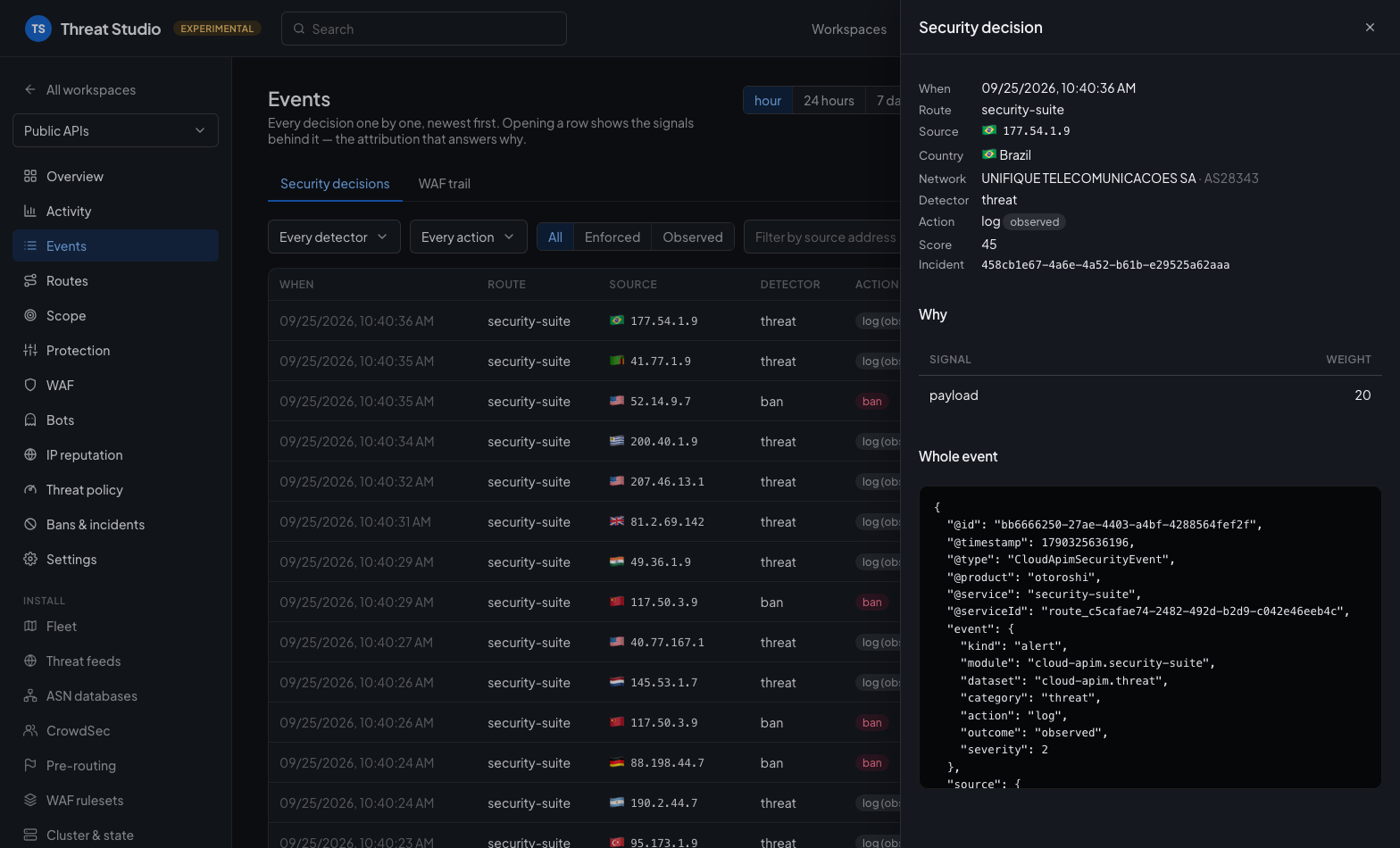
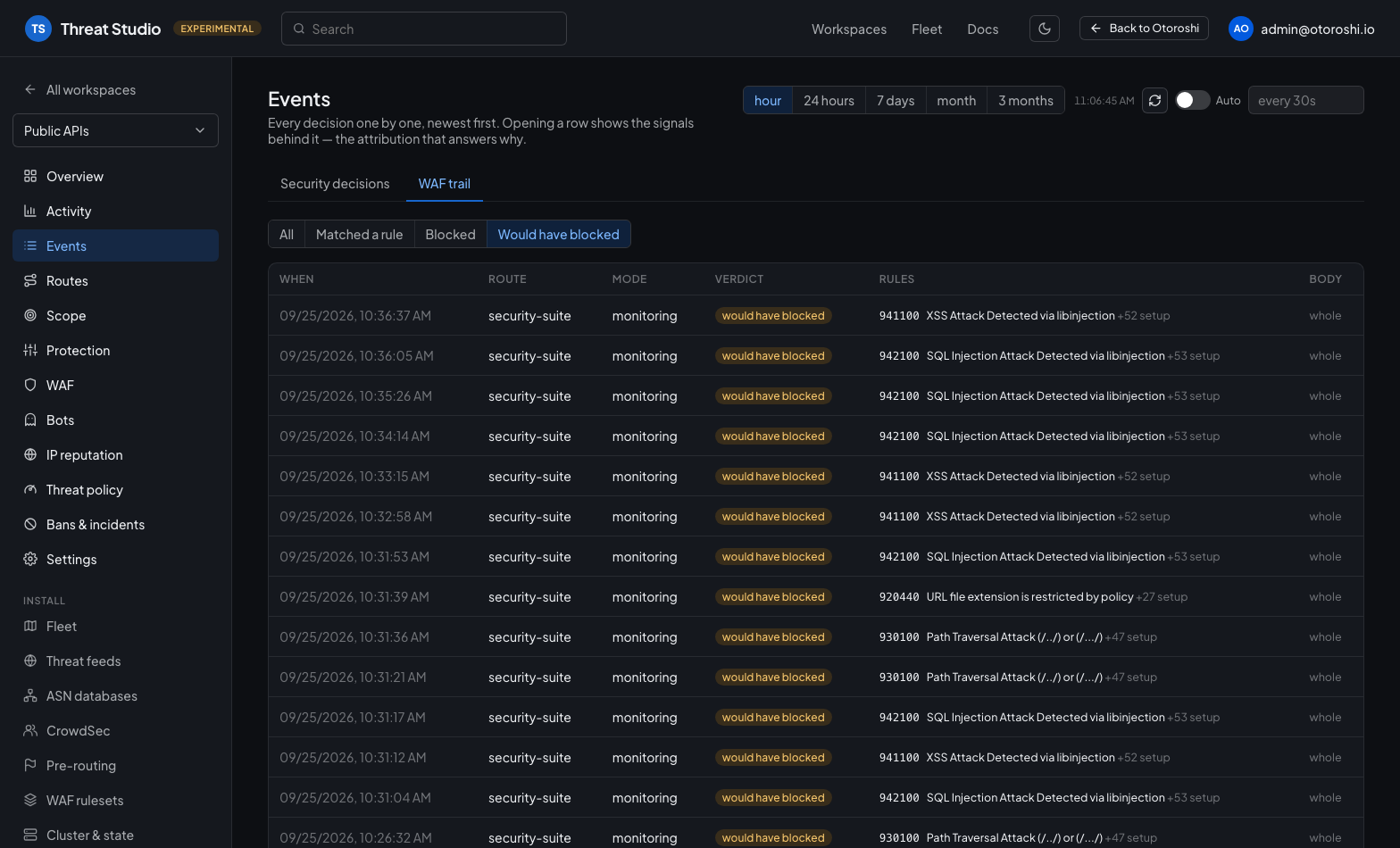
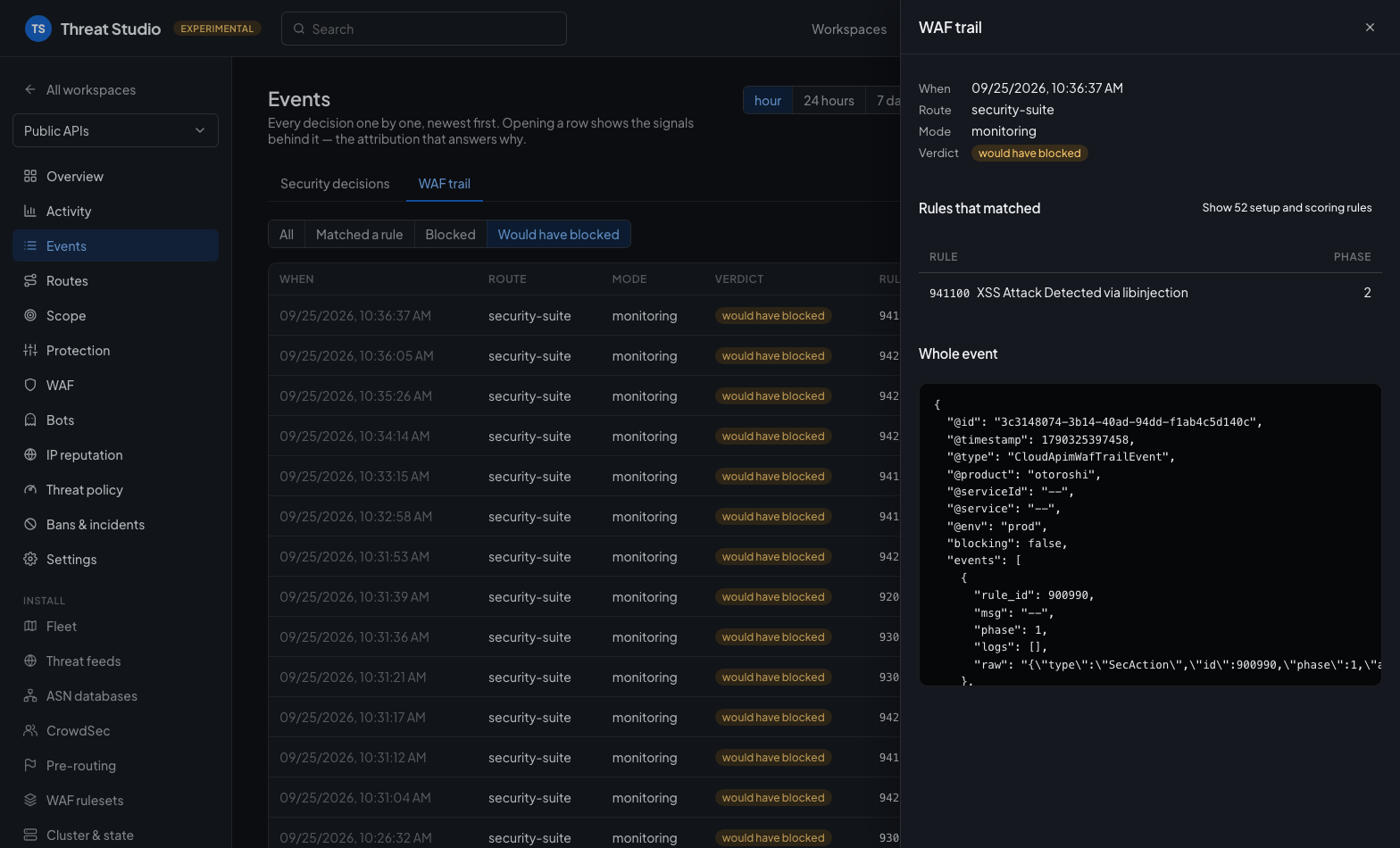
Two more queries return the events rather than an aggregate, paged on the timestamp: the security decisions log and the WAF trail. Opening a row shows the whole event — including its signals, which is the attribution that answers why a caller was judged. A console that cannot drill into that can only ever show that something happened.
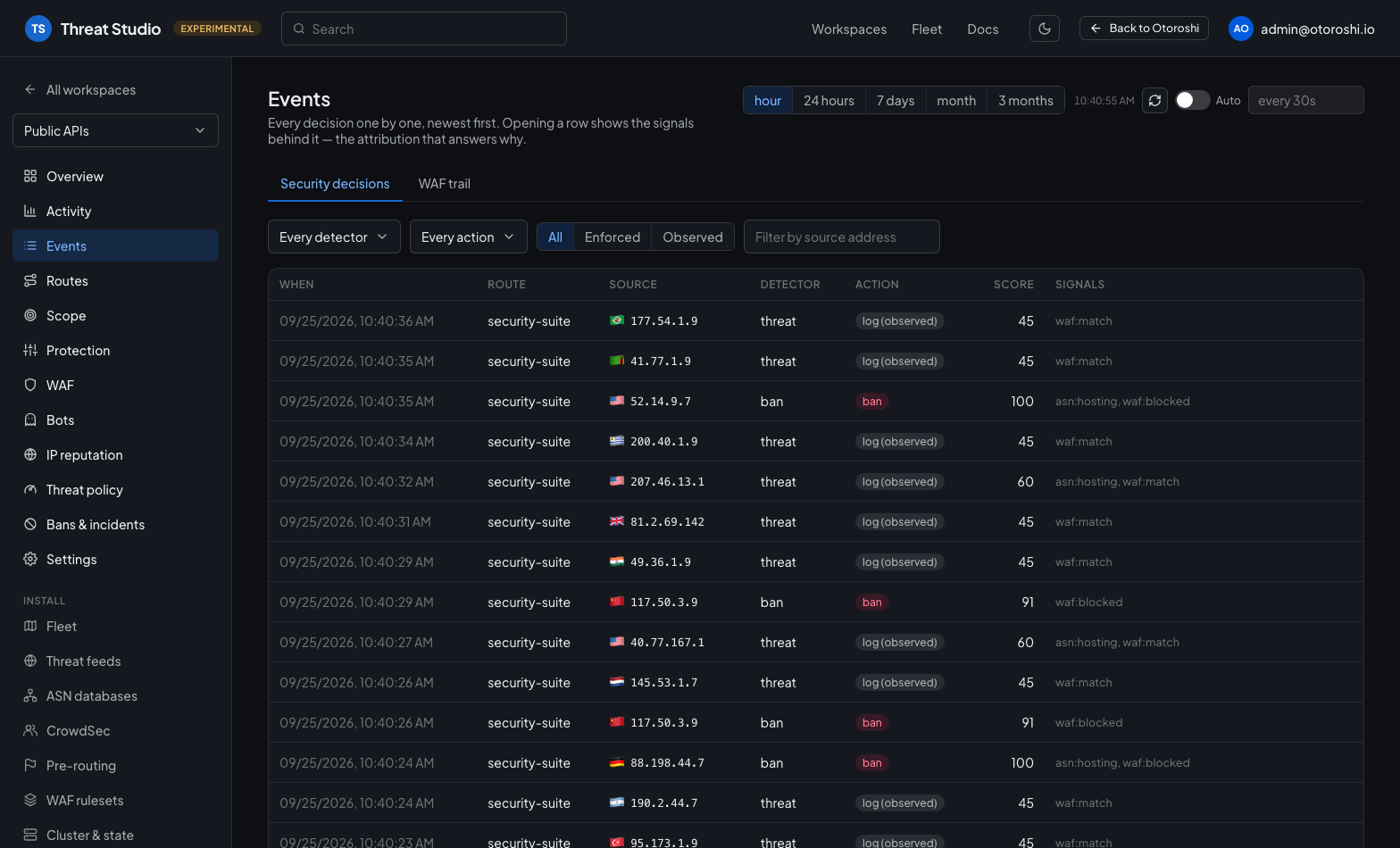
The aggregates say what is happening; this says what happened to one caller. Opening a row shows the signals behind the verdict.
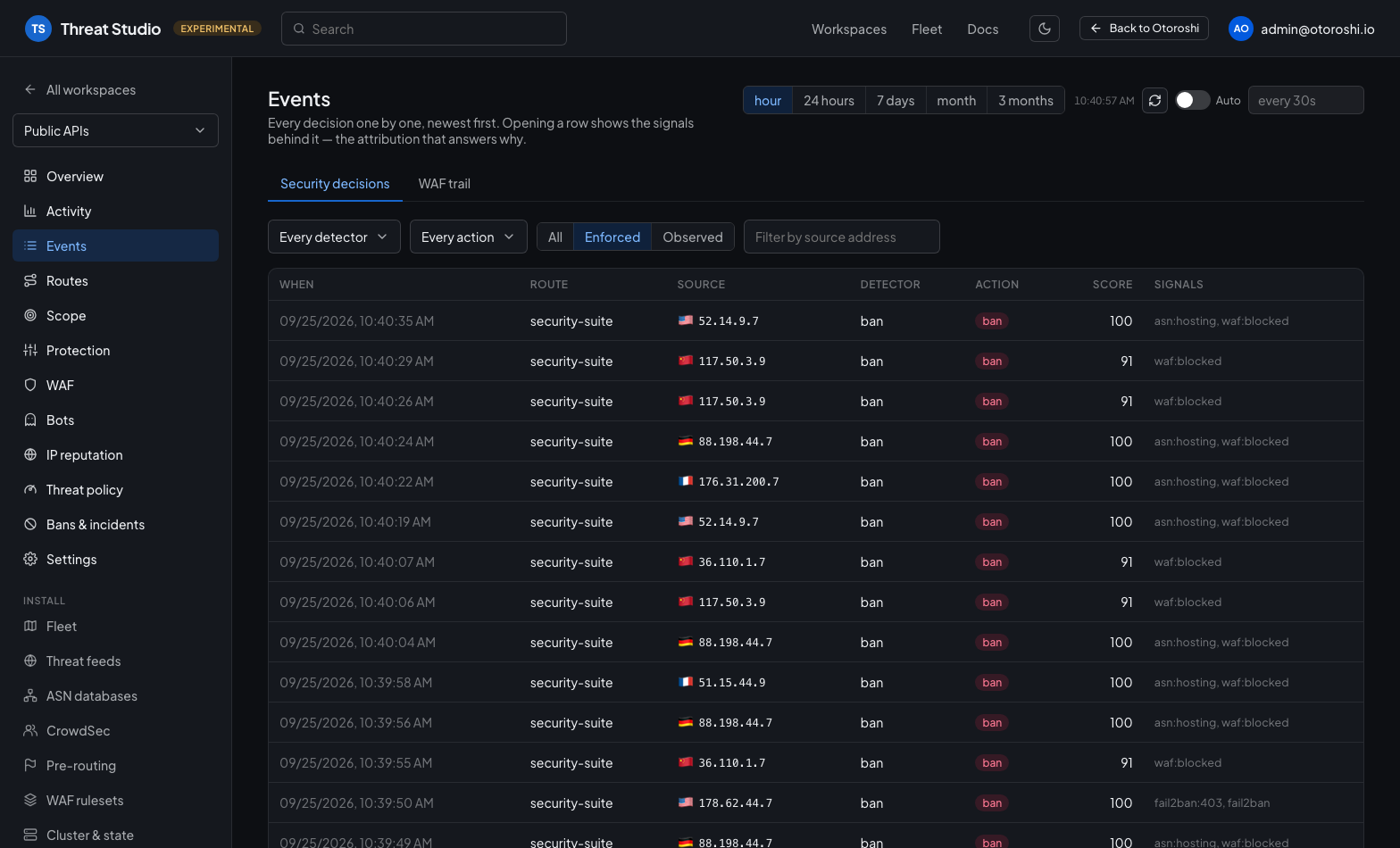
The filters narrow the log to a detector, an action, a source address, or to what actually acted:
Opening a row shows where the caller comes from — its country and network — what the decision did, the signals and their weight, and the whole event:
The WAF trail is the same for the WAF: every inspected request, its mode, its verdict and the rules that matched.
A rule id is always shown with what it means — its message, or, for the many rules that have none, what the rule is: a CRS setup rule, a paranoia level gate, the anomaly scoring. The meaning comes from the rulesets the install actually runs (the bundled CRS and your own), parsed once. The setup and scoring rules run on every request and would drown the detections, so they are folded into a count everywhere — in the trail, in its detail, and in the rule rankings of the Activity page — and shown on demand.
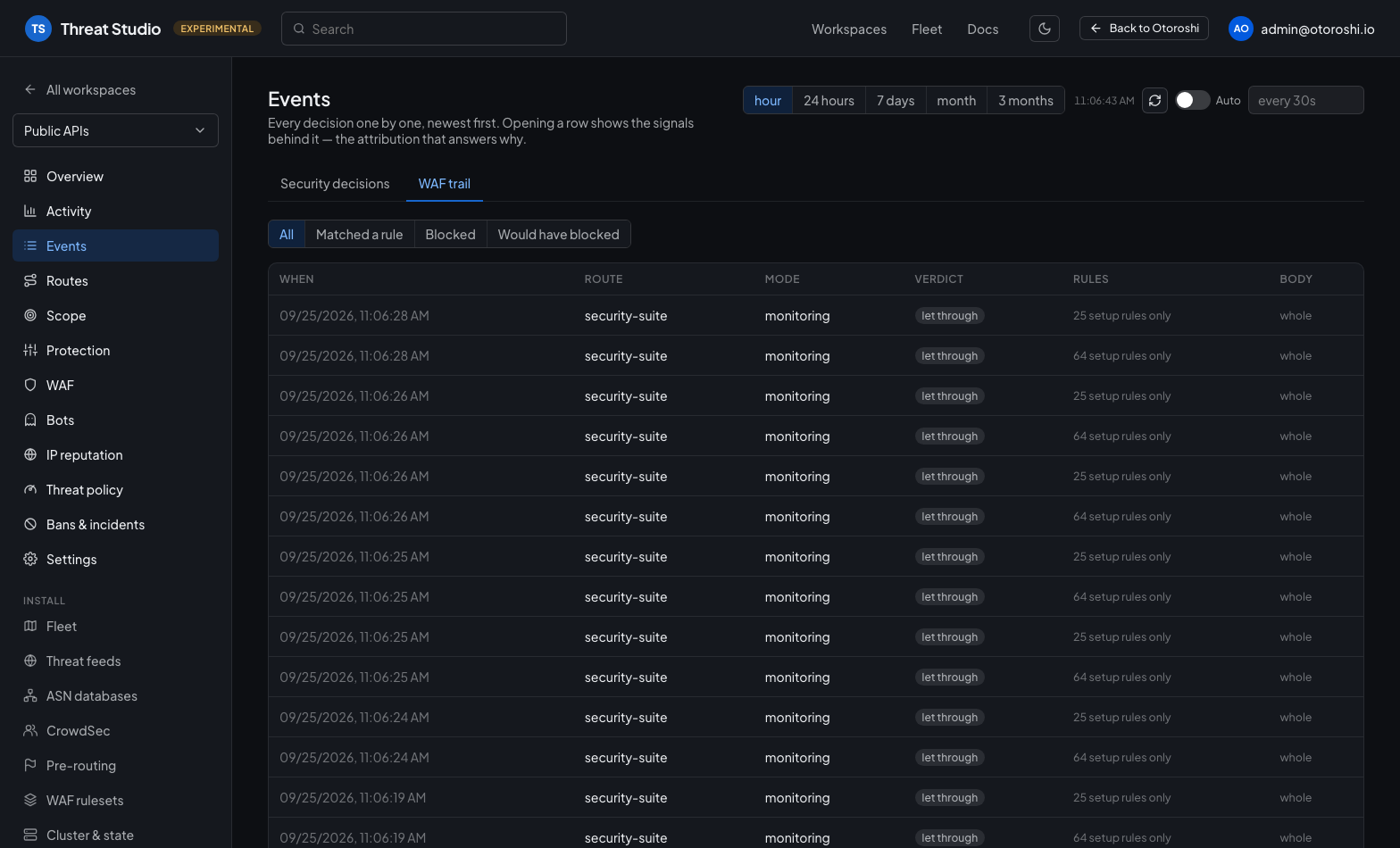
Filtered on would have blocked, it is the list of real requests a monitoring ruleset would have refused — the honest measure of what arming it will cost — and each one opens on the rules that got it there.
Creating and editing
Every entity of the suite is created, edited and deleted from the studio — WAF configs and rulesets, threat policies, bot policies, challenge providers, honeypots, threat feeds, CrowdSec bouncers and ASN databases.
Creation and edition are the same form. "New" opens the editor on a seed rather than asking for a name and leaving the rest to be found later, so what you fill in at creation is what you will see when you come back. Nothing is written until you confirm.
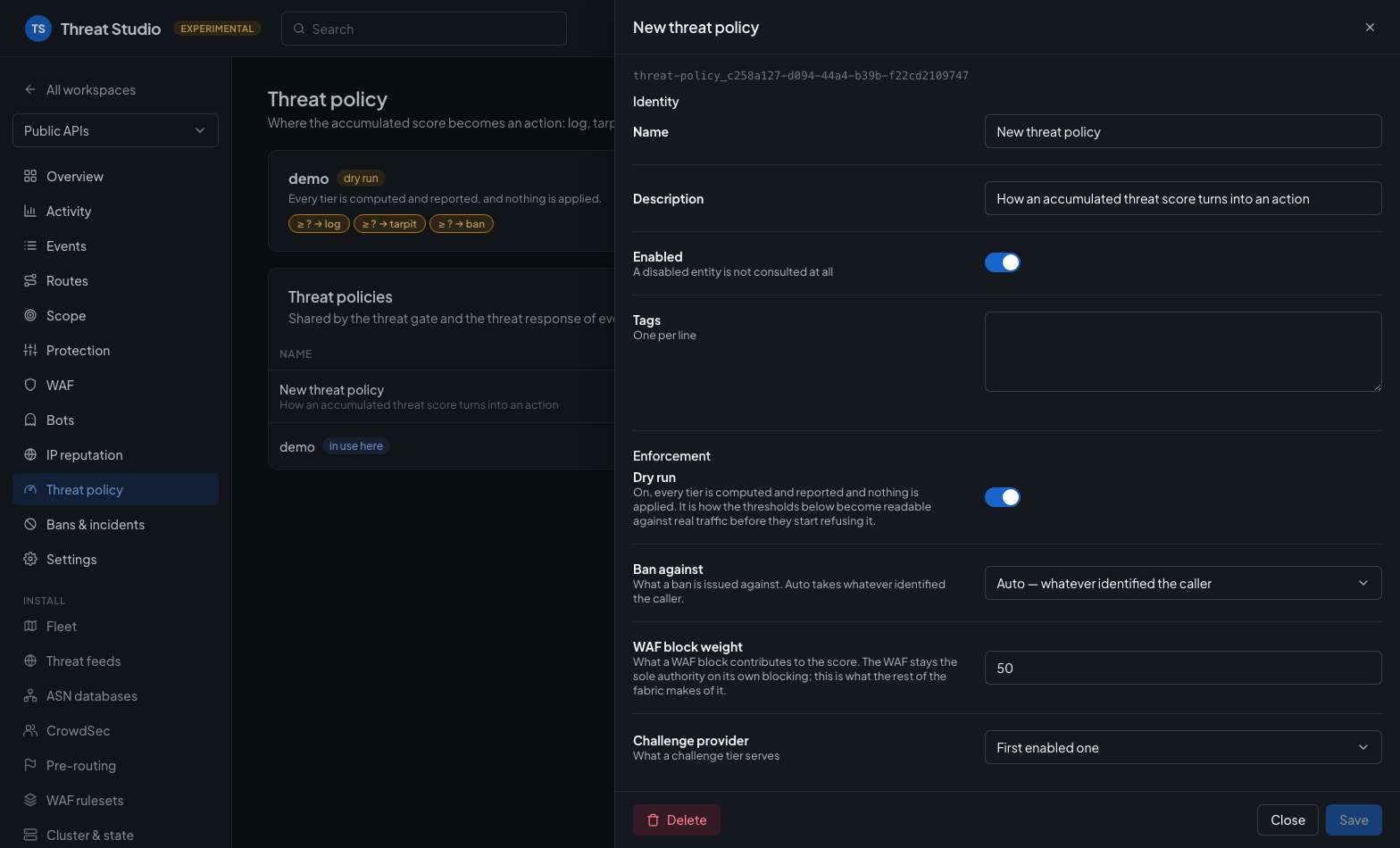
The same drawer creates and edits. The fields are the ones that decide behaviour, in the order they are reasoned about; Full form in the footer goes to the complete backoffice form, and Delete removes the entity.
That seed always comes from the entity's own _template: it is what the extension considers a sane
empty entity, and it moves when the entity gains a field. The studio overrides it in exactly two
places, both in the same direction — a thing that can refuse traffic starts by observing:
- a WAF config is seeded in monitoring mode, whatever rules it carries, because arming a ruleset that has never seen this traffic is the one move worth doing in the other order;
- a vendor challenge provider is seeded disabled, because one without its keys would serve a challenge nobody can pass.
Two of them are seeded from something the extension already knows how to build, so the studio asks one question first and then opens the same editor on the result: a threat feed from the catalog — url, parser, refresh interval, weight and signal tag included — and a challenge provider from a vendor preset.
A WAF config carries a live badge saying whether its rules compile, which rulesets it references that do not exist, and whether its CRS dials are being ignored for want of a CRS import.
The fields the studio shows are the ones that decide behaviour, in the order they are reasoned about, with help text that says what a number actually does. Everything is edited here — the studio does not send you back to the backoffice for anything, and there is no outward "open in Otoroshi" link on an entity.
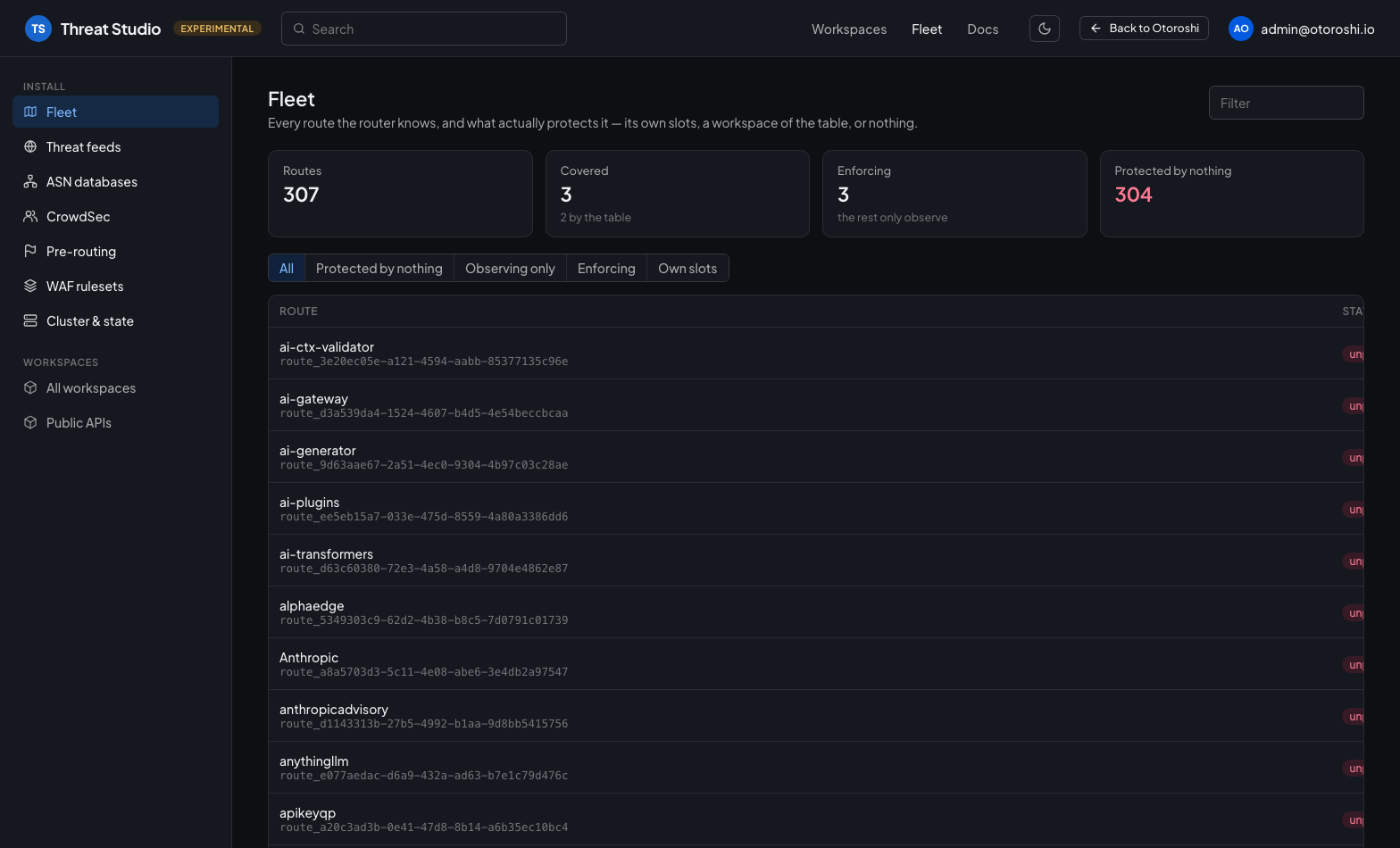
Under the workspaces, a section for what belongs to the install. The Fleet page walks every route the router knows and says whether it is protected by its own slots, by a workspace of the table, or by nothing at all.
Permissions
The studio goes through the backoffice session, with the rights of the person signed in: every page is shown to everyone, and the admin API decides what each person may actually do there.
- Reading needs a backoffice session. The routes you may not read are left out of what the studio lists, and counted.
- The table is written where you may write what the change reaches: every route whose workspace or protection it changes, and every route the rules it edits claim. A change that reaches no route yet — a rule that claims nothing — needs an admin of the tenant, since whatever route comes to match it later gets what was written. A workspace whose routes you cannot all write is read-only to you.
- Entities follow the usual tenant and team rights of the admin API.
- What holds on every route of the gateway, or has it reach an address, needs a super admin: banning, extending and lifting a ban, the allowlist, forgetting a score, applying an exclusion, running a learning window, refreshing or promoting a feed, testing an alert or a scanner, and fetching a contract from a URL. What only computes from what it is sent — compiling rules, proposing an exclusion, checking a contract — stays open to anyone signed in.
What you do is recorded in your name, on the bans and in the audit.
Threat Studio Enterprise
Threat Studio lives in the Otoroshi backoffice, so the people who use it are the administrators of your gateway. To open it to the rest of your company — the teams that own the routes a workspace protects, the people on call when one of them is attacked, the security team that audits all of it — Threat Studio Enterprise serves the same studio as a standalone application, with the access control an organization expects.
- Your company login: users sign in with your identity provider, through the authentication modules of Otoroshi (OpenID Connect, SAML, LDAP...). Nobody needs an Otoroshi account.
- Members and roles in every workspace: add members by email or by group of your directory, each
with a role. An
ownermanages the workspace and its members, aneditorsets its protection, aresponderacts on the callers (bans, allowlist, incidents), aviewerfollows the protection and the activity. - Each team on its own routes: a user only sees the workspaces they belong to, and only what their role allows on the routes their workspace governs. The table, and everything that holds for the whole gateway (shared state, feeds, reputation sources), stays with the administrators of the gateway; auditors read all of it and change nothing.
- Secrets kept on the server: challenge secrets, alert webhooks, CrowdSec and feed keys, geolocation credentials and honeytokens never reach the browser. An administrator reveals one on demand, and every reveal is recorded.
- An audit trail: every change, every refusal and every read of the fragments of a request is kept, with who, when and from where.
- The workspaces you already have: Enterprise works on the same table and the same entities, so your existing workspaces only need an owner to be shared, and the backoffice studio stays available to your gateway administrators.
Every capability of Threat Studio remains in the open source edition. Enterprise adds what it takes to share it with your whole organization.
Find out more about Threat Studio Enterprise on the Cloud APIM website.