HTTP Functions
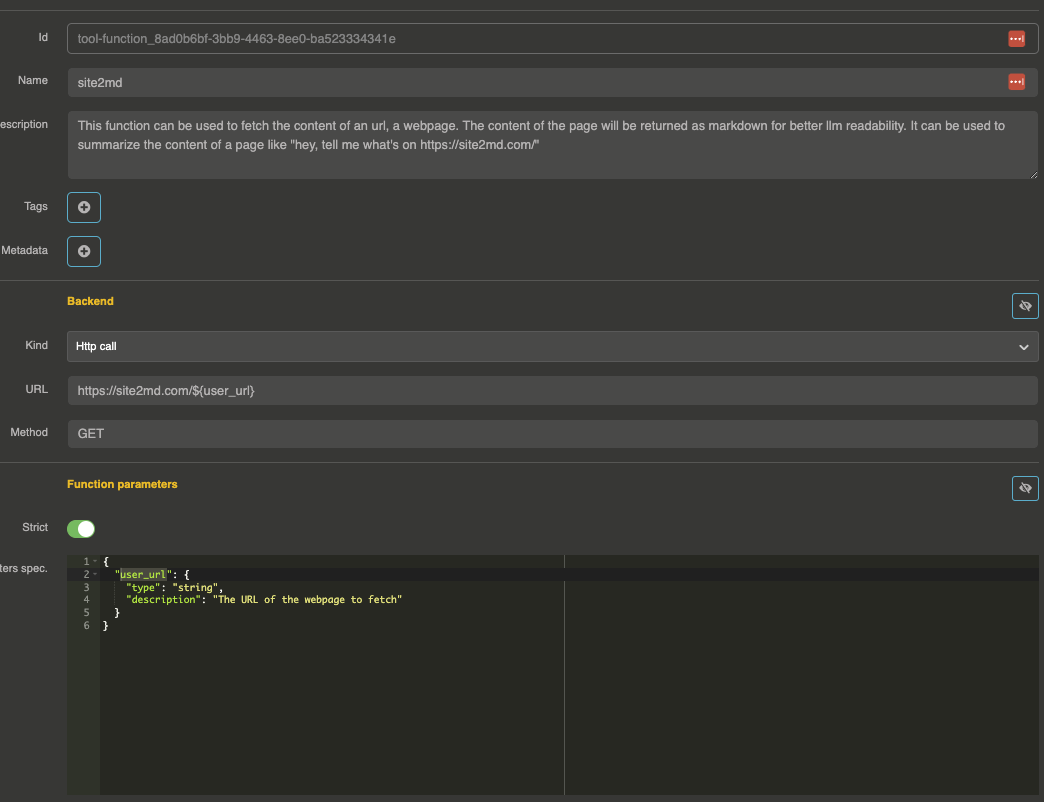
HTTP functions allow you to create tool functions that call external HTTP endpoints. When the LLM decides to call a tool, the gateway makes an HTTP request with the tool arguments and returns the response as the tool result.
How it works
- The LLM decides to call the tool with structured arguments (e.g.,
{"city": "Paris"}) - The gateway parses the arguments and substitutes them into the HTTP request configuration using
${key}syntax - The gateway makes the HTTP request to the configured endpoint
- The response is returned to the LLM as the tool result
Configuration
{
  "name": "get_weather",
  "description": "Get the current weather for a city",
  "strict": true,
  "parameters": {
    "city": {
      "type": "string",
      "description": "The city name"
    }
  },
  "required": ["city"],
  "backend": {
    "kind": "Http",
    "options": {
      "url": "https://api.weather.example.com/v1/weather?city=${city}",
      "method": "GET",
      "headers": {
        "Authorization": "Bearer my-api-key"
      },
      "timeout": 10000
    }
  }
}
Options
| Parameter | Type | Default | Description |
|---|---|---|---|
url | string | — | The endpoint URL. Supports ${key} substitution from tool arguments |
method | string | POST | HTTP method (GET, POST, PUT, DELETE, etc.) |
body | string/object | — | Request body. Supports ${key} substitution |
headers | object | {} | HTTP headers. Supports ${key} substitution |
timeout | number | 10000 | Request timeout in milliseconds |
followRedirect | boolean | true | Follow HTTP redirects |
kreuzberg | boolean | false | Convert the response body to markdown before handing it to the model (see below) |
response_at | string | — | JSON path to extract from the response body |
response_path | string | — | JSON path to extract from the response body |
Response as markdown
A model reads markdown, not raw html — and not a pdf at all. With kreuzberg set, the gateway converts the
response body to markdown with Kreuzberg, whatever it is: a web
page, a pdf, a docx, a spreadsheet, an image it can OCR. It applies to the whole body, so the
response_at / response_path selections are ignored — those answer the opposite need, picking one field
out of a json API response.
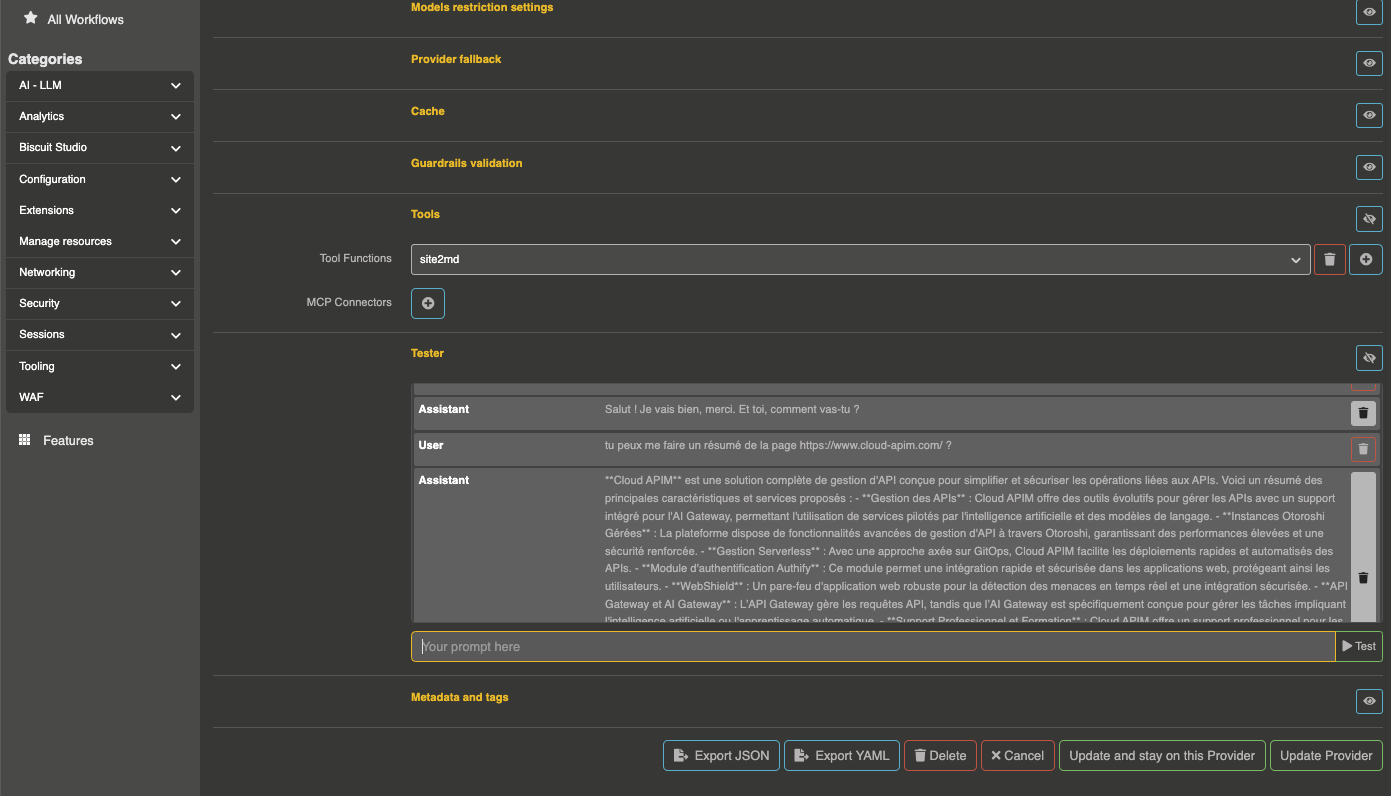
This is what turns a plain HTTP function into a web reader:
{
  "name": "web_fetch",
  "description": "Fetch a web page or a document at a given URL and return its content as markdown",
  "parameters": { "url": { "type": "string", "description": "The absolute URL to fetch" } },
  "required": ["url"],
  "backend": {
    "kind": "Http",
    "options": { "url": "${url}", "method": "GET", "timeout": 30000, "kreuzberg": true }
  }
}
AI Studio offers exactly this function in one click, under Ready-made functions.
Kreuzberg needs JDK 25 or above. On an older JVM the conversion returns an explicit error message instead of the content, and Otoroshi warns about it at startup.
TLS options
| Parameter | Type | Default | Description |
|---|---|---|---|
tls.enabled | boolean | false | Enable custom TLS configuration |
tls.loose | boolean | false | Loose TLS validation |
tls.trust_all | boolean | false | Trust all certificates |
tls.certs | array | [] | Client certificate IDs |
tls.trusted_certs | array | [] | Trusted CA certificate IDs |
Argument substitution
The tool arguments are parsed as key-value pairs and substituted into the URL, headers, and body using ${key} syntax. For example, if the LLM calls the tool with:
{"city": "Paris", "unit": "celsius"}
Then ${city} is replaced with Paris and ${unit} is replaced with celsius everywhere in the options.
Examples
GET request with URL parameters
{
  "name": "search_products",
  "description": "Search for products by name",
  "parameters": {
    "query": {
      "type": "string",
      "description": "The search query"
    }
  },
  "required": ["query"],
  "backend": {
    "kind": "Http",
    "options": {
      "url": "https://api.example.com/products?q=${query}",
      "method": "GET",
      "headers": {
        "Authorization": "Bearer ${vault://local/api-token}"
      },
      "timeout": 5000
    }
  }
}
POST request with JSON body
{
  "name": "create_ticket",
  "description": "Create a support ticket",
  "parameters": {
    "title": {
      "type": "string",
      "description": "The ticket title"
    },
    "description": {
      "type": "string",
      "description": "The ticket description"
    },
    "priority": {
      "type": "string",
      "description": "Priority level",
      "enum": ["low", "medium", "high"]
    }
  },
  "required": ["title", "description"],
  "backend": {
    "kind": "Http",
    "options": {
      "url": "https://api.example.com/tickets",
      "method": "POST",
      "headers": {
        "Content-Type": "application/json",
        "Authorization": "Bearer my-api-key"
      },
      "body": "{\"title\": \"${title}\", \"description\": \"${description}\", \"priority\": \"${priority}\"}",
      "timeout": 10000
    }
  }
}
Extracting a specific field from the response
Use response_path to extract a specific JSON path from the HTTP response:
{
  "name": "get_stock_price",
  "description": "Get the current stock price",
  "parameters": {
    "symbol": {
      "type": "string",
      "description": "Stock ticker symbol"
    }
  },
  "required": ["symbol"],
  "backend": {
    "kind": "Http",
    "options": {
      "url": "https://api.example.com/stocks/${symbol}",
      "method": "GET",
      "response_path": "data.price"
    }
  }
}