QuickJs and WASM Functions
The Otoroshi LLM extension supports two WASM-based backends for tool functions: QuickJs (JavaScript in WASM) and WasmPlugin (full WASM plugins).
QuickJs backend
The QuickJs backend executes JavaScript code inside a WASM-based QuickJS runtime. This is the simplest way to create tool functions — write JavaScript that processes the tool arguments and returns a result.
JavaScript code format
Your JavaScript code must export a tool_call function:
'inline module';

exports.tool_call = function(args) {
  const parsedArgs = JSON.parse(args);
  // Process the arguments...
  return JSON.stringify({
    result: "your result here"
  });
}
The function receives the tool arguments as a JSON string and must return a JSON string.
JavaScript source options
The jsPath option supports multiple sources:
| Source | Format | Description |
|---|---|---|
| Inline | Start with 'inline module'; | JavaScript code embedded directly in the entity |
| URL | https://... or http://... | Fetched from a remote URL (cached for 120s) |
| File | file:///path/to/script.js | Loaded from local filesystem |
| S3 | s3://bucket/path/script.js | Loaded from an S3-compatible storage |
QuickJs entity configuration
{
  "name": "my_tool",
  "description": "Description of what the tool does",
  "strict": true,
  "parameters": {
    "param1": {
      "type": "string",
      "description": "First parameter"
    }
  },
  "required": ["param1"],
  "backend": {
    "kind": "QuickJs",
    "options": {
      "jsPath": "'inline module';\n\nexports.tool_call = function(args) {\n  return JSON.stringify({ result: 'hello' });\n}"
    }
  }
}
The JavaScript runtime has HTTP access enabled, so your tool functions can make HTTP calls to external APIs.
WasmPlugin backend
The WasmPlugin backend executes a full WASM plugin registered in Otoroshi. This is useful for more complex tool functions or when you want to use compiled languages (Rust, Go, etc.).
WasmPlugin entity configuration
{
  "name": "my_wasm_tool",
  "description": "A tool backed by a WASM plugin",
  "strict": true,
  "parameters": {
    "input": {
      "type": "string",
      "description": "The input"
    }
  },
  "required": ["input"],
  "backend": {
    "kind": "WasmPlugin",
    "options": {
      "wasmPlugin": "wasm-plugin-entity-id"
    }
  }
}
The WASM plugin must expose a function (defaults to tool_call) that receives the arguments as a string and returns the result as a string.
Example: next_flight function
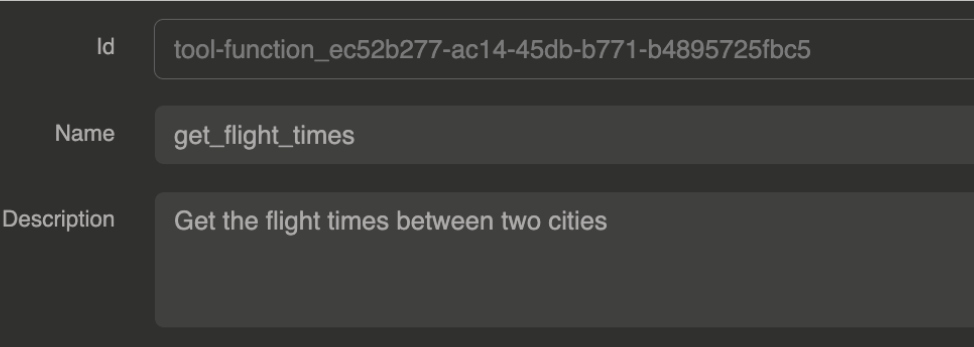
In this example, we create a QuickJs tool function named next_flight that takes two IATA airport codes and returns flight information.
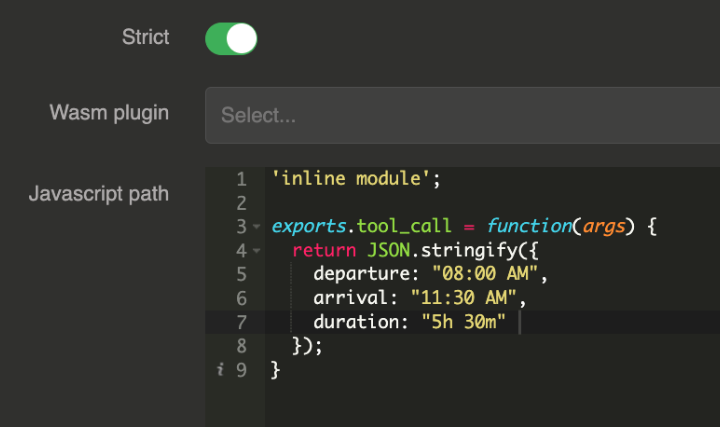
Function configuration
'inline module';

exports.tool_call = function(args) {
  const formattedArguments = JSON.parse(args);
  return JSON.stringify({
    nextflight: `flight ${parseInt(Math.random() * 10000)} from ${formattedArguments["departure"]} to ${formattedArguments["arrival"]} is taking off in ${parseInt(Math.random() * 10)} hours`
  })
}
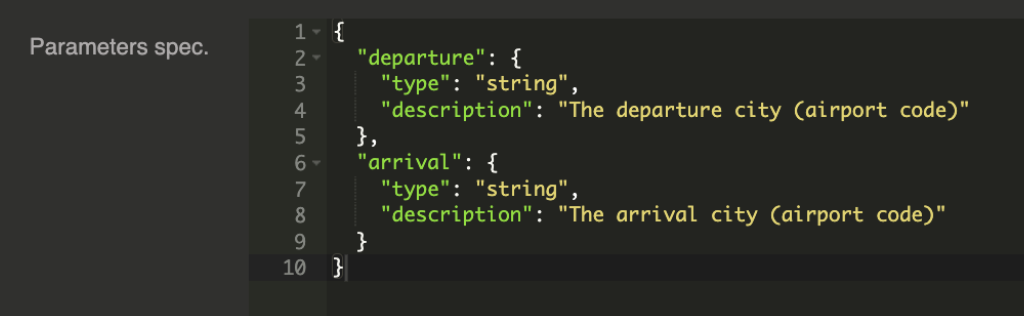
Function parameters:
{
  "departure": {
    "type": "string",
    "description": "The departure airport (IATA airport Code)"
  },
  "arrival": {
    "type": "string",
    "description": "The arrival airport (IATA airport Code)"
  }
}
Request
curl --request POST \
  --url http://wasm-tool-function.oto.tools:8080/ \
  --header 'content-type: application/json' \
  --data '{
  "messages": [
    {
       "role": "user",
       "content": "Could you give me the next flight from CDG to DXB please ?"
    }
  ]
}'
Response
The LLM processes the tool call transparently and returns the final answer:
{
  "id": "chatcmpl-FzOsLwlxF7cgTkpBfSPfhYEEvw53X274",
  "object": "chat.completion",
  "created": 1743519776,
  "model": "gpt-4o-mini",
  "system_fingerprint": "fp-Jz72gmHTIAQw2xYamDRy3Q8kMSPUsMb0",
  "choices": [
    {
      "index": 0,
      "message": {
        "role": "assistant",
        "content": "The next flight from CDG (Charles de Gaulle Airport) to DXB (Dubai International Airport) is flight 3755, which is taking off in 9 hours."
      },
      "logprobs": null,
      "finish_reason": "stop"
    }
  ],
  "usage": {
    "prompt_tokens": 209,
    "completion_tokens": 37,
    "total_tokens": 246,
    "completion_tokens_details": {
      "reasoning_tokens": 0
    }
  }
}
Full entity configuration
{
  "id": "tool-function_f6562221-1c0f-4f8e-aae6-279beb0144dd",
  "name": "next_flight",
  "description": "This function returns the next flight.",
  "strict": true,
  "parameters": {
    "departure": {
      "type": "string",
      "description": "The departure airport (IATA airport Code)"
    },
    "arrival": {
      "type": "string",
      "description": "The arrival airport (IATA airport Code)"
    }
  },
  "required": null,
  "backend": {
    "kind": "QuickJs",
    "options": {
      "jsPath": "'inline module';\n\nexports.tool_call = function(args) {\n  const formattedArguments = JSON.parse(args);\n  return JSON.stringify({\n    nextflight: `flight ${parseInt(Math.random() * 10000)} from ${formattedArguments[\"departure\"]} to ${formattedArguments[\"arrival\"]} is taking off in ${parseInt(Math.random() * 10)} hours`\n  })\n}"
    }
  }
}
Provider configuration
Reference the tool function in the provider's wasm_tools array:
{
  "id": "provider_6699f127-34d1-4fef-b3ad-6bcf592ed9c6",
  "name": "OpenAI provider + tool wasm function",
  "provider": "openai",
  "connection": {
    "base_url": "https://api.openai.com/v1",
    "token": "${vault://local/openai-token}",
    "timeout": 30000
  },
  "options": {
    "model": "gpt-4o-mini",
    "wasm_tools": [
      "tool-function_f6562221-1c0f-4f8e-aae6-279beb0144dd"
    ],
    "mcp_connectors": [],
    "allow_config_override": true
  }
}