Prompt templating
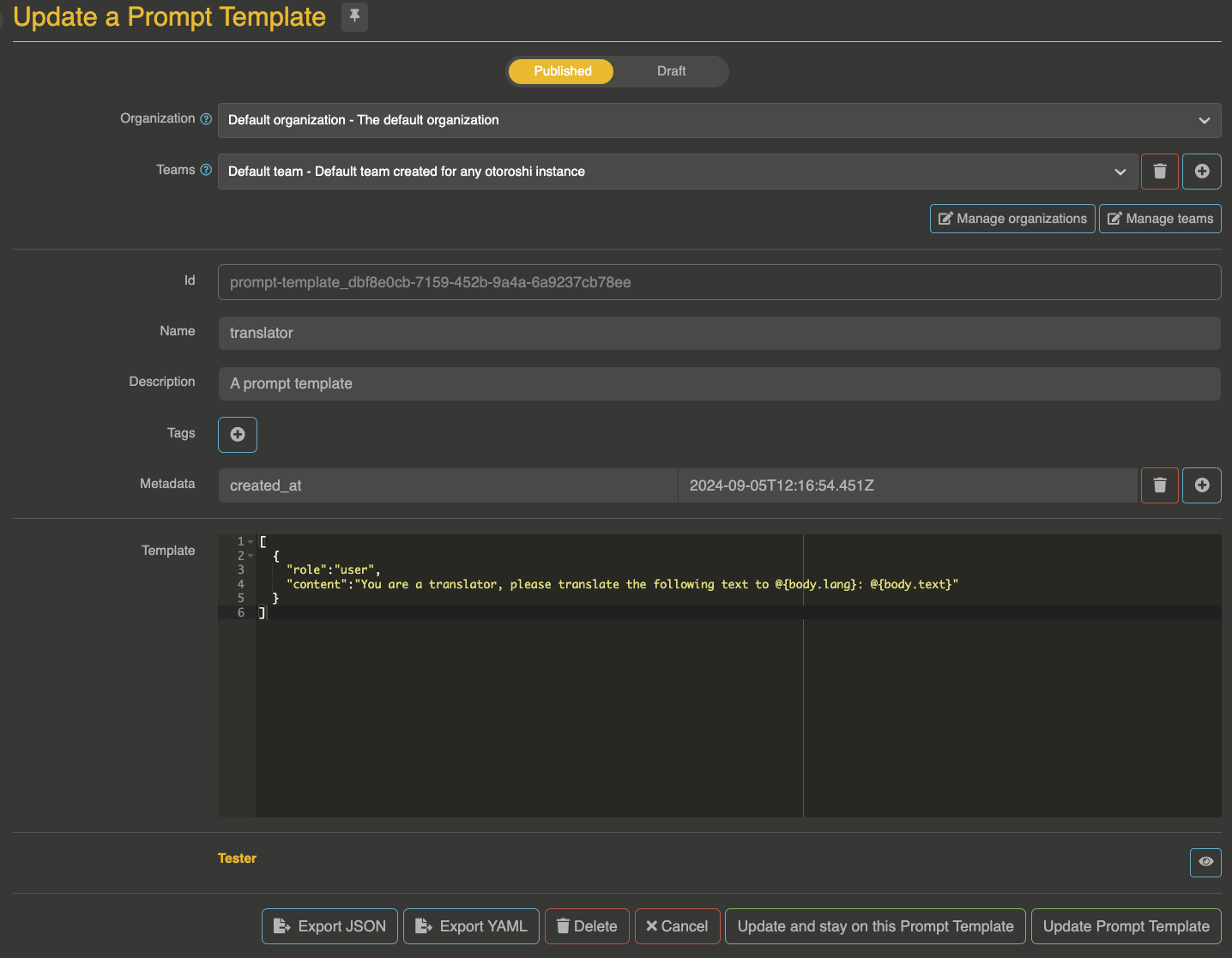
Prompt templates let you define standardized message sets with dynamic expression placeholders. When a template is active, it replaces the consumer's messages entirely, giving you full control over what gets sent to the LLM.
How it works
- The consumer sends a request to the route
- The prompt template plugin intercepts the request and resolves the template
- Expression placeholders (
@{path}) are replaced with values from the request context - The rendered messages replace the consumer's original messages
- The request is forwarded to the LLM provider with the templated messages
Template syntax
A template is a JSON array of message objects with @{path} expression placeholders:
[
  {
    "role": "system",
    "content": "You are a helpful assistant for the @{request.route.name} service."
  },
  {
    "role": "user",
    "content": "@{body.text}"
  }
]
Expression format
Expressions use the @{path} syntax where path is a JSON path resolved against the template context object.
The context object contains:
| Path prefix | Description |
|---|---|
body.* | The incoming request body fields |
request.* | The Otoroshi request context (route, headers, query params, etc.) |
Expression examples
| Expression | Description |
|---|---|
@{body.text} | The text field from the request body |
@{body.messages[0].content} | First message content from the request body |
@{request.route.name} | Route name |
@{request.route.id} | Route ID |
Entity structure
{
  "id": "template_xxx",
  "name": "Translation template",
  "description": "Translates the body text field to English",
  "template": "[{\"role\": \"system\", \"content\": \"Translate the following text to English.\"}, {\"role\": \"user\", \"content\": \"@{body.text}\"}]"
}
Plugin configuration
Add the Cloud APIM - LLM Proxy - prompt template plugin to your route, before the LLM proxy plugin:
{
  "enabled": true,
  "plugin": "cp:otoroshi_plugins.com.cloud.apim.otoroshi.extensions.aigateway.plugins.AiPromptTemplate",
  "config": {
    "ref": "template-entity-id"
  }
}
| Parameter | Type | Description |
|---|---|---|
ref | string | Reference to a PromptTemplate entity ID |
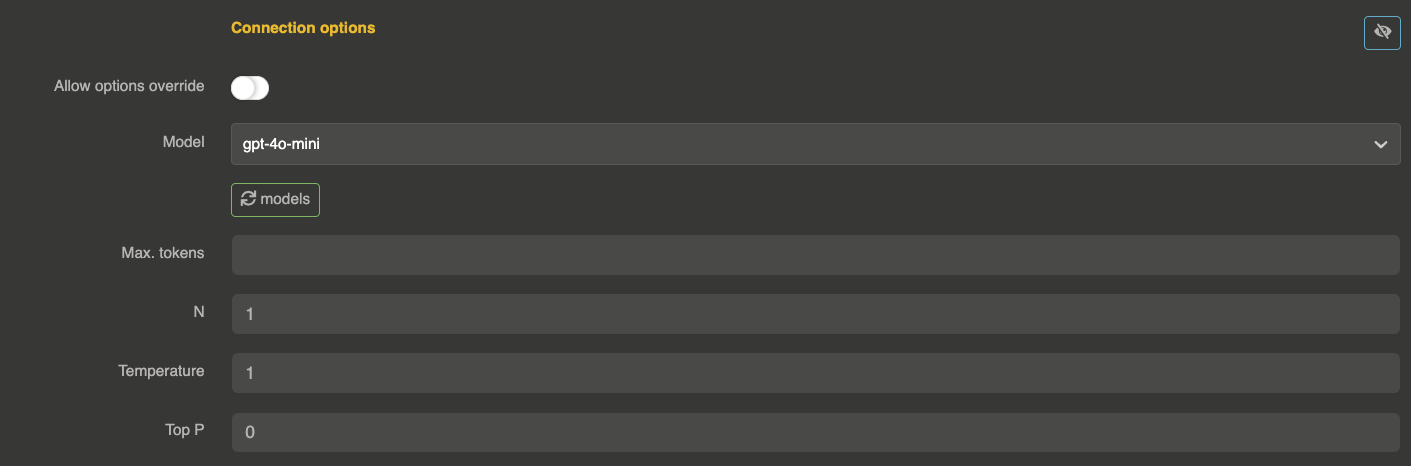
Important: When using templates, disable allow_config_override on the provider to prevent the consumer from bypassing the template by sending their own messages:
Example
Template
[
  {"role": "system", "content": "You are a travel assistant. Answer questions about destinations."},
  {"role": "user", "content": "Tell me about @{body.destination} for a @{body.duration} trip."}
]
Consumer request
curl --request POST \
  --url http://myroute.oto.tools:8080/ \
  --header 'content-type: application/json' \
  --data '{
  "destination": "Japan",
  "duration": "2 weeks"
}'
Result sent to LLM
[
  {"role": "system", "content": "You are a travel assistant. Answer questions about destinations."},
  {"role": "user", "content": "Tell me about Japan for a 2 weeks trip."}
]
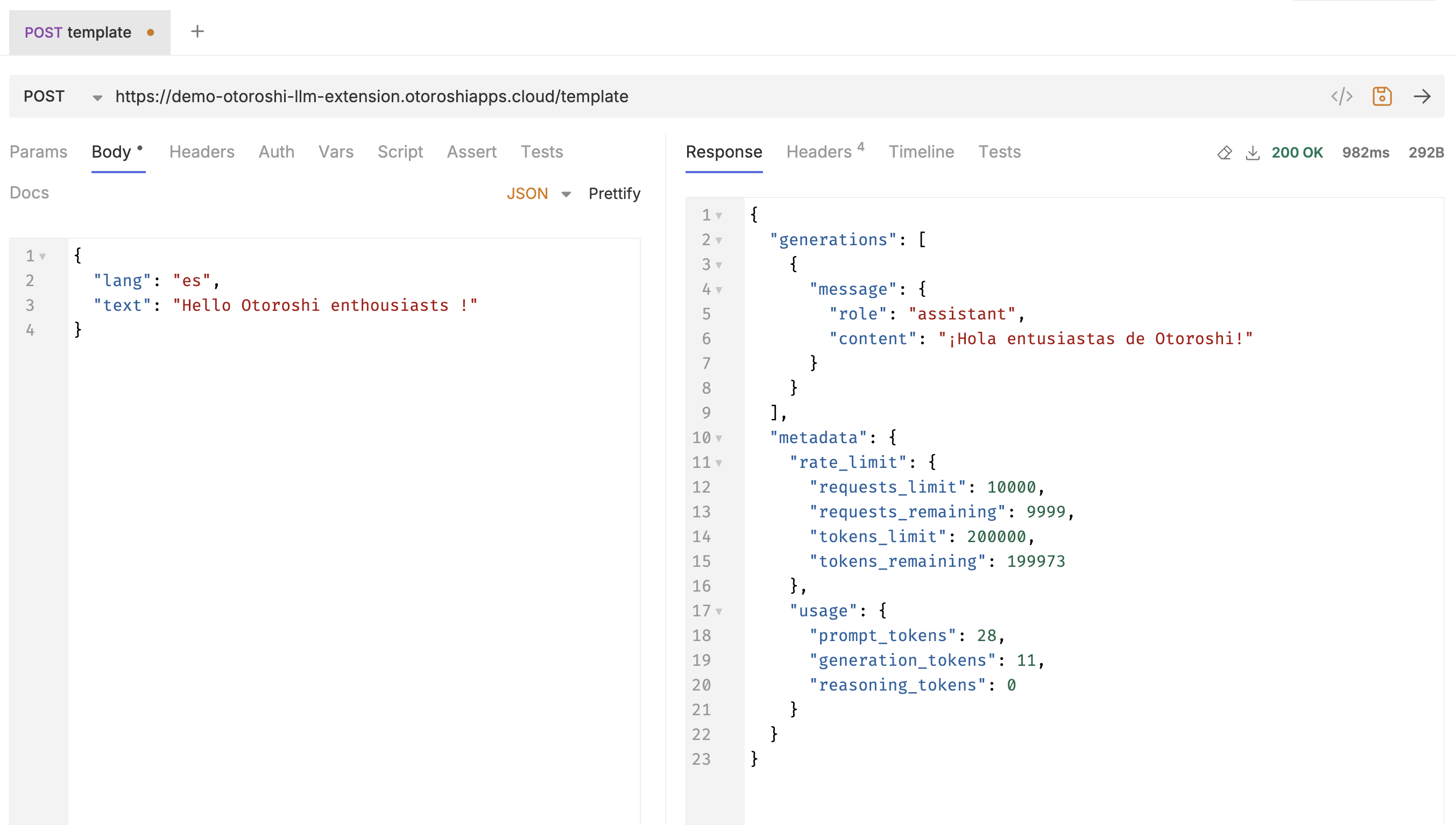
Testing templates
The admin UI includes a built-in template tester. Provide a JSON context object and test the template rendering + LLM call directly from the Otoroshi back-office.