HTTP request body modifier
The LLM Request body modifier plugin intercepts incoming HTTP request bodies, sends them to an LLM with a configured system prompt, and replaces the request body with the LLM's response before forwarding it to the backend.
How it works
- The plugin intercepts the incoming request body
- The body content is sent as a "user" message to the configured LLM provider, along with a system prompt
- The LLM processes the content and generates a transformed version
- The original request body is replaced with the LLM's response
- The modified request is forwarded to the backend
This is useful for preprocessing, reformatting, translating, or enriching request data before it reaches your backend.
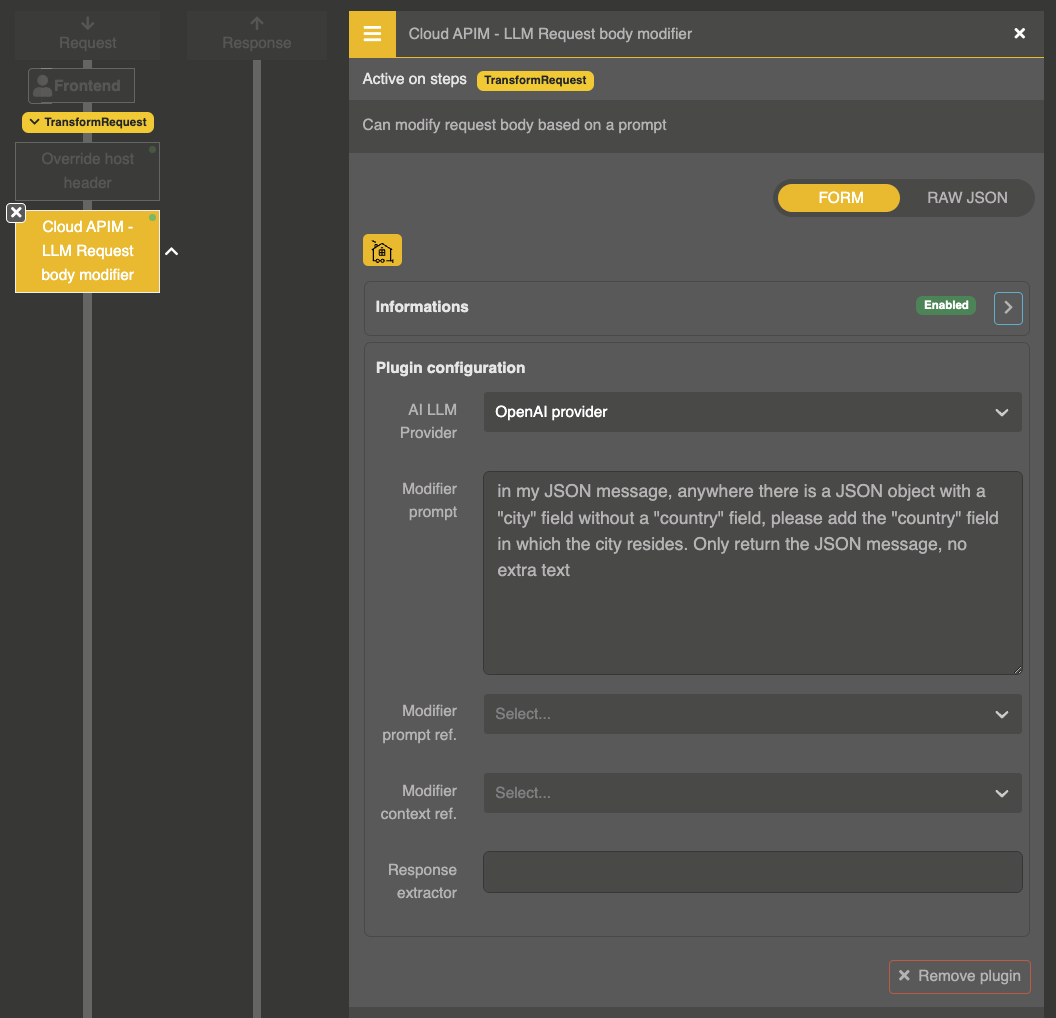
Plugin configuration
{
  "enabled": true,
  "plugin": "cp:otoroshi_plugins.com.cloud.apim.otoroshi.extensions.aigateway.plugins.AiRequestBodyModifier",
  "config": {
    "ref": "provider-entity-id",
    "model": null,
    "prompt": "Translate the following text to English and return only the translation:",
    "prompt_ref": null,
    "context_ref": null,
    "extractor": null
  }
}
Parameters
| Parameter | Type | Default | Description |
|---|---|---|---|
ref | string | "" | LLM Provider entity ID to use for processing |
model | string | null | Model of the LLM provider to use, its default model when empty |
prompt | string | "" | System prompt sent to the LLM along with the request body |
prompt_ref | string | null | Reference to a stored prompt entity (alternative to inline prompt) |
context_ref | string | null | Reference to a stored context entity for pre/post messages |
extractor | string | null | Regex pattern to extract a specific part of the LLM response |
Example: translate request body
{
  "ref": "provider_openai",
  "prompt": "Translate the following JSON body values to English. Return only the translated JSON, no explanation."
}
Example: with regex extractor
If the LLM response contains extra text around the actual result, use the extractor regex to extract just the part you need:
{
  "ref": "provider_openai",
  "prompt": "Extract the email address from the following text and return it in the format: EMAIL: <address>",
  "extractor": "EMAIL:\\s*(.*)"
}